
Amazon affiliate links - we earn a commission.Affiliate disclosure

Buying guide · 13 min read · Updated 2026-11-26

Best Budget Mesh Wi-Fi Systems (2026)

The best budget mesh Wi-Fi systems for 2026: Wi-Fi 6 and entry Wi-Fi 7 packs that fix dead zones, with notes on backhaul, coverage claims and speed labels.

Brianna Cole, Lead Product EditorBy Brianna ColeLead Product Editor7 picks comparedSpec-sheet verified
Best Budget Mesh Wi-Fi Systems

At a glance

Our top picks

Side by side

Spec comparison

PieceStandardCoverageDevicesBands
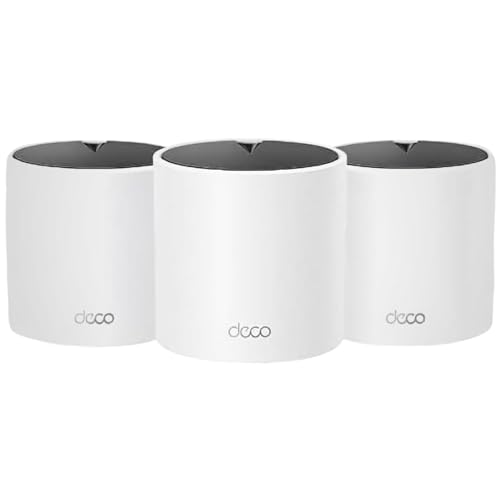
TP-Link Deco X55 AX3000 Wi-Fi 6 Mesh, 3-Pack, 6,500 sq ftBest OverallTP-Link Deco X55 AX3000 Wi-Fi 6 Mesh, 3-Pack, 6,500 sq ftWi-Fi 6 AX3000Up to 6,500 sq ft (3-pack)Up to 150Dual-band
Amazon eero 6+ Mesh Wi-Fi System, Gigabit Plans, 160 MHzBest ValueAmazon eero 6+ Mesh Wi-Fi System, Gigabit Plans, 160 MHzWi-Fi 6Up to 4,500 sq ftn/an/a
TP-Link Deco XE75 AXE5400 Tri-Band Wi-Fi 6E, 3-Pack, 7,200 sq ftBest Tri-BandTP-Link Deco XE75 AXE5400 Tri-Band Wi-Fi 6E, 3-Pack, 7,200 sq ftWi-Fi 6E AXE5400Up to 7,200 sq ft (3-pack)Up to 200Tri-band with 6 GHz
TP-Link Deco 7 BE5000 Wi-Fi 7 Dual-Band Mesh, 6,600 sq ftBest Entry Wi-Fi 7TP-Link Deco 7 BE5000 Wi-Fi 7 Dual-Band Mesh, 6,600 sq ftWi-Fi 7 BE5000Up to 6,600 sq ftOver 150Dual-band, 4-stream
TP-Link Deco X15 AX1500 Wi-Fi 6 Mesh, 3-Pack, 5,600 sq ftBest Small HomeTP-Link Deco X15 AX1500 Wi-Fi 6 Mesh, 3-Pack, 5,600 sq ftWi-Fi 6 AX1500Up to 5,600 sq ftUp to 120Dual-band with dynamic backhaul
NETGEAR Orbi 370 Wi-Fi 7 Mesh, 3-Pack, 6,000 sq ftBest Wi-Fi 7 Brand AlternativeNETGEAR Orbi 370 Wi-Fi 7 Mesh, 3-Pack, 6,000 sq ftWi-Fi 7Up to 6,000 sq ftUp to 70n/a
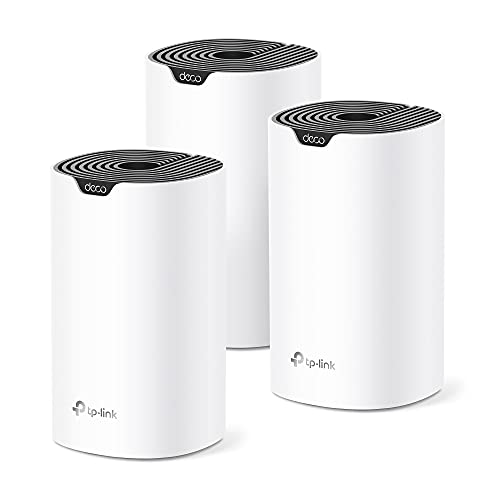
TP-Link Deco S4 AC1900 Wi-Fi 5 Mesh, 3-Pack, 5,500 sq ftCheapest PickTP-Link Deco S4 AC1900 Wi-Fi 5 Mesh, 3-Pack, 5,500 sq ftWi-Fi 5 AC1900Up to 5,500 sq ftn/an/a

A mesh system replaces one router that cannot reach the whole house with several nodes that share a single network name. At a budget level, the real question is whether the nodes can talk to each other fast enough to keep the far rooms useful, not how big the speed label looks.

We compare Wi-Fi generation, band count, node ports, coverage claims and app experience. Headline speed labels add every band together and describe lab conditions, so the better question is how a system behaves when you stand in the farthest bedroom with a phone.

Before you buy

6 Criteria to Look For Before Buying a Budget Mesh Wi-Fi System

  1. 01

    Wi-Fi generation

    Wi-Fi 5 (AC) like the Deco S4 is dated, Wi-Fi 6 (AX) like the X55 and eero 6+ is the sweet spot, 6E adds a 6 GHz band as on the XE75, and Wi-Fi 7 like the Deco 7 BE5000 adds wider channels. Your devices must support a standard to benefit. Do not pay for Wi-Fi 7 if your phone and laptop are Wi-Fi 6.

  2. 02

    Backhaul and band count

    Mesh nodes talk to each other on a backhaul link. Dual-band systems share that link with your devices, so far nodes slow down, while tri-band systems like the XE75 dedicate a radio to it. Wired Ethernet backhaul avoids the penalty on any system.

  3. 03

    Speed labels

    Labels such as AX3000 and BE5000 add every band together and describe lab conditions. No single device sees that number. Compare the 5 GHz figure and your internet plan instead.

  4. 04

    Coverage claims

    A 6,500 sq ft claim on the Deco X55 assumes open space and a full three-pack. Walls, brick and metal reduce it, and a two-pack covers about two thirds as much. Count floors and layout, not just square feet.

  5. 05

    Ports and plan support

    Internet plans above a gigabit need a faster WAN port. The Deco 7 BE5000 has two 2.5G ports per node, while the eero 6+ supports plans up to a gigabit. Check the port speed before you pay for a plan upgrade.

  6. 06

    App and subscriptions

    The app handles setup, parental controls and security. Some brands lock advanced features behind a subscription, which is a hidden ongoing cost. Check what is free before you buy.

Detailed reviews

The 7 best budget mesh wi-fi systems, explained

01
TP-Link Deco X55 AX3000 Wi-Fi 6 Mesh, 3-Pack, 6,500 sq ft
AX3000 Wi-Fi 63-pack6,500 sq ft150 devices
Check price on Amazon
Best for: Typical two-story homes on gigabit or lower plans that want strong Wi-Fi 6 at an entry price.

The Deco X55 is a dual-band Wi-Fi 6 AX3000 mesh system sold as a three-pack that claims 6,500 sq ft of coverage and support for up to 150 devices. Its 2x2 radios with 160 MHz channels reach 2402 Mbps on the 5 GHz band under ideal conditions. It sits near the bottom of the price range for a full three-node pack.

Compared with the Deco XE75 tri-band 6E system, it has no dedicated backhaul radio, so far nodes share bandwidth with clients. Against the Deco X15, it offers twice the claimed speed class and more coverage. The app is simple, and it handles a single network name with roaming across the house.

Place the nodes about halfway between the main node and the dead zone and keep them off the floor. A wired Ethernet backhaul between nodes removes the dual-band penalty if your house has cabling. It suits most two-story homes with a gigabit or lower plan. A sensible starting layout is the main node near the modem, one node on the opposite end of the same floor and one upstairs, which gives each wireless hop a short, clear path. After setup, run a speed check in the farthest room and move a node a few feet if the signal bars look weak.

What works

  • AX3000 speed class covers most homes
  • Three nodes claim up to 6,500 sq ft
  • Supports up to 150 devices
  • Simple app and single network name

Watch out for

  • Dual-band backhaul shares bandwidth
  • Wi-Fi 6, not Wi-Fi 7

Specs

Standard
Wi-Fi 6 AX3000
Coverage
Up to 6,500 sq ft (3-pack)
Devices
Up to 150
Radios
2x2 with 160 MHz, 2402 Mbps on 5 GHz
Bands
Dual-band
02
Amazon eero 6+ Mesh Wi-Fi System, Gigabit Plans, 160 MHz
Wi-Fi 6Gigabit support160 MHz channel4,500 sq ft claim
Check price on Amazon
Best for: First-time mesh buyers on gigabit plans who value an easy, app-guided setup.

The eero 6+ is a Wi-Fi 6 mesh system that supports internet plans up to a gigabit and uses a 160 MHz channel for added bandwidth on the 5 GHz band. The listing quotes coverage up to 4,500 sq ft. It is pitched as the most affordable eero that still handles a gigabit connection.

Compared with the Deco X55, it has a smaller claimed coverage and a more polished, app-driven setup. Against the Deco 7 BE5000, it lacks Wi-Fi 7 and 2.5G ports, so it is not future-proof. The key benefit is simplicity, since eero systems are known for easy setup, but note that some advanced features may sit behind a subscription.

Start with two nodes for a mid-size home and add a third only if you have dead spots. Ethernet backhaul is an option if you have wiring. It suits renters and first-time mesh buyers who want a fast, painless setup. Because setup is guided step by step in the app, a non-technical household member can finish it in a quarter of an hour, which is a real advantage if you are not the one who will troubleshoot later.

What works

  • Supports plans up to a gigabit
  • 160 MHz channel adds bandwidth
  • Very simple app setup
  • Single network name with roaming

Watch out for

  • Smaller claimed coverage than Deco packs
  • Some features may need a subscription

Specs

Standard
Wi-Fi 6
Plan support
Up to gigabit
Coverage
Up to 4,500 sq ft
Channel
160 MHz on 5 GHz
Setup
App-based, simple
03
TP-Link Deco XE75 AXE5400 Tri-Band Wi-Fi 6E, 3-Pack, 7,200 sq ft
AXE5400 6ETri-band7,200 sq ft6 GHz band
Check price on Amazon
Best for: Larger homes that want a cleaner tri-band design without the cost of Wi-Fi 7.

The Deco XE75 adds a 6 GHz band to the usual two, making it a true tri-band Wi-Fi 6E system with combined speeds up to 5,400 Mbps. The three-pack claims 7,200 sq ft of coverage and up to 200 devices. The listing highlights that the 6 GHz band avoids interference from older devices.

Compared with the Deco X55, the extra band can serve as a dedicated backhaul or as a clean lane for compatible clients, which helps keep far nodes fast. Against the Deco 7 BE5000, it is older Wi-Fi 6E rather than Wi-Fi 7, but still strong for most plans. The speed label adds every band, so no single device will see 5,400 Mbps.

Only Wi-Fi 6E devices use the 6 GHz band, so benefits depend on your phones and laptops. Place nodes with a clear line of sight where possible. It suits larger homes that want a dedicated link between nodes without paying for Wi-Fi 7. If your phones are older Wi-Fi 5 models, they will simply use the 5 GHz band, so confirm your newest devices support 6 GHz before counting on it.

What works

  • Tri-band with a 6 GHz band
  • Claims 7,200 sq ft with 3 nodes
  • Handles up to 200 devices
  • 6 GHz avoids older-device interference

Watch out for

  • Only 6E clients use 6 GHz
  • Speed label is a combined figure

Specs

Standard
Wi-Fi 6E AXE5400
Bands
Tri-band with 6 GHz
Coverage
Up to 7,200 sq ft (3-pack)
Total speed
Up to 5,400 Mbps combined
Devices
Up to 200
04
TP-Link Deco 7 BE5000 Wi-Fi 7 Dual-Band Mesh, 6,600 sq ft
BE5000 Wi-Fi 7Dual-band2 x 2.5G ports6,600 sq ft
Check price on Amazon
Best for: Buyers who want Wi-Fi 7 and 2.5G ports at an entry price and plan to keep the system for years.

The Deco 7 BE5000 is a dual-band Wi-Fi 7 system with four streams, 240 MHz channel support and two 2.5G Ethernet ports per node. It claims 6,600 sq ft of coverage and over 150 devices. The 2.5G ports are a rare feature at this tier and let you use faster internet plans and wired backhaul.

Compared with the Deco X55, it adds Wi-Fi 7 and 2.5G ports at a modest extra cost, which is why it earns a place for future-proofing. Against the Netgear Orbi 370, it is also dual-band but has stronger port speed. The real-world gain from Wi-Fi 7 depends on your devices, so most phones and laptops will not use the full speed yet.

Wired backhaul over 2.5G Ethernet is where this system shines, since it removes the wireless hop penalty. Use it if you can run cable. It suits buyers who plan to keep the system for years and may upgrade their internet plan. If you only have one Ethernet drop, put the main node at the modem and run the cable to the node that serves the farthest room, which gives the biggest gain for the least wiring.

What works

  • Wi-Fi 7 at an entry tier
  • Two 2.5G Ethernet ports per node
  • Claims 6,600 sq ft coverage
  • Supports wired backhaul at 2.5G

Watch out for

  • Dual-band design shares backhaul
  • Few devices use Wi-Fi 7 fully yet

Specs

Standard
Wi-Fi 7 BE5000
Bands
Dual-band, 4-stream
Ports
2 x 2.5G Ethernet
Coverage
Up to 6,600 sq ft
Devices
Over 150
05
TP-Link Deco X15 AX1500 Wi-Fi 6 Mesh, 3-Pack, 5,600 sq ft
AX1500 Wi-Fi 63-pack5,600 sq ft120 devices
Check price on Amazon
Best for: Smaller homes and plans below a gigabit where coverage matters more than top speed.

The Deco X15 is an AX1500 Wi-Fi 6 mesh pack with dynamic backhaul that claims 5,600 sq ft and up to 120 devices. It sits at the second lowest tier. It replaces a router and extenders with a single network, which is the main advantage over older setups.

Compared with the Deco X55, its speed class is half, so it suits homes with modest plans. Against the Deco S4, it adds Wi-Fi 6 efficiency for many devices. It is best for smaller homes and apartments where coverage matters more than top speed.

Since it is dual-band, nodes share bandwidth with clients, so keep them close enough for a strong link. It suits small homes, plans below a gigabit and people who want to replace extenders. Before buying a third node, try two in a more central position, because many small homes are covered by a pair if the nodes sit near the middle rather than the corners.

What works

  • Second lowest tier in the lineup
  • Wi-Fi 6 efficiency for many devices
  • Claims 5,600 sq ft with 3 nodes
  • Dynamic backhaul adapts to conditions

Watch out for

  • AX1500 is half the speed class of the X55
  • Dual-band backhaul shares bandwidth

Specs

Standard
Wi-Fi 6 AX1500
Bands
Dual-band with dynamic backhaul
Coverage
Up to 5,600 sq ft
Devices
Up to 120
Role
Replaces routers and extenders
06
NETGEAR Orbi 370 Wi-Fi 7 Mesh, 3-Pack, 6,000 sq ft
Wi-Fi 73-pack6,000 sq ftUp to 5 Gbps
Check price on Amazon
Best for: Buyers who prefer Netgear's app and want Wi-Fi 7 without paying for tri-band.

The Orbi 370 is a dual-band Wi-Fi 7 system that claims up to 5 Gbps, 6,000 sq ft of coverage and 70 devices, with Enhanced Backhaul between nodes. It sits in the middle of the price range. Netgear positions it as an easy-setup Wi-Fi 7 option.

Compared with the Deco 7 BE5000, it lists fewer devices and no 2.5G port detail on the listing, so we rank it lower. Against the eero 6+, it offers Wi-Fi 7 but at a higher tier. The Enhanced Backhaul claim describes software tuning that tries to reduce the dual-band penalty.

Check whether advanced features need a subscription before you buy. It suits buyers who prefer the Netgear brand and app and want Wi-Fi 7. Compare the Netgear app's free features with the paid tier before you commit, since security add-ons are where the monthly costs tend to hide.

What works

  • Wi-Fi 7 with Enhanced Backhaul
  • Claims up to 6,000 sq ft
  • Netgear app is simple
  • Up to 5 Gbps speed class

Watch out for

  • Lower device count at 70
  • Some features may need a subscription

Specs

Standard
Wi-Fi 7
Speed class
Up to 5 Gbps
Coverage
Up to 6,000 sq ft
Devices
Up to 70
Backhaul
Dual-band with Enhanced Backhaul
07
TP-Link Deco S4 AC1900 Wi-Fi 5 Mesh, 3-Pack, 5,500 sq ft
AC1900 Wi-Fi 5Dual-band3-pack5,500 sq ft
Check price on Amazon
Best for: Small and mid-size homes on modest plans where cost matters most.

The Deco S4 is the oldest and cheapest system here, an AC1900 Wi-Fi 5 dual-band design with up to 1300 Mbps on 5 GHz and 600 Mbps on 2.4 GHz. The three-pack claims 5,500 sq ft. It is the lowest tier in the lineup and a practical way to end dead zones on a tight budget.

Compared with the Deco X15, it has older Wi-Fi 5, so it handles many devices less efficiently. Against the Deco X55, it has less than half the headline speed. It is still adequate for browsing, video calls and streaming on modest plans.

If your phones and laptops are Wi-Fi 6, they will connect but not use the newer features. It suits small and mid-size homes where cost matters most. If you later upgrade your plan beyond what Wi-Fi 5 can usefully serve, you can keep these nodes as a secondary network for a garage or a guest house.

What works

  • Lowest cost for a three-node pack
  • Claims 5,500 sq ft
  • Simple Deco app
  • Replaces router and extenders

Watch out for

  • Older Wi-Fi 5 standard
  • Handles many devices less efficiently

Specs

Standard
Wi-Fi 5 AC1900
5 GHz speed
Up to 1300 Mbps
2.4 GHz speed
Up to 600 Mbps
Coverage
Up to 5,500 sq ft
Role
Replaces router and extenders

Spec decoder

What the listing measurements really mean

The numbers brands lead with, translated into what they tell you about fit, comfort and wear at home.

AX3000 and similar labels

A combined speed class that adds all bands. It is a marketing summary, not a device-level speed.

Watch forAX3000 on the Deco X55 and BE5000 on the Deco 7 are combined figures.

Tri-band

Three radios, usually 2.4, 5 and 6 GHz or two 5 GHz bands. One can be used for backhaul.

Watch forThe Deco XE75 is tri-band with a 6 GHz band.

Backhaul

The link between mesh nodes. It can be wireless or wired Ethernet.

Watch forDual-band systems such as the Deco X55 share backhaul with clients.

160 MHz channel

A wide channel that increases speed on the 5 GHz band for compatible devices.

Watch forBoth the eero 6+ and the Deco X55 use it.

Coverage (sq ft)

The claimed area covered by a pack in open conditions.

Watch forDeco XE75 claims 7,200 sq ft while the eero 6+ quotes up to 4,500.

Methodology

How We Evaluated These Budget Mesh Wi-Fi Systems

Standard and band design

We read each listing for Wi-Fi generation, band count and backhaul design. We evaluated how well a system keeps far nodes fast. Tri-band and wired options earned credit.

Claim skepticism

We discounted combined speed labels and open-space coverage figures. We focused on 5 GHz speed and device support. The AX3000 class was the sweet spot.

Ports and future-proofing

We compared Ethernet port speed, such as 2.5G on the Deco 7, against plan support. Wired backhaul potential was credited. Systems limited to gigabit were marked accordingly.

Ownership patterns

Owner feedback patterns about app stability, node drops and subscription nags shaped the cons. Firmware update support was weighed. Simple setups scored well.

Value

Price tier ordered the lineup, and we favored the lower half. We judged what each generation step adds. Honest feature sets scored best.

Decision guide

How to Choose the Right Budget Mesh Wi-Fi Systems

By Home Size

SituationPickWhy
Apartment or small homeDeco X15Claims 5,600 sq ft with 3 nodes.
Typical two-story homeDeco X55AX3000 with 6,500 sq ft.
Large homeDeco XE75Tri-band with 7,200 sq ft.
Mid-size home on gigabiteero 6+Simple and gigabit-ready.

By Budget

SituationPickWhy
Lowest costDeco S4Cheapest three-node pack.
Low cost Wi-Fi 6Deco X15Second lowest tier.
Best use of a budgetDeco X55AX3000 at a low tier.
Best use of a larger budgetDeco 7 BE5000Wi-Fi 7 and 2.5G ports.

Dual-Band vs Tri-Band

Dual-band

The Deco X55, X15, S4 and Deco 7 BE5000 share backhaul with client devices. That is fine for typical use, but far nodes lose speed.

Tri-band

The Deco XE75 adds a third radio that can carry backhaul. It costs more, but far nodes stay faster.

Choose tri-band for large homes and dual-band for typical homes with wired options.

By Internet Plan

SituationPickWhy
Plans under a gigabitDeco X15Wi-Fi 6 is enough.
Gigabit planseero 6+Supports up to a gigabit.
Planning a faster planDeco 7 BE50002.5G ports.
Wired backhaulDeco 7 BE50002.5G Ethernet between nodes.

For Dead-Zone Fixes Specifically

Look for

A pack with enough nodes, a backhaul that is not shared, and a placement plan that puts nodes about halfway to the dead zone.

In this comparison

The Deco X55 is the best fit for most homes, with the Deco XE75 for large or multi-floor houses.

When to Spend More

Spend more if

You have a multi-gigabit plan, a very large home, heavy gaming or want wired backhaul. A tri-band system with fast ports is worth it.

Save if

Your plan is under a gigabit and your home is modest. A Wi-Fi 6 pack is plenty.

Ownership

Maintenance schedule

The upkeep that decides whether a piece still looks good in year five.

TaskIntervalWhy it matters
Update firmwareMonthly checkUpdates fix bugs and security issues. Enable automatic updates if offered.
Reboot the main nodeEvery few monthsA restart clears memory issues and stale connections. Do it at a quiet time.
Review node placementAfter rearranging furnitureLarge objects block signal. Re-check the signal quality in the app.
Check connected devicesEvery 6 monthsOld devices clog the network and may be a security risk. Remove unknowns.
Dust the nodesYearlyDust traps heat. A dry cloth keeps them cool.

FAQ

Frequently Asked Questions

Do I need Wi-Fi 7 for a budget mesh?

Usually not. Wi-Fi 6 handles most plans and devices, and few devices use Wi-Fi 7 fully today.

How many nodes do I need?

Two nodes cover most mid-size homes. Add a third for large or multi-floor houses.

Does mesh slow my internet?

Each wireless hop can cut speed on dual-band systems. Wired backhaul avoids this.

Are coverage claims accurate?

They are best-case open-space figures. Walls and floors reduce real coverage.

Do I need to pay a subscription?

Basic features are free on most systems, but some security and parental controls may need a subscription. Check before buying.

Can I mix mesh nodes from different brands?

No. Nodes must be from the same system to work together.

Bottom line

The short version

Browse more budget mesh wi-fi systemson Amazon →
Brianna Cole, Lead Product Editor

About the author

Brianna Cole

Lead Product Editor, SenseiReview

Brianna Cole leads SenseiReview's buying guides, turning published specifications, documentation and owner feedback patterns into clear verdicts across home, tech, fitness, outdoor and DIY products.

More from Brianna →

Keep reading

Related guides