A dead spot in the house, usually the bedroom furthest from the router, sends most people to the same pair of products: a cheap plug-in range extender, or a larger mesh system. The extender is a fraction of the price and promises to push the signal further. The mesh system costs much more and promises a seamless blanket of coverage. What neither box explains clearly is why one often disappoints and the other often does not.
This guide explains the mechanics: why a single radio extender loses speed, what backhaul means, how wired links change the picture, where to put the nodes, what roaming is and why it matters, when an extender is perfectly adequate, and why a wired access point is often the best answer of all. It should leave you able to pick by your own layout, not by a brand.
How a range extender works and why it loses speed
An extender sits partway between the router and the dead spot. It listens to the router's signal and rebroadcasts it as a new network or an extension of the same one. Devices in the dead spot connect to the extender, and the extender passes their traffic on to the router, so the extender is a relay.
The problem is that a basic extender has one radio on each band. It cannot receive and transmit at the same moment on the same channel, so it must alternate: listen to the router, then send to your device, then listen again. Each piece of data is effectively sent twice over the same airspace, so the throughput available to your device is roughly half of the link rate between the extender and the router, at best.
If the link from the router to the extender is itself weak, because the extender is placed too far away, the result is worse still. A common mistake is to put the extender in the dead spot itself, where the signal from the router is already poor. The extender then rebroadcasts a weak signal with high confidence, which gives full bars and slow speeds, a combination that confuses owners.
How a mesh system works and what backhaul is
A mesh system consists of a main router and one or more nodes that behave as a single network, with one name and one password. Each node is a router in its own right, and they share information about the network so that devices are handed from one node to another as you move. The link that carries traffic between nodes is called the backhaul, and its type decides how much speed is lost.
Mesh systems fall into several kinds. Dual band systems share one radio for both client devices and backhaul, which behaves like an extender, with a similar halving of speed per hop. Tri band systems add a third radio dedicated to backhaul, so the client radios stay free and the loss is much smaller. Wired backhaul uses an Ethernet cable between nodes, which gives full speed to clients with no radio overhead at all.
The difference between these is the heart of the choice. A tri band or wired mesh preserves speed far better than a basic extender, which is why mesh costs more. A budget dual band mesh system, with no dedicated backhaul, may perform no better than a good extender in a hard layout, although it usually manages handover and management better.
| Setup | Backhaul | Speed to far devices | Typical use |
|---|---|---|---|
| Basic range extender | Shares the client radio | Roughly half at best | One dead spot, light use |
| Dual band mesh | Shares the client radio | Reduced, similar to an extender | Small to medium homes |
| Tri band mesh | Dedicated wireless radio | Better preserved | Larger homes without cabling |
| Wired backhaul mesh | Ethernet cable | Full speed | Any home where cable can run |
| Router plus wired access point | Ethernet cable | Full speed | Homes with cabling, best value |
Wired backhaul: the best upgrade if you can do it
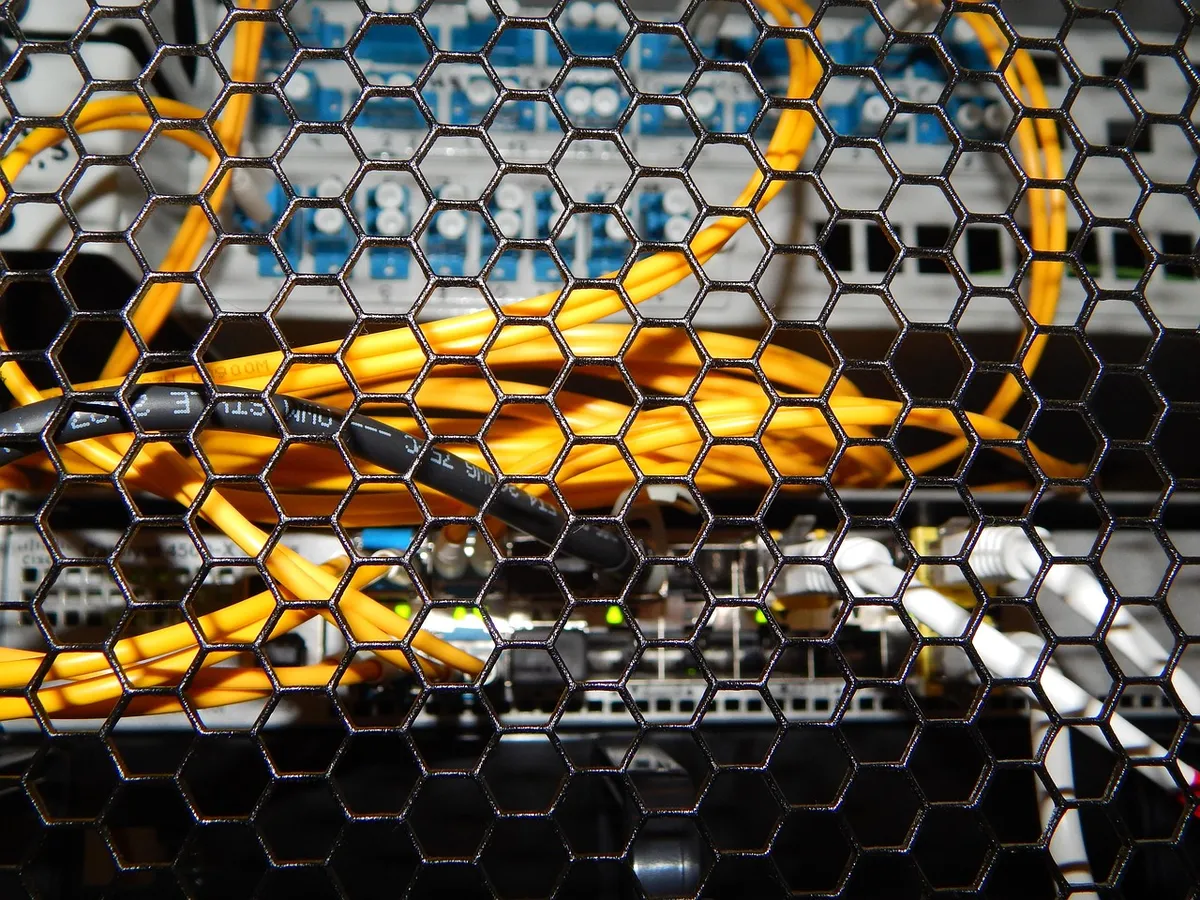
If you can run an Ethernet cable to where a node would sit, the performance gain is large. A wired node does not need to spend radio time talking to the main router, so all of its capacity goes to your devices. This removes the main weakness of any wireless relay, and a modest, inexpensive mesh system with wired backhaul can outperform an expensive one that relies on wireless links.
Not everyone can run cables, but there are options. Some homes already have Ethernet sockets in walls. Powerline adapters send data over mains wiring and can work, though performance depends heavily on the age and layout of the wiring, and varies from excellent to poor. MoCA adapters use existing coaxial cable, where a home has it, and are generally reliable, and are worth knowing about in homes wired for cable television.
Wired backhaul also suits an access point approach, in which a cable runs from the router to a separate access point that provides Wi-Fi in a far part of the home. Many mesh systems accept wired backhaul, so it is worth checking this feature before buying. If you can reach the far room with a cable, you can probably solve the problem more cheaply than with either wireless option.
Node placement that works
Place a mesh node or extender halfway between the router and the dead spot, where it still receives a strong signal from the router, not in the dead spot itself. A reasonable test is to check the speed on a phone standing at the proposed position: if it is already weak there, move the node closer to the router. The node can only pass on as much speed as it receives.
Keep nodes out in the open, ideally at head height or higher, and away from large metal objects, mirrors, aquariums, thick walls and microwave ovens. A node behind a television or inside a cupboard loses range. In a multi-storey home, place one node on each floor, roughly above one another or offset to cover the layout, since signals travel poorly through floors.
More nodes are not always better. Each wireless hop can add delay and reduce speed, and too many nodes in a small home can interfere with each other. Two or three nodes cover most homes, and the best results come from fewer, well placed nodes. Browse the tech and electronics category for more on home networking.
Roaming and handover
When you walk through the house, your phone or laptop decides when to leave one access point and join another. This is roaming, and the decision is made by the device, not by the network, which is why a phone can stay stuck on a distant node while a nearer one offers a much better signal. Poor roaming appears as a call that drops as you walk upstairs, or a slow connection that fixes itself when you toggle Wi-Fi.
Mesh systems help by using standards that let the network suggest a better access point to the device, and by presenting one network name so no manual switching is needed. Not all devices follow these hints, and some older ones cling to the first access point they joined. This is a device limitation more than a system fault, and it appears on all products.
An extender that creates a separate network name leaves roaming to you, and this is a common frustration. Using the same name can help, though the device may still hold on too long. If you often move around during calls, a mesh system or wired access points with the same network name give the smoothest experience. The newer standards, covered in Wi-Fi 6 versus Wi-Fi 7, add features that help roaming and multi-band use.
When an extender is the right answer
An extender makes sense for a small, specific problem, such as a single room or a garden office just beyond the router's range, where light use like browsing and streaming is expected. It is cheap, simple, and often works well enough. If your internet plan is slow anyway, halving the wireless speed may not matter, because the plan limit is lower than the wireless speed.
Look for a dual band or tri band extender with a good antenna design, and place it where it gets a strong signal. Some extenders have an Ethernet port, which lets you use them as an access point with a cable, a useful way to avoid the halving loss. An extender that works as an access point over a cable is, in effect, a cheap version of wired backhaul.
Avoid extenders for demanding use, such as video calls, large downloads or gaming in the far room, where the loss of speed and the extra delay are noticeable. If you have latency sensitive uses, a wired connection or a good mesh system is better, and the importance of low latency is covered in our guide to monitor refresh rate, which treats the display side of responsiveness.
Access points as the third option
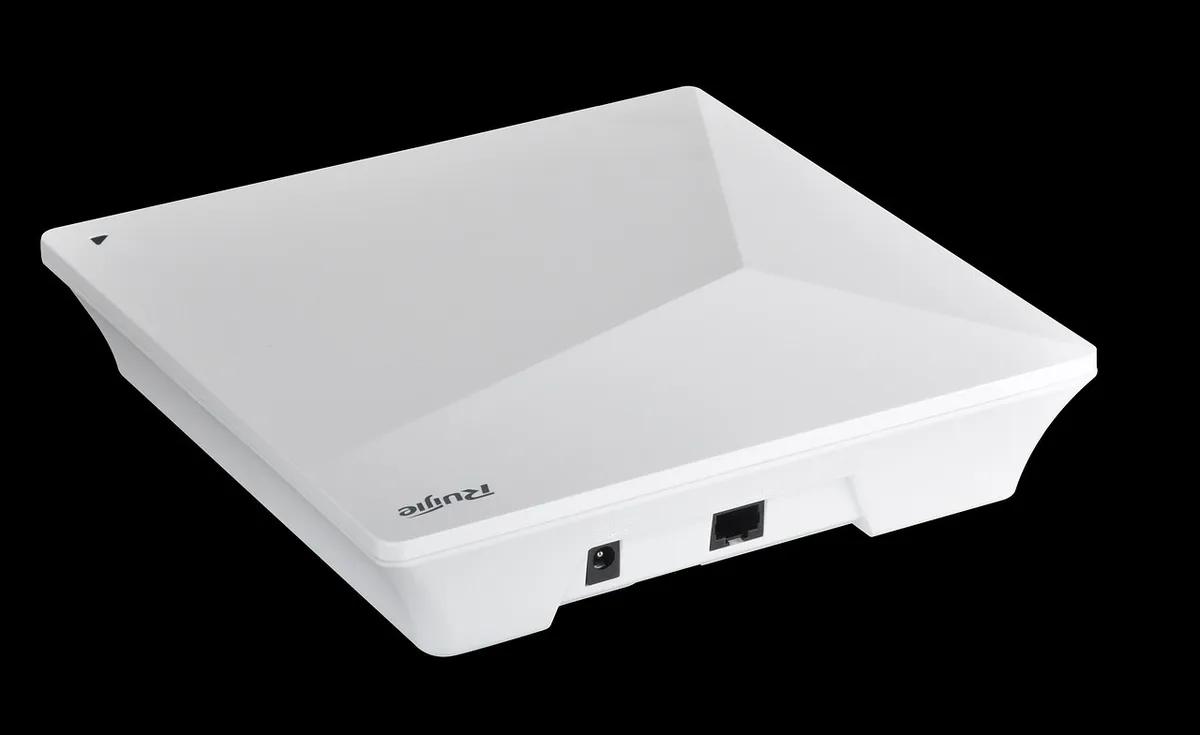
A wired access point is a device that provides Wi-Fi and connects to the router by Ethernet. It does not repeat the signal, it creates a fresh one, with full capacity. For a home with cable runs, adding one or two access points, set to the same network name and password as the router, is often the best performance per cost, and the cheapest route to excellent coverage.
Access points come in ceiling mounted designs, powered through Ethernet, and in desktop designs with a power adapter. Setup is slightly more involved than a mesh kit, since you may need to configure channels and roaming settings, and some require a controller or app. Many mesh systems can also operate as access points in wired mode.
The main limit is cable access. If you cannot run a cable, an access point is not an option, and mesh is the better answer. If you can, even a short cable run to the middle of the house usually produces better results than any wireless relay. Smart home devices that rely on Wi-Fi coverage, covered in smart home protocols explained, also benefit from even coverage.
Check these before buying anything
First, test where the problem is. Run a speed test next to the router and again in the dead spot. If the signal is very weak in only one room, an extender or an access point is enough. If large parts of the home are slow, a mesh system is justified. Second, check the router itself: moving it to a central position, off the floor and away from walls, costs nothing and sometimes solves the issue.
Third, check your devices. An older phone or laptop may be the bottleneck, using an old standard that cannot reach the speeds a new system offers. Fourth, check your internet plan: if the plan gives a few tens of megabits, a mesh system does not make it faster. A new router or a mesh system cannot exceed the speed of the line coming into the house.
Finally, consider security and updates. Cheap extenders often stop receiving firmware updates, which leaves them as a weak point in the network. Choose products from makers who publish update policies, and enable automatic updates. A router or extender that no longer receives security updates is a risk, however well it works.
Band steering and channel choice are two settings that make a measurable difference once the hardware is in place. Most systems try to push capable devices onto the faster 5 GHz band and leave the longer range 2.4 GHz band for simple gadgets, and a few let you split the names so you can choose by hand. If a device keeps a poor connection, forgetting the network and rejoining it on the other band often fixes it.
Interference from neighbours is the other variable, mainly in flats and terraced streets. Wireless channels overlap, so a node left on a crowded channel loses speed no matter how well placed it is. Most systems pick channels automatically, but if speeds fall at the same time each evening, a manual change to a quieter channel, or a different channel width, is worth a try before you spend money on new equipment.
Finally, think about what your devices need. A television that streams video in a far room needs steady throughput, while a thermostat needs only a connection. Put the nodes where the demanding devices live, and let the simple gadgets take whatever coverage is left. Matching the coverage to the devices that matter is a better plan than chasing full signal bars in every corner of the house.
Frequently asked questions
Is a mesh system always better than an extender?
Generally for larger homes, yes, mainly because of better backhaul, roaming and management. For a small dead spot, an extender is cheaper and may be enough. A budget dual band mesh system can perform similarly to an extender.
Does an extender halve my speed?
A single radio extender typically loses a large share of throughput, roughly half in the worst case, because it uses the same channel to receive and send. Models with a dedicated backhaul radio or a wired connection avoid most of the loss.
How many mesh nodes do I need?
Two or three cover most homes. Add one per floor or one per large section of the house. More nodes can add delay and interference, so use the smallest number that gives good coverage.
Can I mix brands of mesh and extenders?
You can use a different brand as an access point or extender, but the handover and management features of a mesh system work only within one brand. Mixed setups may need separate network names or careful configuration.
Is powerline a good alternative?
It can work when the home wiring is suitable, and results vary from good to poor. It is worth a try if you cannot run Ethernet, but test before relying on it, and check that the adapters are on the same circuit.
Will a mesh system make my internet faster?
It makes the Wi-Fi signal stronger and more even, so devices in far rooms get closer to your plan speed. It cannot exceed the speed of your internet connection, and it will not help if the plan is the limit.
The bottom line
For one weak room and light use, a range extender, placed halfway and not in the dead spot, is a sensible low cost fix. Accept that its speed will be reduced, and choose one with an Ethernet port if you can.
For a larger or multi-storey home, choose a mesh system, and prefer tri band or wired backhaul to preserve speed. If you can run Ethernet cables, use them: a router plus wired access points or a wired mesh gives the best result at the best cost.
Before spending, move the router, test the speed in the problem rooms, and check that your plan and devices are not the real limit. Place nodes carefully, keep firmware updated, and use the fewest nodes that give good coverage.