
Amazon affiliate links - we earn a commission.Affiliate disclosure

Buying guide · 13 min read · Updated 2026-11-26

Best Ethernet Switches for Home (2026)

Six home Ethernet switches compared on port count, gigabit versus 2.5G, unmanaged versus Easy Smart, PoE budget and metal fanless builds for desks and closets.

Brianna Cole, Lead Product EditorBy Brianna ColeLead Product Editor6 picks comparedSpec-sheet verified
Best Ethernet Switches for Home

At a glance

Our top picks

Side by side

Spec comparison

PiecePortsTypeTier
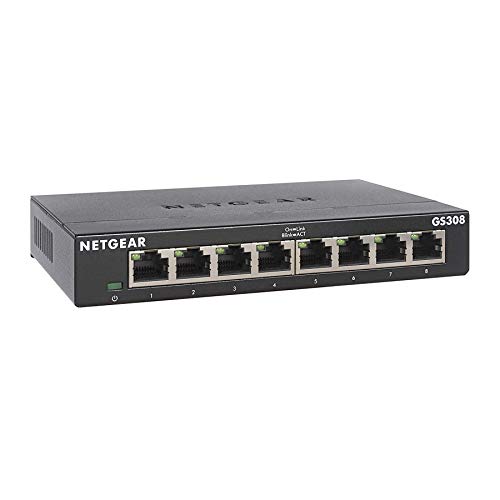
NETGEAR GS308 8-Port Gigabit Unmanaged Ethernet SwitchBest OverallNETGEAR GS308 8-Port Gigabit Unmanaged Ethernet Switch8 x 1 GbpsUnmanaged, plug and playMiddle in this guide
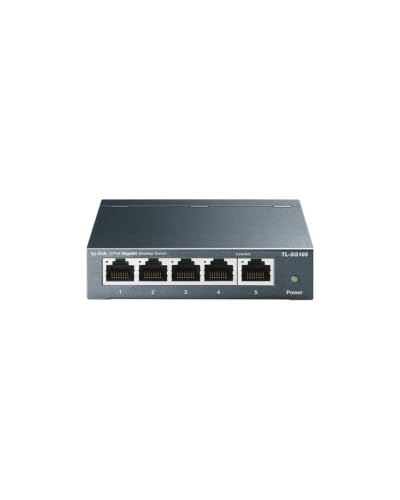
TP-Link TL-SG105 5-Port Gigabit Unmanaged Ethernet Switch, MetalBest ValueTP-Link TL-SG105 5-Port Gigabit Unmanaged Ethernet Switch, Metal5 x 10/100/1000 Mbpsn/aSecond lowest in this guide
TP-Link TL-SG105S-M2 5-Port 2.5G Multi-Gigabit Unmanaged SwitchBest 2.5G UpgradeTP-Link TL-SG105S-M2 5-Port 2.5G Multi-Gigabit Unmanaged Switch5 x 2.5 GbpsUnmanaged plug and playUpper in this guide
NETGEAR GS308E 8-Port Gigabit Easy Smart Managed SwitchBest Easy SmartNETGEAR GS308E 8-Port Gigabit Easy Smart Managed Switch8 x 1 Gbpsn/aMiddle-upper in this guide
NETGEAR GS305P 5-Port PoE Gigabit Unmanaged Switch, 4 PoE+ Ports 63WBest PoENETGEAR GS305P 5-Port PoE Gigabit Unmanaged Switch, 4 PoE+ Ports 63W1 x 1G plus 4 x 1G PoE+Unmanaged plug and playn/a
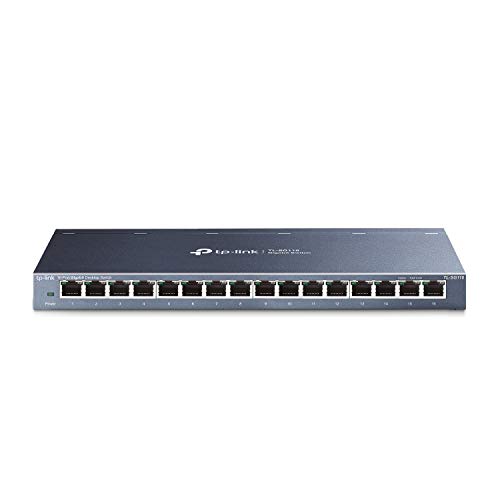
TP-Link TL-SG116 16-Port Gigabit Unmanaged Switch, Metal FanlessBest Large Port CountTP-Link TL-SG116 16-Port Gigabit Unmanaged Switch, Metal Fanless16 x 10/100/1000 Mbpsn/aMiddle-upper in this guide

An Ethernet switch turns one wired connection into several, which is useful when a router runs out of ports for a desktop, a console, a streaming box and a printer. A switch does not add internet speed, but it keeps wired devices on a faster and more stable link than Wi-Fi.

For most homes an unmanaged gigabit switch is all you need. The differences are port count, build quality, whether it supports 2.5 gigabit or power over Ethernet and whether it has any management features. The six switches below cover each of those needs.

Before you buy

6 Criteria to Look For Before Buying an Ethernet Switch for Home

  1. 01

    Port count with room to grow

    Count the devices you will plug in and add two spare ports, because networks grow. Five ports serve a desk, eight cover a typical home and sixteen suit a room-by-room install. The TL-SG105 has five, the GS308 has eight and the TL-SG116 has sixteen. One port is taken by the uplink to the router. A common mistake is buying the exact count and then daisy-chaining a second switch later, which adds another box and another power adapter; paying a little more for the 8-port GS308 up front usually avoids that.

  2. 02

    Speed tier: gigabit or 2.5G

    A gigabit switch is enough for most homes, because a typical internet plan and Wi-Fi are slower than 1 Gbps. A 2.5G switch like the TL-SG105S-M2 only helps when both ends of a link support 2.5G, such as a NAS and a desktop. Do not pay for 2.5G if your devices lack 2.5G ports. Also check the router side: if the router only has gigabit LAN ports, a 2.5G switch can still speed up transfers between two local 2.5G devices, but internet traffic leaving the house is capped by the gigabit uplink.

  3. 03

    Unmanaged versus Easy Smart

    Unmanaged switches work out of the box with no setup, while Easy Smart switches add VLANs and monitoring through a web page. The GS308 is unmanaged and the GS308E is Easy Smart. For most homes unmanaged is enough, and management is a niche need for camera or IoT separation.

  4. 04

    PoE and power budget

    PoE switches carry power to cameras and access points over the same cable, but the budget is shared across ports. The GS305P gives four PoE+ ports on a 63 W total. Add up your devices' draw before buying, because a low budget switches off ports under load. As a worked example, three cameras drawing about 7 watts each use roughly 21 watts of the GS305P's 63 watt budget, leaving room for an access point on the fourth PoE+ port.

  5. 05

    Build, cooling and noise

    Metal fanless housings dissipate heat silently, while plastic cases run warmer. The TP-Link and NETGEAR picks here are fanless. Place the switch where air can move around it and avoid stacking it under warm gear.

  6. 06

    Uplink and bottleneck

    All devices on the switch share the single link back to the router. A bigger switch does not make the connection faster. For heavy local transfers, connect busy devices to the same switch so traffic stays local. Use Cat5e or better cabling.

Detailed reviews

The 6 best ethernet switches for home, explained

01
NETGEAR GS308 8-Port Gigabit Unmanaged Ethernet Switch
8 gigabit portsUnmanagedPlug and playDesktop or wall mount
Check price on Amazon
Best for: Homes that need eight wired ports with no setup.

The NETGEAR GS308 is the most sensible home switch: eight gigabit ports in a small desktop box, with plug-and-play operation and no software. Its ports auto-negotiate speed, so older 100 megabit devices and modern gigabit devices coexist without setup. The 8-port count covers a desktop, a console, a TV, a streaming box, a printer and a couple of spares.

Compared with the TP-Link TL-SG105, the GS308 has three more ports for a small cost increase, which is usually worth it because networks grow. Against the GS308E Easy Smart model it lacks VLANs and monitoring, but it is simpler and cheaper. It is a pure expander: it does not add internet speed, so the router link remains the shared limit.

Place it where it can breathe, connect the uplink to the router and plug in devices. Use Cat5e or better cables, and check the port LEDs if a link seems slow. A fanless design means silence. For a home that needs a few more wired connections, this is the safe pick.

What works

  • Eight gigabit ports cover a typical home
  • Plug and play with no software
  • Auto-negotiating ports handle mixed speeds
  • Desktop or wall mounting

Watch out for

  • No VLAN or monitoring features
  • Shares one gigabit uplink to the router
  • No PoE for cameras

Specs

Ports
8 x 1 Gbps
Type
Unmanaged, plug and play
Negotiation
Auto-negotiating ports
Mounting
Desktop or wall
Tier
Middle in this guide
02
TP-Link TL-SG105 5-Port Gigabit Unmanaged Ethernet Switch, Metal
5 gigabit portsFanless metalEnergy efficientPlug and play
Check price on Amazon
Best for: Desks and TV consoles that need a few extra wired ports at low cost.

The TP-Link TL-SG105 is the small, cheap desk switch: five gigabit ports in a fanless metal case with plug-and-play setup. The listing mentions an energy-efficient design that lowers power draw on idle ports and IEEE 802.3X flow control to keep transfers steady. One port goes to the router and four serve devices.

Compared with the NETGEAR GS308, it has fewer ports at a lower cost, which suits a TV console or a desk with three or four wired devices. Against the LS1005G LiteWave from the same brand, the metal case here is sturdier and the housing dissipates heat better. For most people a five-port switch is enough until they add a camera or a second console.

Connect the uplink to the router and plug in devices. If you see a link at 100 Mbps, replace the cable, since a damaged pair will drop the speed. Keep it dry and ventilated, and use the included power adapter rather than a spare one with a different rating, since an undersized adapter causes the random link drops that people blame on the switch. For a single desk or entertainment center, it is the best value pick.

What works

  • Five gigabit ports in a small metal case
  • Fanless so it runs silently
  • Energy-efficient port design
  • Low cost and plug and play

Watch out for

  • Only four usable ports after the uplink
  • No PoE or management
  • Fills up quickly as devices are added

Specs

Ports
5 x 10/100/1000 Mbps
Housing
Fanless metal
Flow control
IEEE 802.3X
Power saving
Energy-efficient design
Tier
Second lowest in this guide
03
TP-Link TL-SG105S-M2 5-Port 2.5G Multi-Gigabit Unmanaged Switch
5 x 2.5G portsAuto-negotiatingUnmanagedDesktop or wall
Check price on Amazon
Best for: People with 2.5G devices or a NAS who want faster local transfers.

The TL-SG105S-M2 is a five-port multi-gigabit switch with every port running at up to 2.5 Gbps, and the ports auto-negotiate down to gigabit and slower for older devices. It is aimed at home entertainment, LAN parties and fast file transfers between a desktop and a NAS, where a 2.5G link can move data faster than a gigabit connection.

Compared with the TP-Link TL-SG105, it costs noticeably more for the same port count. The extra speed only helps if both ends of a link run at 2.5G, such as a motherboard with a 2.5G port and a NAS, or a router with a 2.5G LAN port. Against the NETGEAR GS308 it offers more speed but fewer ports, so it is a targeted upgrade, not a general one.

Use Cat5e or better cabling, since Cat5e handles 2.5G at typical home lengths. Check which of your devices actually have 2.5G ports before paying for them. The uplink to the router is the shared limit, so a gigabit router still caps outside access. For a desktop and NAS pair, it is an effective upgrade.

What works

  • All five ports run at up to 2.5 Gbps
  • Auto-negotiates down to gigabit
  • Plug and play with no software
  • Fanless desktop or wall design

Watch out for

  • Costs more than gigabit switches
  • Only helps if both ends support 2.5G
  • Five ports only

Specs

Ports
5 x 2.5 Gbps
Fallback speeds
10/100/1000 auto-negotiation
Type
Unmanaged plug and play
Use
LAN parties, home entertainment
Tier
Upper in this guide
04
NETGEAR GS308E 8-Port Gigabit Easy Smart Managed Switch
8 gigabit portsEasy Smart web GUIVLAN supportDesktop or wall
Check price on Amazon
Best for: Tinkerers who want VLANs and traffic visibility on a simple switch.

The GS308E is an Easy Smart switch: it works out of the box like an unmanaged unit, but a web GUI on Windows, Mac or Linux adds VLANs, port monitoring and segmentation. That is useful if you want to separate IoT devices or cameras from your computers, or to see which port is carrying traffic.

Compared with the NETGEAR GS308, the same 8 ports with a management layer cost a little more. Against the TP-Link Easy Smart 8-port model it provides a similar feature set from a familiar brand. Most homes do not need any of it, so choose this only if you plan to build VLANs or want visibility into traffic.

If you do use the GUI, set a static IP for the switch, label VLANs clearly and keep a backup of the configuration. Leave the defaults for a normal home network. The tradeoff is added complexity for a benefit that many people never use. For a tinkerer who wants a safe step into managed networking, it is a good starting point.

What works

  • Easy Smart web GUI on any desktop OS
  • VLAN support for IoT and cameras
  • Works plug and play without setup
  • Eight gigabit ports

Watch out for

  • Costs more than the plain unmanaged GS308
  • Management features go unused by most homes
  • A mistake in VLANs can lock you out

Specs

Ports
8 x 1 Gbps
Management
Easy Smart web interface
Features
VLANs and segmentation
Setup
Works plug and play
Tier
Middle-upper in this guide
05
NETGEAR GS305P 5-Port PoE Gigabit Unmanaged Switch, 4 PoE+ Ports 63W
5 gigabit ports4 PoE+ ports63W total budgetUnmanaged
Check price on Amazon
Best for: Homes with IP cameras or access points that need power over Ethernet.

The GS305P is a five-port switch with four PoE+ ports sharing a 63 watt total power budget, plus dynamic allocation that assigns power to devices based on need. PoE lets a single Ethernet cable carry both data and power to an IP camera, a wireless access point or a VoIP phone, so you avoid a power adapter at each location.

The limit is the shared budget: four PoE+ ports can each supply up to 30 watts, but the total is 63 watts, so you cannot run four high-draw devices at full load. Compared with the plain NETGEAR GS305, it costs more, and it makes sense only if you have a PoE device. For a few IP cameras, which draw under 10 watts each, it is ample.

Check the power rating of each PoE device and add them up. Use quality cables, since poor cables waste power and limit speed. Mount it in a cool spot, since PoE adds heat. For a home with cameras or an access point on the ceiling, it solves a wiring problem with one box.

What works

  • Four PoE+ ports power cameras and access points
  • 63 W total budget with dynamic allocation
  • Unmanaged plug and play
  • One cable carries data and power

Watch out for

  • Shared 63 W budget limits high-draw devices
  • Only five ports
  • Costs more than a non-PoE switch

Specs

Ports
1 x 1G plus 4 x 1G PoE+
PoE budget
63 W total
Allocation
Dynamic PoE allocation
Type
Unmanaged plug and play
Use
Cameras and access points
06
TP-Link TL-SG116 16-Port Gigabit Unmanaged Switch, Metal Fanless
16 gigabit portsFanless metalShielded portsDesktop or wall mount
Check price on Amazon
Best for: Homes wired room by room that need many ports in one place.

The TL-SG116 is the answer for a home that has outgrown eight ports: sixteen gigabit ports in a fanless metal case with shielded ports and desktop or wall mounting. It suits a wiring closet, a home office with many devices or a house wired room by room.

Compared with the NETGEAR GS308, it doubles the ports without adding fan noise. Against a 24-port switch it is smaller and easier to place, which matters if you have no rack. Even with 16 ports, the single uplink to the router is a shared pipe, so heavy traffic from many devices at once shares one gigabit link.

Label each cable, use a short cable run from the router and keep the unit in a ventilated spot. A metal case acts as a heatsink, so avoid stacking it under warm gear. If you have many wired rooms, this is the right size.

What works

  • Sixteen gigabit ports in one box
  • Fanless metal case runs silently
  • Shielded ports and wall mount option
  • Room for growth

Watch out for

  • All ports share one uplink to the router
  • Larger than the 5 and 8 port switches
  • Overkill for a small home

Specs

Ports
16 x 10/100/1000 Mbps
Housing
Fanless metal
Port design
Shielded ports
Mounting
Desktop or wall
Tier
Middle-upper in this guide

Spec decoder

What the listing measurements really mean

The numbers brands lead with, translated into what they tell you about fit, comfort and wear at home.

Gigabit vs 2.5G ports

Gigabit runs at 1 Gbps and 2.5G runs at 2.5 Gbps. Both ends must match for the higher speed.

Watch forThe TL-SG105S-M2 is 2.5G while the others are gigabit.

Unmanaged vs Easy Smart

Unmanaged is plug and play. Easy Smart adds a web interface for VLANs and monitoring.

Watch forThe GS308E is Easy Smart and the GS308 is unmanaged.

PoE+ and power budget

PoE+ delivers up to 30 W per port, but the total budget is shared across ports.

Watch forThe GS305P lists a 63 W total across four PoE+ ports.

Auto-negotiation

Ports detect the speed of the connected device and match it. This lets old and new devices coexist.

Watch forAll six switches list auto-negotiating ports.

Flow control (802.3X)

A method that pauses a sender to avoid packet loss during congestion. It helps steady transfers.

Watch forThe TP-Link TL-SG105 and TL-SG116 list IEEE 802.3X.

Methodology

How We Evaluated These Ethernet Switches for Home

Ports and speed

We compared port counts and speed tiers against typical home needs. The GS308 and TL-SG116 lead for ports, and the TL-SG105S-M2 leads for speed. We separated gigabit from 2.5G.

Management features

We compared unmanaged and Easy Smart switches and the value of VLANs. The GS308E adds management at a small cost. Unmanaged switches were credited for simplicity.

PoE and power

We read PoE budgets and per-port limits. The GS305P's 63 W budget was judged against typical camera loads. Non-PoE switches were judged on need.

Build and cooling

We looked at metal housings, fanless design and mounting options. The TP-Link metal cases and NETGEAR housings earned credit. Silence mattered for desk use.

Ownership and reliability

We weighed owner feedback patterns on port failures, noise and power adapters. Fanless metal builds fared well. Shared uplink limits were noted.

Decision guide

How to Choose the Right Ethernet Switches for Home

By Number of Wired Devices

SituationPickWhy
Desk with 3 to 4 devicesTP-Link TL-SG105Five ports, low cost
Typical homeNETGEAR GS308Eight ports
Room-by-room wiringTP-Link TL-SG116Sixteen ports
Cameras and access pointsNETGEAR GS305PPoE+ ports
NAS and fast desktopTP-Link TL-SG105S-M22.5G ports

By Budget

SituationPickWhy
Lowest tierTP-Link TL-SG105Cheapest five-port
Low tierNETGEAR GS308Eight ports at a low tier
Middle tierTP-Link TL-SG116Sixteen ports
Middle-upperNETGEAR GS308EManagement layer
Top tierTL-SG105S-M2 or GS305P2.5G or PoE cost more

Gigabit vs 2.5G

Gigabit (GS308, TL-SG105, TL-SG116)

Fast enough for most home networks and internet plans. Lower cost and more ports.

2.5G (TL-SG105S-M2)

Faster local transfers with 2.5G devices. Costs more and only helps when both ends support it.

Choose gigabit unless you have a NAS or PC with a 2.5G port.

By Feature Need

SituationPickWhy
Plug and playNETGEAR GS308Unmanaged
VLANs for IoTNETGEAR GS308EEasy Smart
PoE camerasNETGEAR GS305P63 W budget
Silent closetTP-Link TL-SG116Fanless metal
Fast NAS linkTP-Link TL-SG105S-M22.5G

For Home Cameras Specifically

Look for

PoE+ ports, a power budget that covers all cameras and unmanaged simplicity or VLANs if you want to separate them.

In this comparison

The NETGEAR GS305P for four PoE cameras, or the GS308E if you want a VLAN for them.

When to Spend More

Spend more if

You have 2.5G devices, need PoE or want management features.

Save if

You just need more wired ports, because the TL-SG105 or the GS308 already does that.

Ownership

Maintenance schedule

The upkeep that decides whether a piece still looks good in year five.

TaskIntervalWhy it matters
Check port LEDsMonthlyA port that links at 100 Mbps often has a bad cable. Replace the cable to restore gigabit.
Dust the vents and caseEvery 6 monthsDust traps heat even on fanless metal cases. Wipe the housing.
Check the power adapterEvery 6 monthsA failing adapter causes random drops. Replace it with the same rating.
Label cablesAt installLabels make troubleshooting a closet fast.
Back up the configAfter changesEasy Smart settings can be lost on reset. Save the configuration.

FAQ

Frequently Asked Questions

Does an Ethernet switch slow my network?

No. A gigabit switch passes traffic at line rate. Devices share the uplink to the router, so heavy use on several devices can saturate that link.

Do I need a managed switch?

Rarely. Unmanaged is enough for most homes, and Easy Smart is useful for VLANs or cameras.

Do I need a 2.5G switch?

Only if both ends of a link support 2.5G, like a NAS and a desktop. Otherwise gigabit is enough.

How many ports should I buy?

Count your devices, add two spare ports and remember one port is the uplink. Eight ports suit most homes.

What is PoE?

Power over Ethernet sends power and data on one cable. The GS305P has four PoE+ ports with a 63 W total budget.

Which cable should I use?

Cat5e supports gigabit and 2.5G at home lengths, and Cat6 is a safe choice. A bad cable drops the link speed.

Bottom line

The short version

Browse more ethernet switches for homeon Amazon →
Brianna Cole, Lead Product Editor

About the author

Brianna Cole

Lead Product Editor, SenseiReview

Brianna Cole leads SenseiReview's buying guides, turning published specifications, documentation and owner feedback patterns into clear verdicts across home, tech, fitness, outdoor and DIY products.

More from Brianna →

Keep reading

Related guides