
Amazon affiliate links - we earn a commission.Affiliate disclosure

Buying guide · 12 min read · Updated 2026-11-27

Best Monitor Arms for Dual Setups (2026)

Dual monitor arms compared on per-arm weight rating, gas spring versus mechanical spring, VESA fit and desk clamp limits, so two screens float where you want.

Brianna Cole, Lead Product EditorBy Brianna ColeLead Product Editor6 picks comparedSpec-sheet verified
Best Monitor Arms for Dual Setups

At a glance

Our top picks

Side by side

Spec comparison

PieceScreen sizeLoadSpringClass
BenQ ErgoArm BDH01 Dual Monitor Arm, Gas Spring, Up to 35 InchBest OverallBenQ ErgoArm BDH01 Dual Monitor Arm, Gas Spring, Up to 35 InchTwo screens up to 35 inchesListed up to 44 lbGas springHighest tier here
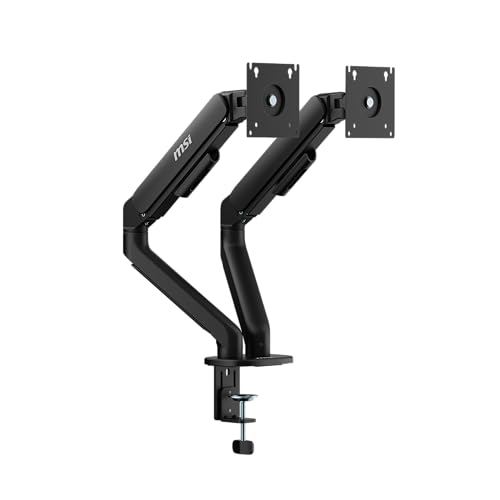
MSI MAG MT101DG Gas Spring Dual Monitor Arm, 17 to 32 Inch, 22 lbBest Aluminum Gas SpringMSI MAG MT101DG Gas Spring Dual Monitor Arm, 17 to 32 Inch, 22 lb17 to 32 inches22 lb per armGas springn/a
HUANUO FlowLift Pro Dual Monitor Mount, MechaSpring, 13 to 27 InchBest Spring Longevity ClaimHUANUO FlowLift Pro Dual Monitor Mount, MechaSpring, 13 to 27 Inch13 to 27 inchesn/aMechaSpring armMid tier
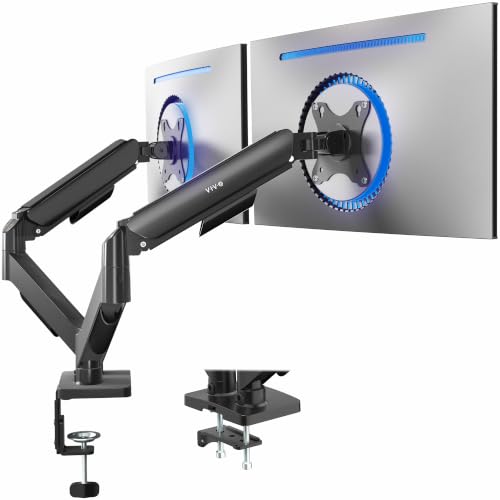
VIVO AeroPoise Dual Monitor Stand, 17 to 32 Inch, 19.8 lbBest Toolless AdjustmentVIVO AeroPoise Dual Monitor Stand, 17 to 32 Inch, 19.8 lb17 to 32 inchesUp to 19.8 lb per armMechanical springLow to mid tier
VIVO Dual Ultrawide Monitor Mount, Up to 35 Inch, 26.4 lb per ArmBest Ultrawide PneumaticVIVO Dual Ultrawide Monitor Mount, Up to 35 Inch, 26.4 lb per ArmUp to 35 inches, ultrawide ready26.4 lb per armHeavy-duty pneumaticMid to upper tier
ErGear Dual Monitor Stand up to 33 Inch, 22 lb per Arm, SwivelBest Value PickErGear Dual Monitor Stand up to 33 Inch, 22 lb per Arm, SwivelUp to 33 inchesMax 22 lb per armn/aLowest cost tier

A dual monitor arm lifts two screens off the desk, frees surface space and lets you place each display at the right height, distance and angle. It only works well if the arms can carry the weight of your monitors and the clamp fits your desk.

This guide compares dual monitor arms for desk setups. We evaluated each on published specifications, weight rating per arm, spring type, VESA compatibility, screen size range, mounting options and owner feedback patterns, and we point out the checks that decide whether an arm suits your monitors.

Before you buy

6 Criteria to Look For Before Buying a Monitor Arm for Dual Setups

  1. 01

    Weight rating per arm

    Each arm must carry one monitor, so the per-arm rating matters. Many arms list 22 lb, the VIVO AeroPoise lists 19.8 lb and the VIVO Ultrawide lists 26.4 lb. Find your monitor's weight without the stand, and leave a margin. An overloaded arm sags or falls, and a very light monitor may bounce on a strong spring.

  2. 02

    Gas spring, mechanical spring or static

    Gas springs, as on the BenQ and MSI, give smooth, quiet movement and hold well, but cost more. Mechanical springs, as on the VIVO AeroPoise and HUANUO, are cheaper and good for light use. Static arms do not move easily. The common mistake is assuming all springs behave the same, when long-term sag differs by design.

  3. 03

    VESA and screen size

    Monitors must have a VESA mount, usually 75 by 75 or 100 by 100. Curved and ultrawide screens may need larger arms and extra reach. The BenQ supports up to 35 inches, while the HUANUO Pro stops at 27. Check the monitor's VESA pattern and weight, and note any thick rear panels that need an adapter.

  4. 04

    Desk clamp and thickness

    Clamps need a flat desk edge of the right thickness and a strong top. Glass and thin desks may need a grommet mount or a reinforcing plate. The MSI offers clamp and grommet options. Check the underside of your desk for rails or bars that block the clamp. A weak desk is the most common reason an arm fails.

  5. 05

    Range of motion

    Look at height range, tilt, swivel and rotation. The ErGear lists plus or minus 90 degree swivel, which helps if you want a portrait monitor. Longer arms reach farther but add leverage. A narrow range limits where you can place a screen.

  6. 06

    Cable management and finish

    Cable clips along the arm keep wires tidy and prevent snags. Finish and build vary, with aluminum on the MSI and steel on cheaper arms. A tidy arm also hides the hardware. Cables with right-angle plugs can bind at the monitor, so check clearance.

Detailed reviews

The 6 best monitor arms for dual setups, explained

01
BenQ ErgoArm BDH01 Dual Monitor Arm, Gas Spring, Up to 35 Inch
Up to 35 in screens44 lb capacityGas springVESA 75 and 100
Check price on Amazon
Best for: Large or ultrawide monitor owners who want a smooth gas spring arm with high capacity.

The BenQ ErgoArm BDH01 is a gas spring dual monitor arm that supports two screens up to 35 inches, with a listed load of 44 lb. It works with VESA 75 by 75 and 100 by 100 mounting patterns. Gas springs counterbalance the weight so the monitors float and stay where you put them.

The capacity is the headline: 35 inch screens include many ultrawide monitors, which most standard dual arms cannot carry. Compared with the ErGear, it handles far larger and heavier screens at a higher cost tier. Compared with the MSI gas spring arm, it adds more listed capacity and the backing of a display brand. It suits a creative or trading desk with large panels.

Setup takes a few minutes: clamp or grommet mount to the desk, attach the VESA plates, set the spring tension and route the cables. Check that each monitor's weight sits within the rating per arm, since the 44 lb figure is a total or a per-arm number depending on how you read it. Gas springs can lose strength over many years, and the tension adjustment compensates. Make sure your desk is thick and strong enough for the clamp.

What works

  • Supports two screens up to 35 inches
  • Gas spring movement holds position smoothly
  • Listed load of 44 lb suits heavier monitors
  • Works with VESA 75 and 100 patterns

Watch out for

  • Highest cost tier in the lineup
  • Needs a solid, suitable desk edge for the clamp
  • Gas springs can weaken over many years

Specs

Screen size
Two screens up to 35 inches
Load
Listed up to 44 lb
Spring
Gas spring
VESA
75 x 75 and 100 x 100
Class
Highest tier here
02
MSI MAG MT101DG Gas Spring Dual Monitor Arm, 17 to 32 Inch, 22 lb
17 to 32 in screens22 lb per armGas springAluminum
Check price on Amazon
Best for: Gaming and office desks with two 24 to 32 inch monitors that want a premium aluminum arm.

The MSI MAG MT101DG is a premium aluminum dual monitor arm with gas springs, supporting 17 to 32 inch screens up to 22 lb each. The maker offers clamp and grommet base options, and the arm is VESA compatible. It is aimed at gaming and productivity desks.

Aluminum keeps the arm light and clean-looking, and gas springs give smooth height adjustment. Compared with the BenQ, it supports a smaller maximum size and a lower load, but it is more modest in cost. Compared with the VIVO AeroPoise, it uses gas springs, which tend to hold up better than basic mechanical springs. It is a strong fit for two standard 27 inch monitors.

In use, choose the base style that matches your desk: a clamp for desks with a clear edge, and a grommet for desks with a hole. Set the spring tension so the monitors float. Check that your monitors' weight is within 22 lb each, and that the arm reaches your preferred height. Cable routing along the arms keeps the setup tidy.

What works

  • Premium aluminum build with gas spring adjustment
  • Supports 17 to 32 inch screens at 22 lb each
  • Clamp and grommet base options
  • Clean look suited to gaming and office desks

Watch out for

  • Maximum size is below ultrawide territory
  • Mid-high cost tier
  • Needs a suitable desk edge or grommet hole

Specs

Screen size
17 to 32 inches
Load
22 lb per arm
Spring
Gas spring
Material
Premium aluminum
Base
Clamp or grommet options
03
HUANUO FlowLift Pro Dual Monitor Mount, MechaSpring, 13 to 27 Inch
13 to 27 in screensMechaSpring armDual C-clampLonger life claim
Check price on Amazon
Best for: Standard 24 to 27 inch monitors on a desk that needs a stable clamp.

The HUANUO FlowLift Pro is a dual monitor mount for 13 to 27 inch screens with a MechaSpring arm and a dual C-clamp, and the maker says it is engineered for a longer life than its earlier design. MechaSpring is the brand's mechanical spring system, which counterbalances monitor weight. The listing asks buyers to check three conditions about monitors and desk before buying.

The size limit of 27 inches suits standard desk monitors and excludes large ultrawides. Compared with the ErGear, it offers a spring system aimed at durability and a dual clamp. Compared with the MSI, it uses a mechanical spring instead of gas. It sits in the mid tier with a focus on moderate monitors.

Ownership notes: confirm that your monitors have VESA mounts and that their weight sits within the arm's rating. Check desk thickness and edge for the clamp. A dual clamp spreads the load across the desk edge, which helps stability. As with all arms, retighten the joints after a few weeks of use.

What works

  • MechaSpring arm designed for smooth counterbalance
  • Dual C-clamp spreads load on the desk edge
  • Supports 13 to 27 inch screens
  • Mid-tier cost for a durability-focused design

Watch out for

  • 27 inch maximum excludes larger monitors
  • Mechanical springs can weaken with years of use
  • Listing requires checking monitor and desk compatibility

Specs

Screen size
13 to 27 inches
Spring
MechaSpring arm
Mount
Dual C-clamp
Claim
Engineered for longer life
Class
Mid tier
04
VIVO AeroPoise Dual Monitor Stand, 17 to 32 Inch, 19.8 lb
17 to 32 in screens19.8 lb per armMechanical springToolless adjustment
Check price on Amazon
Best for: Everyday dual 24 to 27 inch monitors where easy repositioning matters.

The VIVO AeroPoise is a dual monitor stand for 17 to 32 inch screens up to 19.8 lb each, with fully adjustable arms and a mechanical spring system. The listing describes toolless monitor placement with counterbalance presets. It works with flat and curved screens.

The toolless approach means you can move the monitor to a new height without a hex key. Compared with the ErGear, it offers a more refined spring system at a similar tier. Compared with the VIVO ultrawide arm, it is lighter duty but easier to live with for standard monitors. The 19.8 lb limit rules out heavier panels.

In ownership, set the counterbalance to match your monitor weight, then fine tune. Mechanical springs can drift over time, and a short tension adjustment fixes it. Check that your desk can take the clamp. If your monitors are 27 inch standard panels, this is a comfortable fit with modest cost.

What works

  • Toolless counterbalance presets simplify adjustment
  • Fits flat and curved 17 to 32 inch screens
  • Low to mid cost tier
  • Full motion arms for flexible placement

Watch out for

  • 19.8 lb per arm limits heavier monitors
  • Mechanical springs can drift over time
  • Less robust than gas spring arms

Specs

Screen size
17 to 32 inches
Load
Up to 19.8 lb per arm
Spring
Mechanical spring
Adjustment
Toolless counterbalance presets
Class
Low to mid tier
05
VIVO Dual Ultrawide Monitor Mount, Up to 35 Inch, 26.4 lb per Arm
Up to 35 in26.4 lb per armPneumatic armsUltrawide
Check price on Amazon
Best for: Two ultrawide or large monitors that exceed the load of standard arms.

The VIVO Dual Ultrawide mount supports screens up to 35 inches and 26.4 lb per arm, with heavy-duty pneumatic arms that counterbalance large monitors. It is built for ultrawide displays that regular dual arms cannot hold. The spring-assist arms keep a heavy monitor in place.

The per-arm rating is the practical difference: 26.4 lb handles many ultrawide and large panels. Compared with the BenQ, it is a similar approach at a lower tier, and the claimed capacity is per arm. Compared with the MSI, it carries larger and heavier screens. It is a good fit for two big monitors on a sturdy desk.

In ownership, make sure your desk is strong, as two heavy monitors add real leverage on the clamp. Position the arms so the load stays near the clamp where possible. Pneumatic arms smooth movement but can sag after years, and the tension screw corrects this. Check your monitors' VESA patterns and weights before buying.

What works

  • Holds screens up to 35 inches
  • 26.4 lb per arm suits large panels
  • Pneumatic counterbalance smooths movement
  • Mid to upper cost tier below the BenQ

Watch out for

  • Heavy arms add leverage on the desk edge
  • Pneumatic parts can sag over time
  • Overkill for two standard monitors

Specs

Screen size
Up to 35 inches, ultrawide ready
Load
26.4 lb per arm
Spring
Heavy-duty pneumatic
Design
Spring-assist counterbalance
Class
Mid to upper tier
06
ErGear Dual Monitor Stand up to 33 Inch, 22 lb per Arm, Swivel
Up to 33 in22 lb per arm90 degree swivelAdjustable
Check price on Amazon
Best for: Budget buyers with two standard monitors who want a basic, adjustable dual arm.

The ErGear dual monitor stand supports screens up to 33 inches with a load-bearing maximum of 22 lb per arm and plus or minus 90 degree swivel. The arms are adjustable for height, tilt and rotation. It is the lowest cost arm in this guide.

The per-arm rating of 22 lb is respectable for the tier and covers most 27 inch monitors. Compared with the VIVO AeroPoise, it offers a slightly higher rating and a similar feature set. Compared with the BenQ and MSI, it uses a simpler mechanism and costs less. It is a good entry arm for people who want to try a dual setup.

Ownership steps include checking your monitors' VESA patterns, setting tension and tightening the joints after a week. Budget arms have more play in joints and can droop with heavier panels. If you plan to change monitors, choose an arm with some load headroom. For two lightweight screens it is a fine start.

What works

  • Lowest cost tier with a 22 lb per arm rating
  • Supports screens up to 33 inches
  • Plus or minus 90 degree swivel for portrait use
  • Adjustable height, tilt and rotation

Watch out for

  • Simpler mechanism with more joint play
  • May droop with heavier panels
  • Less refined finish than premium arms

Specs

Screen size
Up to 33 inches
Load
Max 22 lb per arm
Swivel
Plus or minus 90 degrees
Design
Fully adjustable dual arms
Class
Lowest cost tier

Spec decoder

What the listing measurements really mean

The numbers brands lead with, translated into what they tell you about fit, comfort and wear at home.

Per-arm load rating

The weight each arm can hold. It includes the monitor but not necessarily extra accessories.

Watch forThe ErGear and MSI list 22 lb per arm, and the VIVO Ultrawide lists 26.4 lb.

VESA pattern

The standard hole spacing on the back of a monitor, such as 75 x 75 or 100 x 100 millimeters.

Watch forThe BenQ lists VESA 75 x 75 and 100 x 100.

Gas spring vs mechanical spring

Gas springs use pressurized gas for smooth counterbalance. Mechanical springs use coiled metal and can drift.

Watch forThe BenQ and MSI use gas springs, and the VIVO AeroPoise uses a mechanical spring.

Screen size range

The listed diagonal range the arm is designed for. It is a guide, and weight and width matter too.

Watch forThe HUANUO Pro lists 13 to 27 inches and the BenQ lists up to 35 inches.

Swivel and tilt range

How far each monitor can rotate and tilt. Wide ranges allow portrait and flexible angles.

Watch forThe ErGear lists plus or minus 90 degree swivel.

Methodology

How We Evaluated These Monitor Arms for Dual Setups

Load and screen size

We compared per-arm ratings and screen size limits, from 19.8 lb on the VIVO AeroPoise to 44 lb listed on the BenQ. Our scores are editorial assessments based on published specifications and owner feedback patterns.

Spring design

We compared gas, pneumatic and mechanical springs and how each tends to hold over years.

Mounting

We considered clamp and grommet options and the desk requirements listed.

Motion and cables

We looked at swivel, tilt and cable management features.

Value and honesty

We judged each arm by relative cost tier and avoided price figures. The ErGear was judged as a budget entry with simpler hardware.

Decision guide

How to Choose the Right Monitor Arms for Dual Setups

By Monitor Size

SituationPickWhy
Two 24 to 27 inch monitorsErGear or VIVO AeroPoiseRight load and cost.
Two 32 inch monitorsMSI MAG MT101DGGas spring to 32 inches.
Two ultrawidesVIVO Ultrawide26.4 lb per arm.
Large heavy panelsBenQ ErgoArm BDH01Up to 35 inches.

By Budget

SituationPickWhy
Lowest spendErGearBasic dual arm.
Low to midVIVO AeroPoiseToolless adjustment.
MidHUANUO FlowLift ProDual clamp.
HigherMSI or BenQGas springs.

Gas Spring vs Mechanical Spring

Gas spring

The BenQ and MSI move smoothly and hold position, at a higher cost.

Mechanical spring

The VIVO AeroPoise and HUANUO Pro cost less and suit lighter monitors, but can drift over time.

Choose gas springs for heavy or large screens. Choose mechanical springs for light 24 to 27 inch monitors.

By Desk

SituationPickWhy
Thick solid deskBenQ ErgoArmHeavy load needs a strong desk.
Desk with a holeMSI MAG MT101DGGrommet option.
Standard office deskHUANUO FlowLift ProDual clamp spreads load.
Rental or thin deskErGearLight arms, check the edge.

For Dual Monitor Setups Specifically

Look for

A per-arm rating above your monitor weight, a matching VESA pattern, a clamp that fits your desk and a spring type that suits the load.

In this comparison

The BenQ leads on capacity, the MSI on build and the ErGear on value.

When to Spend More

Spend more if

You have large or ultrawide monitors or adjust them often. Gas springs repay the cost.

Save if

You have two light 24 inch screens. An ErGear or VIVO AeroPoise is enough.

Ownership

Maintenance schedule

The upkeep that decides whether a piece still looks good in year five.

TaskIntervalWhy it matters
Retighten joints and clampsAfter the first week, then every few monthsJoints settle and clamps loosen. Use the supplied hex key.
Adjust spring tensionWhen the monitor driftsSprings weaken slowly. A small adjustment restores balance.
Check the desk edgeEvery six monthsClamps can crush or loosen soft desk edges. Look for dents or movement.
Recheck cable slackAfter moving a monitorTight cables pull on monitors. Leave a loop of slack.
Wipe the armsMonthlyDust and oils dull finishes. Use a dry cloth.

FAQ

Frequently Asked Questions

How do I know if my monitor fits?

Check for VESA holes on the back, usually 75 by 75 or 100 by 100 millimeters. Also check the monitor's weight and size against the arm rating.

Will an arm hold two ultrawide monitors?

Only if the arm lists the size and per-arm weight. Standard dual arms are often rated for 27 inch screens.

Why does my monitor droop?

The spring tension may be too low, or the monitor is too heavy. Adjust the tension and check the rating.

Clamp or grommet?

A clamp suits desks with a clear edge. A grommet suits desks with a hole. Check which options the arm offers.

Do arms damage desks?

They can dent soft edges. Use the supplied pad or a thin board, and avoid over-tightening.

How long do monitor arms last?

Many last years. Springs and joints are the wear points, and periodic tightening extends life.

Bottom line

The short version

Browse more monitor arms for dual setupson Amazon →
Brianna Cole, Lead Product Editor

About the author

Brianna Cole

Lead Product Editor, SenseiReview

Brianna Cole leads SenseiReview's buying guides, turning published specifications, documentation and owner feedback patterns into clear verdicts across home, tech, fitness, outdoor and DIY products.

More from Brianna →

Keep reading

Related guides