
Amazon affiliate links - we earn a commission.Affiliate disclosure

Buying guide · 13 min read · Updated 2026-11-21

Best Streaming Devices (2026)

Six streaming devices compared on 4K and HDR formats, Dolby Vision and Atmos, ports, remotes, app support and speed, with picks by TV and budget.

Brianna Cole, Lead Product EditorBy Brianna ColeLead Product Editor6 picks comparedSpec-sheet verified
Best Streaming Devices

At a glance

Our top picks

Side by side

Spec comparison

PieceVideoBest useRemote
NVIDIA Shield TV Pro 4K HDR streaming player with 3 GB RAMBest OverallNVIDIA Shield TV Pro 4K HDR streaming player with 3 GB RAM4K HDR with Dolby VisionHome theaters, game streaming and media serversn/a
Roku Ultra 4K streaming player with HDR10+, Dolby Vision and AtmosBest Roku BoxRoku Ultra 4K streaming player with HDR10+, Dolby Vision and Atmos4K with HDR10+ and Dolby VisionLiving room TVs with a neutral, simple interfaceVoice remote with Bluetooth and headphone jack
Amazon Fire TV Cube with Alexa and hands-free streamingBest Hands-FreeAmazon Fire TV Cube with Alexa and hands-free streaming4K with HDR formatsAlexa homes and cable box controln/a
Amazon Fire TV Stick 4K Plus with Wi-Fi 6 and AI-powered searchBest Fire TV StickAmazon Fire TV Stick 4K Plus with Wi-Fi 6 and AI-powered search4K streaming4K TVs and fast home Wi-FiAlexa voice remote
Roku Streaming Stick Plus with voice remote, 4K and HDR10+Best Roku StickRoku Streaming Stick Plus with voice remote, 4K and HDR10+4K with HDR10+Simple 4K streaming on a second TVVoice remote
Amazon Fire TV Stick 4K Select with AI-powered searchBest ValueAmazon Fire TV Stick 4K Select with AI-powered search4K streamingBudget 4K upgrade for older TVsn/a

A streaming device plugs into a TV's HDMI port and runs apps such as Netflix, YouTube and Disney+. It replaces a slow or outdated smart TV interface with a faster, better supported one, and it can be swapped when the platform ages.

The differences that matter are the formats it supports, how fast it feels, which apps and ads you live with and the ports and remote. We evaluated six streaming devices from the candidate pool using published specifications, listing details and patterns in owner feedback, then ranked them by fit for real living rooms rather than by feature count.

Before you buy

6 Criteria to Look For Before Buying a Streaming Device

  1. 01

    Video and audio formats

    4K is standard, and HDR formats such as HDR10+ and Dolby Vision improve contrast on supported TVs. Dolby Atmos adds object-based audio over HDMI. A format helps only if your TV and sound system support it. Check your TV before paying for Dolby Vision or Atmos. Look at your TV's input labels and your sound system's specs first, because HDMI and audio support set what a streamer can actually deliver.

  2. 02

    Speed and hardware

    A device with more RAM and a faster chip opens apps faster and ages better. The Shield TV Pro's 3 GB of RAM stays smooth for years. Basic sticks feel slower after a few years of updates. If you hate lag, spend a little more. If you have a soundbar with eARC, plug the streamer into the TV and let the TV pass audio back, to keep the setup simple.

  3. 03

    Interface, ads and ecosystem

    Roku offers a simple grid, Fire TV pushes Amazon content and Android TV is flexible but busier. All show promoted content. Pick the interface that suits your household and your voice assistant. Check which apps you need, since some small services are missing on some platforms. Check that your most-used apps, including any smaller local or sports services, are listed for the platform before you buy.

  4. 04

    Ports and connectivity

    Wired Ethernet gives a steadier connection than Wi-Fi, which matters for 4K streams. USB ports allow local media and storage. Sticks usually lack Ethernet unless you add an adapter. Wi-Fi 6 helps on crowded networks. If you travel, a compact stick that runs from a USB power adapter is easier to pack than a box with its own power brick.

  5. 05

    Remote and voice control

    Voice remotes make search easy, and some boxes support hands-free voice. A remote with TV power and volume buttons reduces juggling. The Roku Ultra's remote includes a headphone jack and Bluetooth. Check what the remote can control. Think about who uses the remote, since children and older relatives often prefer a simple layout with clear buttons.

  6. 06

    Privacy and updates

    Streaming devices track viewing for recommendations and ads. Review the privacy settings and turn off what you do not want. Check how many years of updates the maker promises, since an unsupported device can lose apps. Use a wired connection if you can, since wired is the best fix for stuttering 4K streams.

Detailed reviews

The 6 best streaming devices, explained

01
NVIDIA Shield TV Pro 4K HDR streaming player with 3 GB RAM
4K HDRDolby Vision3 GB RAM2 USB ports
Check price on Amazon
Best for: Home theater owners and media server users who want power and format support.

The Shield TV Pro is a set-top box rather than a stick. It supports 4K HDR with Dolby Vision, has 3 gigabytes of RAM and offers two USB ports and wired Ethernet. It runs Android TV, supports Dolby Atmos audio and can upscale lower-resolution video. It is a favorite for people who run media servers and want the best format support.

The tradeoff is cost and age. It is the most expensive device in the lineup, and the hardware is several years old. Compared with the Roku Ultra, it has a more open platform and more power but a busier interface. Compared with a Fire TV stick, it costs several times as much and takes more space.

Ownership is simple. Connect it by Ethernet if possible, install your apps and set the output to match your TV. Owner feedback patterns on the Shield say it remains very smooth and long-supported, with the main caution being that it is an older design at a premium price.

What works

  • 4K HDR with Dolby Vision and Dolby Atmos support
  • 3 GB RAM keeps the interface smooth
  • Gigabit Ethernet and two USB ports
  • Long software support and an open platform

Watch out for

  • Highest cost in the lineup
  • Older hardware at a premium price
  • Larger than stick-style devices

Specs

Video
4K HDR with Dolby Vision
Memory
3 GB RAM
Ports
2 USB ports and Gigabit Ethernet
Platform
Android TV
Best use
Home theaters, game streaming and media servers
02
Roku Ultra 4K streaming player with HDR10+, Dolby Vision and Atmos
4K HDR10+Dolby VisionDolby AtmosEthernet
Check price on Amazon
Best for: Households that want a simple, neutral interface with full format support.

The Roku Ultra is Roku's top player, with 4K, HDR10+, Dolby Vision and Dolby Atmos support. The listing says it is 30 percent faster than the previous generation. A Bluetooth voice remote and wired Ethernet round it out, and the interface is a simple grid of apps.

The tradeoff is the interface and ads. The home screen is cluttered with sponsored tiles, and the platform is less open than Android TV. Compared with the Shield TV Pro, it is simpler and cheaper but less powerful. Compared with the Fire TV Cube, it has a more neutral search and fewer promotions for Amazon content.

Ownership is easy. Connect it, sign in and install your apps. Owner feedback patterns on Roku say that the interface is simple and the search spans services, with the main complaint being ads on the home screen.

What works

  • 4K with HDR10+, Dolby Vision and Atmos support
  • Simple app grid that anyone can learn
  • Wired Ethernet and a Bluetooth voice remote
  • Search covers many services

Watch out for

  • Home screen has sponsored tiles
  • Less open than Android TV
  • Costs more than stick-style devices

Specs

Video
4K with HDR10+ and Dolby Vision
Audio
Dolby Atmos
Remote
Voice remote with Bluetooth and headphone jack
Connectivity
Wi-Fi and Ethernet
Best use
Living room TVs with a neutral, simple interface
03
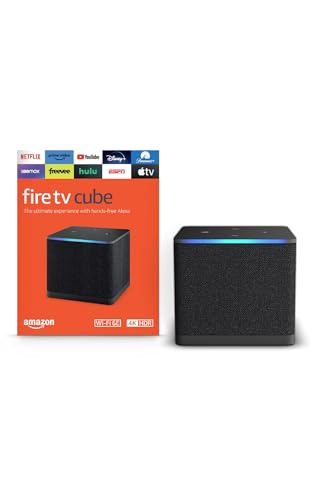
Amazon Fire TV Cube with Alexa and hands-free streaming
Hands-free Alexa4KEthernet portFast
Check price on Amazon
Best for: Alexa homes that want voice control of the TV and cable box.

The Fire TV Cube pairs a streaming player with a built-in Alexa speaker, so you can control the TV with your voice without picking up a remote. It supports 4K video and offers an Ethernet port and an HDMI input to control a cable box. The listing calls it Amazon's fastest streaming player.

The tradeoff is ecosystem and ads. The interface leans on Amazon content, and hands-free listening means an always-ready microphone. Compared with the Fire TV Stick 4K Plus, it is faster and more capable but costs more. Compared with the Roku Ultra, it has voice control and smart home features but a more promotional interface.

Ownership requires a comfort with Alexa. Set up your accounts, link your smart home devices and use the microphone mute button when you want privacy. Owner feedback patterns on the Cube say that the voice control is the main appeal, and the main caution is the amount of promoted content.

What works

  • Hands-free Alexa control without a remote
  • Ethernet port and HDMI input for cable box control
  • Fast hardware for a snappy interface
  • Deep Alexa smart home integration

Watch out for

  • Interface leans heavily on Amazon content
  • Always-ready microphone raises privacy questions
  • Costs more than Fire TV sticks

Specs

Voice
Hands-free Alexa control
Video
4K with HDR formats
Ports
Ethernet and HDMI input
Speed
Listed as Amazon's fastest streaming player
Best use
Alexa homes and cable box control
04
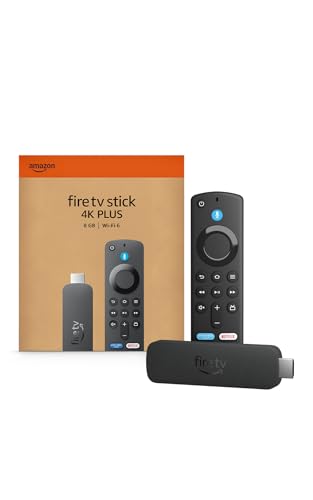
Amazon Fire TV Stick 4K Plus with Wi-Fi 6 and AI-powered search
4KWi-Fi 6AI searchVoice remote
Check price on Amazon
Best for: 4K TV owners who want a fast stick with Alexa features.

The Fire TV Stick 4K Plus is a compact stick with 4K streaming, Wi-Fi 6 for faster wireless and AI-powered search. It comes with an Alexa voice remote and plugs behind the TV. The listing says it carries hundreds of thousands of movies and episodes across apps.

The tradeoff is ads and ports. The home screen is busy with promoted content, and there is no Ethernet port. Compared with the Fire TV Stick 4K Select, it adds Wi-Fi 6 and AI search at a modest cost. Compared with the Roku Streaming Stick Plus, it has more Alexa features but a busier interface.

Ownership is easy. Plug it into HDMI, connect to Wi-Fi and sign in. Owner feedback patterns on Fire TV sticks say they perform well for the price, with the main complaint being the promotions on the home screen.

What works

  • 4K streaming with Wi-Fi 6 for faster wireless
  • AI-powered search finds shows across apps
  • Alexa voice remote
  • Compact and easy to set up

Watch out for

  • Busy home screen with promoted content
  • No Ethernet port
  • Fewer ports than boxes

Specs

Video
4K streaming
Connectivity
Wi-Fi 6
Search
AI-powered Fire TV search
Remote
Alexa voice remote
Best use
4K TVs and fast home Wi-Fi
05
Roku Streaming Stick Plus with voice remote, 4K and HDR10+
4K HDR10+Voice remoteCompact stickSimple UI
Check price on Amazon
Best for: Second TVs and buyers who want simple 4K streaming.

The Roku Streaming Stick Plus is a compact 4K stick with HDR10+ support and a voice remote. It runs the Roku interface, which is an easy grid of apps with search across many services. It is aimed at buyers who want simple and reliable.

The tradeoff is formats and ports. It lacks Dolby Vision and Ethernet, and the interface shows ads. Compared with the Roku Ultra, it costs less but has fewer formats and no Ethernet. Compared with the Fire TV Stick 4K Plus, it has a simpler interface and fewer promotions.

Ownership is easy. Plug it in, connect and sign in. Owner feedback patterns on Roku sticks say they are simple and dependable, with limited format support.

What works

  • 4K with HDR10+ support
  • Simple, easy-to-learn interface
  • Compact and travel friendly
  • Voice remote included

Watch out for

  • No Dolby Vision or Ethernet
  • Home screen shows ads
  • Slower than premium boxes

Specs

Video
4K with HDR10+
Remote
Voice remote
Platform
Roku OS
Form
Compact stick
Best use
Simple 4K streaming on a second TV
06
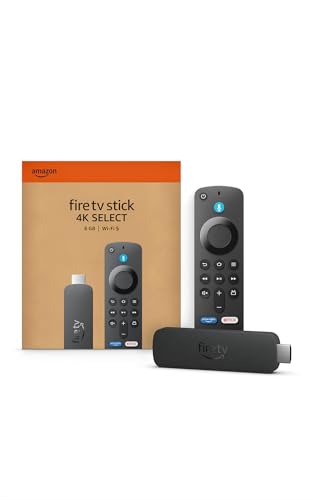
Amazon Fire TV Stick 4K Select with AI-powered search
4KAI searchFree and live TVCompact
Check price on Amazon
Best for: Budget buyers who want a quick 4K upgrade for an older TV.

The Fire TV Stick 4K Select is the budget 4K stick in the lineup, with AI-powered search and access to free and live TV. It supports 4K video and is aimed at people who want a fast upgrade for an older TV. The listing calls it essential 4K streaming.

The tradeoff is software and features. It is a newer generation of Fire TV software, so check that the apps you need are available, and it lacks Wi-Fi 6 and Ethernet. Compared with the Stick 4K Plus, it costs less but has fewer features. Compared with the Roku stick, it has Alexa and AI search with a busier interface.

Ownership is easy. Plug it in, connect to Wi-Fi and sign in. Owner feedback patterns on budget sticks say they are good value, with the main complaints being ads and app availability on newer software.

What works

  • Low cost for 4K streaming
  • AI-powered search across apps
  • Free and live TV options
  • Compact and easy to set up

Watch out for

  • Fewer features than the 4K Plus
  • Newer software may lack some apps
  • No Ethernet port

Specs

Video
4K streaming
Search
AI-powered search
Content
Free and live TV options
Form
Compact stick
Best use
Budget 4K upgrade for older TVs

Spec decoder

What the listing measurements really mean

The numbers brands lead with, translated into what they tell you about fit, comfort and wear at home.

HDR10+ and Dolby Vision

HDR formats that add detail in bright and dark scenes. Both need a compatible TV and content. Match the video format to your TV's capabilities, since the TV decides what it can show.

Watch forThe Roku Ultra and Shield support Dolby Vision, the Roku stick supports HDR10+.

Dolby Atmos

An audio format that adds height and object-based sound. It needs a compatible soundbar or receiver. Check that your soundbar or receiver supports the same audio format, or the benefit is lost.

Watch forThe Shield and Roku Ultra list Atmos support.

RAM

The memory the device uses to run apps. More RAM keeps the interface smooth. More memory generally helps the device stay smooth as apps grow over several years.

Watch forThe Shield lists 3 GB of RAM.

Wi-Fi 6

A newer wireless standard with better performance on crowded networks. A stick with a newer wireless standard helps most on a busy home network.

Watch forThe Fire TV Stick 4K Plus lists Wi-Fi 6.

Ethernet port

A wired network connection. It gives a more stable stream than Wi-Fi. Wired is steadier than wireless for high-bitrate 4K streams.

Watch forThe Shield, Roku Ultra and Fire TV Cube have Ethernet.

Methodology

How We Evaluated These Streaming Devices

Spec sheet and listing review

We compared video formats, audio formats, ports and memory as published by each maker. We checked that claims were stated on the same basis. For example, HDR support depends on the TV. We also checked how each platform treats sponsored content and how easy it is to hide or ignore it.

Formats and TV fit

We matched formats to common TV capabilities. A premium format is wasted on a basic TV. This explains the Shield and Roku Ultra positions. We read how owners describe app availability and how long the maker supports each device.

Speed and interface

We looked at hardware and the type of interface. Speed and ads drive daily satisfaction. This shaped the Fire TV and Roku stick positions. We compared remotes, since a good remote changes daily use more than a small spec gain.

Ownership and updates

We read owner feedback patterns about lag, updates and app availability. We weighed platform support. This shaped the order of the lineup. We noted which devices include a power adapter and which rely on a TV USB port.

Value for the household

We compared price tier against formats and ports for first and second TVs. A stick suits a simple setup. This shaped the budget pick. We kept the order tied to the TV, the sound system and the household's habits.

Decision guide

How to Choose the Right Streaming Devices

By TV

SituationPickWhy
Premium 4K TV with Dolby VisionNVIDIA Shield TV ProFull format support
Mid-range 4K TVRoku UltraDolby Vision and Atmos
Budget 4K TVFire TV Stick 4K PlusWi-Fi 6 and 4K
Older or small TVFire TV Stick 4K SelectLow cost 4K upgrade

By Budget

SituationPickWhy
Lowest costFire TV Stick 4K SelectLower tier 4K
Low to mid tier, simpleRoku Streaming Stick PlusSimple interface
Mid tier, fastFire TV Stick 4K PlusWi-Fi 6
Higher spend, premiumNVIDIA Shield TV ProPower and formats

Roku vs Fire TV

Roku

Roku has a simple grid and neutral search across services. It still has ads, but fewer pushes for one store.

Fire TV

Fire TV offers Alexa voice control and strong Amazon integration. The interface promotes Amazon content.

Choose Roku for simplicity, and Fire TV for Alexa and smart home features.

By Use

SituationPickWhy
Media server and local filesNVIDIA Shield TV ProUSB and Plex server support
Alexa homeFire TV CubeHands-free voice
Second TVRoku Streaming Stick PlusSimple and compact
Home theater with AtmosRoku UltraAtmos and Dolby Vision

For Home Theaters Specifically

Look for

Dolby Vision, Dolby Atmos, Ethernet and a device that can match the TV's frame rate. Check eARC support on your TV.

In this comparison

The NVIDIA Shield TV Pro and Roku Ultra are the best for home theaters. The Fire TV Cube also offers strong features.

When to Spend More

Spend more if

You have a premium TV, a home theater or a media server. The Shield TV Pro is the clearest upgrade.

Save if

You mostly stream popular apps on a basic TV. A Fire TV or Roku stick covers it.

Ownership

Maintenance schedule

The upkeep that decides whether a piece still looks good in year five.

TaskIntervalWhy it matters
Update the softwareWhen promptedUpdates fix bugs and security issues. Keep the device connected to apply them. Restart the device after a major app update if the interface feels slow.
Clear the app cacheIf apps slow downCached data can clog apps over time. Clearing helps speed. Remove apps you never use to free storage and memory.
Restart the deviceOccasionally when lag appearsA restart clears memory. It is the simplest fix for most glitches. Keep the remote batteries fresh to avoid dropped commands.
Check HDMI cable and settingsWhen video issues appearA poor cable or wrong setting can drop HDR. Use a certified cable. Reseat the HDMI cable if the picture flickers or drops HDR.
Review privacy settingsEvery few monthsSettings may change with updates. Turn off tracking you do not want. Sign out of accounts before giving the device away.

FAQ

Frequently Asked Questions

Do I need a streaming device if my TV is smart?

Not always. A device helps if your TV is slow or outdated, or you prefer a different interface. If your TV has a recent platform and runs smoothly, you may not need a separate streamer.

Is 4K worth it?

If your TV is 4K and you subscribe to 4K plans, yes. Otherwise it makes little difference. Check what your TV and soundbar support first, then buy the device that matches.

Roku or Fire TV?

Roku is simpler and more neutral. Fire TV adds Alexa and Amazon integration but pushes more content. Whichever platform you choose, set up the privacy options on first use.

Do I need Dolby Vision?

Only if your TV supports it. It improves contrast on compatible content. Wired Ethernet helps if your Wi-Fi is far from the TV.

Should I use Ethernet?

If the device has a port, yes. Wired connections are more stable than Wi-Fi. Many sticks can be moved between TVs, which is handy for guests.

How long do streaming devices last?

Many last five years or more, but software support ends sooner on cheap sticks. Expect an older stick to slow down after a few years and plan a replacement.

Bottom line

The short version

Browse more streaming deviceson Amazon →
Brianna Cole, Lead Product Editor

About the author

Brianna Cole

Lead Product Editor, SenseiReview

Brianna Cole leads SenseiReview's buying guides, turning published specifications, documentation and owner feedback patterns into clear verdicts across home, tech, fitness, outdoor and DIY products.

More from Brianna →

Keep reading

Related guides