
Amazon affiliate links - we earn a commission.Affiliate disclosure

Buying guide · 12 min read · Updated 2026-11-21

Best WiFi Digital Photo Frames (2026)

Compare six WiFi digital photo frames by screen size, resolution, storage, sharing app and Wi-Fi band, with honest notes on app lock-in and 2.4 GHz limits.

Brianna Cole, Lead Product EditorBy Brianna ColeLead Product Editor6 picks comparedSpec-sheet verified
Best WiFi Digital Photo Frames

At a glance

Our top picks

Side by side

Spec comparison

PieceSharingPosition in price orderScreenResolutionStorage
Aura Carver 10-inch Digital HD Picture Frame, BlackBest OverallAura Carver 10-inch Digital HD Picture Frame, BlackAura appHighest of 15n/an/an/a
Skylight 10-inch Digital Picture Frame, Load from PhoneBest Simple SetupSkylight 10-inch Digital Picture Frame, Load from PhoneLoad photos from phone14 of 15n/an/an/a
BIGASUO 15.6-inch Frameo Frame, 1920x1080, 64GBBest Large ScreenBIGASUO 15.6-inch Frameo Frame, 1920x1080, 64GBn/a13 of 1515.6 in IPS touch1920 by 108064GB, about 100,000 photos claimed
MaxAngel Frameo 10.1-inch WiFi Frame, 32GB, 1280x800Best Storage ValueMaxAngel Frameo 10.1-inch WiFi Frame, 32GB, 1280x800Frameo, photos and clips up to 15 s10 of 1510.1 in IPS touch1280 by 80032GB, over 80,000 photos claimed
TIKVITO Frameo 10.1-inch Wooden WiFi Digital Frame, IPSBest Wood FrameTIKVITO Frameo 10.1-inch Wooden WiFi Digital Frame, IPSn/a5 of 1510.1 in IPS1280 by 800n/a
Obafepd 10-inch Uhale Smart WiFi Frame, 16GB, Auto-RotateCheapest OptionObafepd 10-inch Uhale Smart WiFi Frame, 16GB, Auto-Rotaten/aCheapest of 1510.1 in touchscreenn/a16GB built in

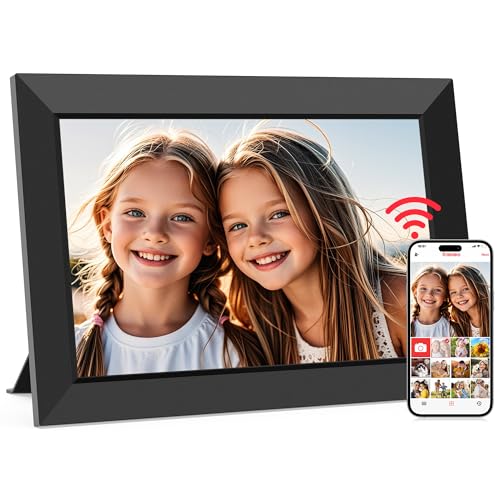
A WiFi digital photo frame lets relatives send pictures from their phones, and the frame shows them on a rotating slideshow without anyone touching a card. It suits grandparents, new parents and anyone with family far away, because the photos arrive on their own.

Most frames look alike on a shelf, but they differ in the sharing app, Wi-Fi band support, screen size and storage, and in how much they depend on the maker's service. This guide compares those differences, so you can choose a frame that will still work the way you expect in a few years.

Before you buy

6 Criteria to Look For Before Buying a WiFi Digital Photo Frame

  1. 01

    Sharing app and lock-in

    The frame is only as good as the app that sends photos. Frameo, used by the MaxAngel, TIKVITO and BIGASUO, is free and says no social account is needed, while Aura and Skylight run their own apps and Uhale runs another. A frame depends on its maker's app staying supported, so a well-known brand lowers that risk.

  2. 02

    Wi-Fi band

    Many frames connect only on 2.4 GHz, and the BIGASUO listing says so directly. If your router combines bands or hides 2.4 GHz, setup can fail with a confusing error. Check the band before you buy, and keep 2.4 GHz available for the frame.

  3. 03

    Screen size and resolution

    Most frames use a 10.1 inch panel at 1280 by 800, while the BIGASUO 15.6 inch is full HD at 1920 by 1080. A larger screen needs a higher resolution to stay sharp. Buyers often choose a large screen and put it on a small shelf where the size dominates the room.

  4. 04

    Storage and memory

    Built-in storage ranges from 16GB on the Obafepd to 64GB on the BIGASUO. Most families never fill 16GB, but videos take far more space than photos. Cloud-based frames may store photos elsewhere, so confirm where photos live.

  5. 05

    Privacy and accounts

    Photos from family pass through a vendor's servers, so privacy terms matter. The TIKVITO listing says no social media or email account is needed, and the Obafepd cites privacy certifications from the seller. Treat privacy claims as maker statements and read the app's terms.

  6. 06

    Build and finish

    A frame lives on a shelf, so the finish matters. The TIKVITO wood and Aura Carver are more furniture-like than plain plastic frames. Check how the stand attaches and whether the frame can be wall mounted.

Detailed reviews

The 6 best wifi digital photo frames, explained

01
Aura Carver 10-inch Digital HD Picture Frame, Black
10 in screenAura appGift friendlyPhoto sharing
Check price on Amazon
Best for: Gift buyers who want a polished, well-known frame and an easy sharing app.

The Aura Carver is a 10 inch frame designed as a gift, with a more furniture-like finish and a software experience built around the Aura app. Family members can add photos from the app, and the frame displays them. Aura is a mature brand in the category, and the frame is widely sold as a gift.

The tradeoff is that it is the highest in the price order of the fifteen candidates we reviewed, and a lot of that price is design and brand. A cheaper Frameo frame offers a similar slideshow. The listing text is mostly press quotes, so check Aura's current spec sheet for resolution and storage before you buy. Compared with the Skylight, it costs more but is more design oriented.

In ownership, the app and the Wi-Fi connection are the two dependencies. Keep the frame on a stable network, and confirm how the maker handles photo storage and what any paid tier covers. A well-known brand tends to keep the app updated for years, which is the main reason to pay more.

What works

  • Mature brand with an app built for non-technical family members
  • Furniture-style finish looks better on a shelf than plain plastic frames
  • Widely sold as a gift, so support and returns are straightforward
  • Sharing through the app means no cables or memory cards for relatives

Watch out for

  • Highest in the price order among the fifteen candidates
  • Listing gives few hard specs, so check resolution and storage yourself

Specs

Screen size
10 in
Finish
Carver, black
Sharing
Aura app
Positioning
Gifting frame
Position in price order
Highest of 15
02
Skylight 10-inch Digital Picture Frame, Load from Phone
10 in touchNo subscription listedEmail uploadPlug and play
Check price on Amazon
Best for: Families who want a plug-and-play frame that relatives can send photos to easily.

The Skylight frame is built for the easiest possible setup: plug it in, connect to Wi-Fi and pick a unique frame name, then friends and family send photos to it. The listing says no subscription is needed and promotes photo gifts and a design for several generations. It has a 10 inch touchscreen.

The tradeoff is price, since it is second highest of fifteen, and the listing gives few hardware numbers. Compared with the Frameo frames, it is a more controlled ecosystem with its own app. Against the Aura Carver, it is cheaper and plainer, with a more utilitarian look. Check which features, if any, sit behind an optional paid plan.

In ownership, the main points are Wi-Fi stability and how photos are delivered. Place the frame within a good signal, and use a simple, memorable frame name for relatives. Keep the app updated, and keep a spare power adapter, since the adapter is a common failure point on any frame.

What works

  • Setup is plug in, connect to Wi-Fi and choose a frame name
  • Listing states no subscription is needed for basic photo loading
  • Touchscreen makes browsing and settings simple for older users
  • Photos can be sent from a phone by family members

Watch out for

  • Second highest in the price order among the fifteen candidates
  • Few hardware specs are listed, so resolution and storage are unclear

Specs

Screen size
10 in touchscreen
Setup
Plug in, connect Wi-Fi, choose a frame name
Sharing
Load photos from phone
Subscription
None needed per listing
Position in price order
14 of 15
03
BIGASUO 15.6-inch Frameo Frame, 1920x1080, 64GB
15.6 in1920x108064GB2.4GHz Wi-Fi
Check price on Amazon
Best for: Living rooms and walls where a large, sharp photo display is wanted.

The BIGASUO 15.6 inch frame is the large-screen option, with a full HD 1920 by 1080 IPS touchscreen and 64GB of built-in storage that the listing says holds about 100,000 photos. It runs on the Frameo app, which supports photos and short clips up to 15 seconds. The listing clearly says it supports only 2.4 GHz Wi-Fi.

The tradeoff is size and price: at 15.6 inches it is a wall or console frame, not a shelf one, and it sits third highest in the price order of fifteen. Full HD resolution on a big panel looks sharper than 1280 by 800 on a 10 inch one. Compared with the Pastigio 15.6 inch Frameo, it is the same size and class with more storage listed.

In ownership, the 2.4 GHz limit matters if your router hides that band, so check before you buy. Mount it with proper hardware, since a 15.6 inch frame weighs more than a small one. Adjust the brightness and sleep schedule so it does not glow all night.

What works

  • 15.6 inch full HD screen shows photos larger and sharper than 10 inch frames
  • 64GB of storage is the most in the lineup for large libraries
  • Frameo app handles photo and short video sharing without social accounts
  • Listing clearly states the 2.4 GHz Wi-Fi limit

Watch out for

  • Third highest in the price order and heavy for shelf or desk use
  • 2.4 GHz only, which fails on routers that disable that band

Specs

Screen
15.6 in IPS touch
Resolution
1920 by 1080
Storage
64GB, about 100,000 photos claimed
Wi-Fi
2.4 GHz only
Position in price order
13 of 15
04
MaxAngel Frameo 10.1-inch WiFi Frame, 32GB, 1280x800
10.1 in IPS1280x80032GBFrameo app
Check price on Amazon
Best for: Buyers who want a standard 10 inch Frameo frame with large storage.

The MaxAngel is a standard Frameo frame: a 10.1 inch IPS touchscreen at 1280 by 800 with 32GB of storage that the listing says holds over 80,000 photos. Photos and clips up to 15 seconds arrive through the Frameo app. It is a mainstream, no-surprises version of a type that many brands sell under different names.

The tradeoff is that the hardware is generic, and the same screen and app appear in the akimart, TIKVITO and BIGASUO models. You choose mainly on price, wood or plastic finish and support. It sits in the middle of the price order, so there is no price advantage over the TIKVITO. Compared with the Skylight, it is cheaper and uses the Frameo ecosystem.

In ownership, the points are Wi-Fi band and the quality of the power adapter. Frameo frames need 2.4 GHz Wi-Fi, so check your router. Update the app when prompted, and keep the box, because many sellers handle returns, not the brand.

What works

  • 32GB holds a huge library, with the listing claiming over 80,000 photos
  • IPS panel gives wide viewing angles for a frame on a shelf
  • Frameo sharing is free and works without social media accounts
  • Mid-range position in the price order for a mainstream frame

Watch out for

  • Generic hardware that matches many other Frameo frames
  • Seller handles support, with little brand track record

Specs

Screen
10.1 in IPS touch
Resolution
1280 by 800
Storage
32GB, over 80,000 photos claimed
Sharing
Frameo, photos and clips up to 15 s
Position in price order
10 of 15
05
TIKVITO Frameo 10.1-inch Wooden WiFi Digital Frame, IPS
Wood frame10.1 in IPSNo account neededFrameo app
Check price on Amazon
Best for: Buyers who want a wood look and free Frameo sharing at a low cost.

The TIKVITO is a Frameo frame in a wood finish, with a 10.1 inch IPS touchscreen at 1280 by 800. The listing says no social media account or email is needed to set it up, and that the Frameo app is free. It is positioned as a gift for family members.

The tradeoff is that it is a generic Frameo device in nicer packaging, so the screen and app match those of cheaper plastic frames. It sits fifth cheapest of fifteen, so you get the wood look at a low cost. Compared with the Aura Carver, it is far cheaper but has no brand design polish. Against the MaxAngel, it adds the wood finish for less money.

In ownership, the wood finish looks good on a shelf, but check how the stand is attached. Wipe the screen with a microfiber cloth, and keep the frame away from direct sun to avoid glare. Use the Frameo app's sleep settings to cut power use at night.

What works

  • Wood finish looks more like a real photo frame than plastic models
  • Fifth lowest in the price order among the fifteen candidates
  • Setup stated to need no social media or email account
  • Frameo app is free and supports photo and short clip sharing

Watch out for

  • Generic hardware with the same panel as cheaper Frameo frames
  • Little brand track record for support and long-term app updates

Specs

Screen
10.1 in IPS
Resolution
1280 by 800
Finish
Wood
Account
No social media or email account stated
Position in price order
5 of 15
06
Obafepd 10-inch Uhale Smart WiFi Frame, 16GB, Auto-Rotate
10.1 in touch16GBUhale appAuto-rotate
Check price on Amazon
Best for: Gift buyers who need a working frame at the lowest cost.

The Obafepd frame is the cheapest of the group and uses the Uhale app rather than Frameo. It has a 10.1 inch touchscreen, 16GB of storage and auto-rotate. The listing says the Uhale app is compliant with CCPA and GDPR and TRUSTe certified, which is a privacy claim by the seller.

The tradeoff is that 16GB is the lowest storage in the lineup, and the Uhale ecosystem is a different one from Frameo, with its own app and account. It sits at the bottom of the price order, so it is a low-cost entry. Compared with the TIKVITO, it uses a different app that may need an account, and the listing gives fewer hardware specs.

In ownership, read the Uhale app's privacy terms before you use it, and check what account it needs. A low-cost frame may use a lower-grade screen with narrower viewing angles. Treat it as a gift frame for light use and keep the receipt.

What works

  • Cheapest of the fifteen candidates by price order
  • Auto-rotate adjusts the photo when the frame is turned
  • 10.1 inch touchscreen is easy for older users to operate
  • 16GB is plenty for several thousand photos in practice

Watch out for

  • Lowest storage in the lineup at 16GB
  • Uhale app and account differ from Frameo, so check its terms first

Specs

Screen
10.1 in touchscreen
Storage
16GB built in
App
Uhale
Rotation
Auto-rotate
Position in price order
Cheapest of 15

Spec decoder

What the listing measurements really mean

The numbers brands lead with, translated into what they tell you about fit, comfort and wear at home.

1280 by 800 IPS

A 10 inch class screen at about 150 pixels per inch with wide viewing angles. It is sharp enough for family photos at normal viewing distance.

Watch forMost frames here use it, so choose on app and finish, not resolution.

1920 by 1080

Full HD resolution, which keeps a large 15.6 inch screen sharp. It shows more detail than a 10 inch panel.

Watch forOnly the BIGASUO 15.6 inch lists it in this lineup.

2.4 GHz Wi-Fi

The older, longer-range band that most low-cost frames use. A router that only broadcasts 5 GHz will not connect.

Watch forThe BIGASUO and the Frameo models state this, so check your router.

Built-in storage

Space for photos and clips on the frame itself. Photos use far less than video.

Watch forThe Obafepd lists 16GB, the MaxAngel 32GB and the BIGASUO 64GB.

Frameo

A free app from a Danish company used by many brands of frame. It lets people send photos and clips up to 15 seconds.

Watch forFrames sold under different names may share the same app and hardware.

Methodology

How We Evaluated These WiFi Digital Photo Frames

Sharing and setup

We evaluated how easily relatives can send photos and what the listing says about accounts. The Skylight lists plug-in setup and the TIKVITO says no account is needed. We favoured simple sharing.

Screen and size

We compared size and resolution from the listings. The BIGASUO is 15.6 inches at 1920 by 1080 and the others are 10 inches at 1280 by 800. We matched size to likely placement.

Storage and Wi-Fi

We reviewed storage and Wi-Fi band notes. The Obafepd has 16GB and the BIGASUO 64GB, and the Frameo models are 2.4 GHz. We flagged limits that surprise buyers.

Privacy and ecosystem

We looked at which app and account each frame needs. Frameo, Aura, Skylight and Uhale are different ecosystems. We treated privacy claims as maker statements.

Build and support

We considered finish, brand history and owner feedback patterns, not in-house use. Aura and Skylight have longer track records than the generic models. We lowered rank where support was unclear.

Decision guide

How to Choose the Right WiFi Digital Photo Frames

By Screen Size

SituationPickWhy
Shelf or deskMaxAngel Frameo 10.1 inStandard 10 inch with large storage
Wall or consoleBIGASUO 15.6 inFull HD and 64GB
Gift with a polished designAura Carver 10 inBrand and finish
Simple setup for seniorsSkylight 10 inPlug in and choose a frame name

By Budget

SituationPickWhy
Cheapest optionObafepd UhaleLowest in the price order
Wood look at a low costTIKVITO FrameoFifth lowest of fifteen
Mid-range standardMaxAngel FrameoTenth in the price order
Premium giftAura CarverHighest in the price order

Frameo vs Brand Apps

Frameo frames

The MaxAngel, TIKVITO and BIGASUO share the free Frameo app and no social account is needed. They are cheap, generic and share a common ecosystem.

Brand app frames

The Aura and Skylight use their own apps and design polish. They cost more and rely on one maker for updates.

Choose Frameo for low cost and simplicity, and a brand app for design and long-term support.

By Wi-Fi and Router

SituationPickWhy
Router with 2.4 GHz availableMaxAngel or TIKVITOFrameo frames use 2.4 GHz
Combined band routerSkylight or AuraCheck the maker's spec sheet
Large library, little cloudBIGASUO 64GBMost built-in storage
Light use giftObafepd 16GBEnough for thousands of photos

For Family Sharing Specifically

Look for

An app relatives can use in a minute, a frame that supports short clips, a 2.4 GHz-friendly router and enough storage for years of photos.

In this comparison

The Skylight and Frameo frames are easiest for relatives, while the Aura adds polish at a high price.

When to Spend More

Spend more if

You want a well-known brand, a polished design and long-term app support, or a large, sharp screen for a main room.

Save if

You want a simple gift frame. The TIKVITO or Obafepd do the job at a low position in the price order.

Ownership

Maintenance schedule

The upkeep that decides whether a piece still looks good in year five.

TaskIntervalWhy it matters
Wipe the screenMonthlyDust and fingerprints dull the display. Use a dry microfiber cloth with no cleaning spray.
Check Wi-Fi and app updatesEvery few monthsApp updates keep sharing working. A frame that drops off Wi-Fi stops receiving photos.
Set a sleep scheduleOnceA frame that glows all night wears the backlight and raises power use. A schedule saves both.
Back up the photosYearlyThe frame is not a backup. Keep originals on a phone or cloud service.
Check the power adapterEvery yearAdapters are a common failure point. Replace a warm or loose one.

FAQ

Frequently Asked Questions

Do WiFi digital photo frames need a subscription?

Many do not, and the Skylight listing says none is needed. Check what any paid tier adds before you buy.

Why will my frame not connect to Wi-Fi?

Many frames need 2.4 GHz Wi-Fi. If your router only offers 5 GHz or a combined name, enable 2.4 GHz for setup.

What is the difference between Frameo and Aura?

Frameo is a free app used by many generic frames. Aura is a brand with its own app and a more polished design at a higher price.

How many photos can a frame hold?

A 32GB frame holds tens of thousands of photos, but videos use more space. Claims like 80,000 photos assume small files.

Can relatives send videos?

Frameo frames support clips up to 15 seconds. Other frames vary, so check the app.

Is 1280 by 800 good enough?

For a 10 inch frame it is sharp at normal distance. A 15.6 inch frame looks better at 1920 by 1080.

Bottom line

The short version

Browse more wifi digital photo frameson Amazon →
Brianna Cole, Lead Product Editor

About the author

Brianna Cole

Lead Product Editor, SenseiReview

Brianna Cole leads SenseiReview's buying guides, turning published specifications, documentation and owner feedback patterns into clear verdicts across home, tech, fitness, outdoor and DIY products.

More from Brianna →

Keep reading

Related guides