
Amazon affiliate links - we earn a commission.Affiliate disclosure

Buying guide · 12 min read · Updated 2026-11-21

Best Budget Powerline Adapters (2026)

Budget powerline adapter kits compared on speed class, gigabit ports, passthrough outlets and wiring limits, so you can get wired internet into a far room.

Brianna Cole, Lead Product EditorBy Brianna ColeLead Product Editor6 picks comparedSpec-sheet verified
Best Budget Powerline Adapters

At a glance

Our top picks

Side by side

Spec comparison

PieceSpeed classEthernetOutletSetupKit
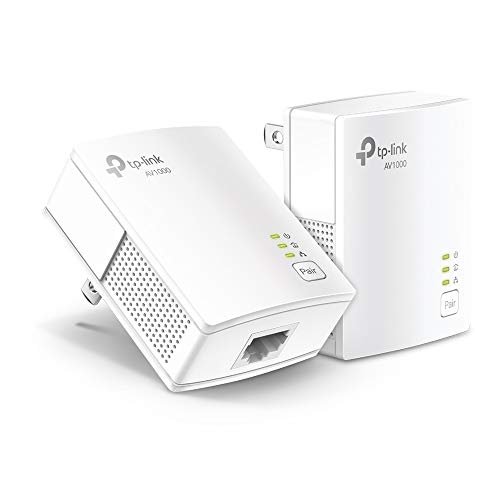
TP-Link AV1000 powerline kit, gigabit port, passthrough outletBest OverallTP-Link AV1000 powerline kit, gigabit port, passthrough outletAV10001 gigabit port per adapterPassthrough with noise filteringPair and playTwo adapters
TP-Link AV1000 nano powerline kit, gigabit portBest CompactTP-Link AV1000 nano powerline kit, gigabit portAV10001 gigabit port per adaptern/aPair and playTwo adapters
TP-Link AV600 powerline kit with 100 Mbps Ethernet portsBest ValueTP-Link AV600 powerline kit with 100 Mbps Ethernet portsAV600100 Mbps portn/aPair and playTwo adapters
TRENDnet TPL-422E2K Powerline 1300 AV2 adapter kitBest Alternative BrandTRENDnet TPL-422E2K Powerline 1300 AV2 adapter kit1300 AV2Gigabit portNo passthroughPair and playTwo adapters
TRENDnet TPL-423E2K 1300 AV2 kit with built-in outletBest with OutletTRENDnet TPL-423E2K 1300 AV2 kit with built-in outlet1300 AV2Gigabit portBuilt-in passthroughPair and playTwo adapters
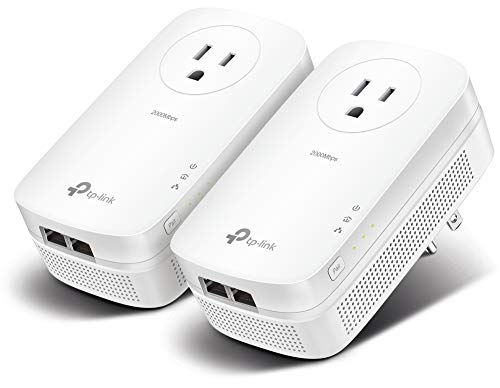
TP-Link AV2000 powerline kit, passthrough, 2 gigabit portsBest for SpeedTP-Link AV2000 powerline kit, passthrough, 2 gigabit portsAV20002 gigabit ports per adapterPassthroughPair and playTwo adapters

A powerline adapter pair sends network data over the electrical wiring already in the walls, which can bring a wired connection to a room where running a cable is impractical. At the budget end the real differences are the speed class, whether the Ethernet port is gigabit and whether the adapter gives up a wall outlet or passes it through.

This guide focuses on the lower half of the price range and is honest about the limits. We evaluated each kit from published specifications and patterns in owner feedback, with attention to real-world throughput, wiring conditions and year-three reliability. The speed numbers on the box are theoretical link rates, and actual speeds depend heavily on your home's wiring.

Before you buy

6 Criteria to Look For Before Buying a Budget Powerline Adapter

  1. 01

    Speed class and reality

    Numbers like AV600, AV1000 and AV2000 are theoretical link rates between the adapters, not the speed you will get from the internet. Real throughput is often a fraction, and it varies with wiring quality and distance. Pick a class that exceeds your internet plan's speed, but do not expect to see the box number. The TP-Link AV2000 and TRENDnet 1300 AV2 offer the most headroom.

  2. 02

    Gigabit vs 100 Mbps port

    The Ethernet port on the adapter sets the maximum wired speed. A 100 Mbps port, as on the AV600, caps speed at roughly 100 megabits regardless of the powerline link rate. If your internet plan is faster than that, choose a gigabit port. The mistake is paying for a fast powerline class and ending up with a slow port.

  3. 03

    Passthrough outlet

    A passthrough outlet lets you plug a device into the adapter, so you do not lose a wall socket. It also adds noise filtering on some models, such as the TP-Link AV1000 passthrough. The tradeoff is a larger body that may block adjacent sockets. In rooms with few outlets, passthrough is worth the extra size.

  4. 04

    Home wiring conditions

    Powerline works best when both adapters are on the same electrical circuit or at least the same breaker panel. Old wiring, long runs and noisy appliances reduce speed. Plugging into a power strip or surge protector filters the signal and often kills it. If your home has several panels or you are in an apartment building, the kit may not pair at all.

  5. 05

    Ports and flexibility

    One Ethernet port suits a single device, while two ports, as on the AV2000, let you connect a console and a TV or add a switch. The mistake is buying an extra-port kit and then plugging in only one device. Count what you need to connect in the far room first.

  6. 06

    Powerline vs alternatives

    Powerline is a patch for rooms where cabling is impossible. Mesh Wi-Fi often performs better for portable devices, and a real Ethernet cable is still the best option for desks and consoles. If you can run a cable, do that. If not, powerline is a decent way to add a wired port.

Detailed reviews

The 6 best budget powerline adapters, explained

01
TP-Link AV1000 powerline kit, gigabit port, passthrough outlet
AV1000 classGigabit portPassthroughPlug-and-play
Check price on Amazon
Best for: Most households that want a reliable wired link without losing a socket.

The TP-Link AV1000 passthrough kit is the most balanced budget option. Each adapter has a gigabit Ethernet port and a built-in power outlet with noise filtering, so you do not lose a wall socket. The design approach is to keep the setup simple: plug one adapter next to the router, plug the other in the far room and the pair connects automatically.

Compared with the nano AV1000 kit, the passthrough version is slightly larger but keeps the outlet usable, which matters in rooms with few sockets. Compared with the AV600, the AV1000 has a gigabit port and a higher speed class, which gives more headroom for streaming and gaming. It will not match the AV2000 in theoretical speed, but it costs less.

Ownership is mostly about placement. Plug directly into a wall outlet, not a power strip, and keep the adapters away from noisy appliances. If speeds drop, try a different outlet or press the pairing button again to re-establish the link.

What works

  • Gigabit Ethernet port supports faster wired devices
  • Passthrough outlet keeps the wall socket usable
  • Plug-and-play pairing needs no software
  • Filters noise from other devices on the same outlet

Watch out for

  • Actual throughput is well below the AV1000 label
  • Larger than the nano model and covers adjacent outlets

Specs

Speed class
AV1000
Ethernet
1 gigabit port per adapter
Outlet
Passthrough with noise filtering
Setup
Pair and play
Kit
Two adapters
02
TP-Link AV1000 nano powerline kit, gigabit port
AV1000 classGigabit portNano sizePlug-and-play
Check price on Amazon
Best for: Tight spaces where a small gigabit adapter is needed.

The nano AV1000 kit is the smallest and cheapest gigabit option in the lineup. Each adapter plugs flush into the wall and does not block neighbouring sockets. The design approach is minimal: a gigabit port, a pairing button and nothing else. That makes it ideal for tight spaces or behind furniture.

Compared with the passthrough AV1000, the nano model does not offer an outlet on the adapter, so it uses up a wall socket. Compared with the AV600, it has a gigabit port and a faster speed class. The tradeoff is that small adapters can run hot and have less room for noise filtering, so they work best when plugged in alone.

Ownership is simple. Plug into a wall outlet, pair the adapters and leave them alone. If the network drops, unplug both for a minute and reconnect. Dust and heat can accumulate behind furniture, so keep airflow in mind.

What works

  • Small body leaves neighbouring sockets free
  • Gigabit port supports streaming and gaming
  • Low price among the gigabit kits in this list
  • Simple pairing with no software

Watch out for

  • No passthrough outlet, so it uses up a wall socket
  • Less filtering than the larger passthrough version

Specs

Speed class
AV1000
Ethernet
1 gigabit port per adapter
Size
Nano, no passthrough
Setup
Pair and play
Kit
Two adapters
03
TP-Link AV600 powerline kit with 100 Mbps Ethernet ports
AV600 class100 Mbps portPower savingPlug-and-play
Check price on Amazon
Best for: Smart TVs and streaming sticks on a modest internet plan.

The AV600 is the cheapest kit here and is built for light jobs. It has a 100 Mbps Ethernet port, which caps speed at about 100 megabits regardless of the powerline link rate. For a streaming stick, smart TV or printer, that is often enough. The design approach is basic, with a pairing button and a power saving mode.

Compared with the AV1000 kits, the AV600 gives up the gigabit port and a faster powerline standard. If you have a fast internet plan, the 100 Mbps port will be the bottleneck, so pick this only for light use. Compared with the AV2000, it is a fraction of the capability but also a fraction of the cost.

Ownership is minimal. Plug in, pair and forget. Keep the adapters off power strips, and avoid placing them next to space heaters, hair dryers or other noisy appliances.

What works

  • Lowest cost in the lineup
  • Power saving mode reduces idle draw
  • Plug-and-play pairing with no software
  • Good enough for HD streaming and basic browsing

Watch out for

  • 100 Mbps port caps speed below gigabit plans
  • Older standard shows less headroom on busy circuits

Specs

Speed class
AV600
Ethernet
100 Mbps port
Mode
Power saving
Setup
Pair and play
Kit
Two adapters
04
TRENDnet TPL-422E2K Powerline 1300 AV2 adapter kit
1300 AV2Gigabit portPair kitPlug-and-play
Check price on Amazon
Best for: Buyers who want a gigabit kit from a non-TP-Link brand.

The TRENDnet TPL-422E2K is a 1300 AV2 kit with gigabit Ethernet ports, offered as an alternative to the TP-Link line. It uses the same plug-and-play approach: pair the two adapters and plug them into wall outlets. The design approach is a compact body with a single Ethernet port.

Compared with the TP-Link AV1000, the TRENDnet claims a higher speed class, but remember that both numbers are theoretical. Compared with the TPL-423E2K, this model lacks a passthrough outlet, so it is cheaper and smaller. It is a reasonable choice if you prefer a second brand or find it at a better price.

Ownership is similar to other kits. Keep it plugged directly into the wall, avoid noisy appliances and re-pair if the link drops. Some owners report that long runs across different circuits reduce speed, which is a wiring issue rather than a defect.

What works

  • Gigabit Ethernet port suits fast wired devices
  • 1300 AV2 class offers headroom on clean wiring
  • Compact body keeps the outlet footprint small
  • Pairing takes one button press on each adapter

Watch out for

  • No passthrough outlet, so it uses up a wall socket
  • Real speeds fall well below the 1300 label

Specs

Speed class
1300 AV2
Ethernet
Gigabit port
Outlet
No passthrough
Setup
Pair and play
Kit
Two adapters
05
TRENDnet TPL-423E2K 1300 AV2 kit with built-in outlet
1300 AV2Gigabit portPassthroughPlug-and-play
Check price on Amazon
Best for: Rooms with few outlets where a passthrough is needed.

The TPL-423E2K adds a built-in outlet to the TRENDnet 1300 AV2 platform, so the adapter does not use up a wall socket. It keeps the gigabit Ethernet port and pairing button, and adds a passthrough that lets you plug a device into the adapter. The design approach is to preserve outlet count in rooms with few sockets.

Compared with the TPL-422E2K, the passthrough version is a little bigger and costs a little more. Compared with the TP-Link AV1000 passthrough kit, the TRENDnet advertises a higher speed class, though real throughput depends on wiring. It is a good fit for a living room with limited outlets.

Ownership is simple. Plug the adapter directly into the wall, keep high-draw appliances off the passthrough and watch for heat. If speeds drop, re-pair the adapters and try a different outlet.

What works

  • Built-in outlet keeps the wall socket usable
  • Gigabit Ethernet port supports fast wired devices
  • Higher advertised speed class than the AV1000 kits
  • Pair-and-go setup suits a non-technical household

Watch out for

  • Larger than the non-passthrough models
  • Real speed depends heavily on home wiring

Specs

Speed class
1300 AV2
Ethernet
Gigabit port
Outlet
Built-in passthrough
Setup
Pair and play
Kit
Two adapters
06
TP-Link AV2000 powerline kit, passthrough, 2 gigabit ports
AV2000 class2 gigabit portsPassthroughMIMO
Check price on Amazon
Best for: Households with two wired devices in the far room.

The AV2000 is the top-speed kit in this lineup and the most expensive of the budget picks. Each adapter has two gigabit Ethernet ports and a passthrough outlet, so one adapter can feed a console and a TV or a switch. The design approach is the same plug-and-play layout as the smaller kits, with a bigger body and a faster powerline chipset.

Compared with the AV1000 passthrough, the AV2000 adds a second Ethernet port and a higher speed class. It only pays off on clean wiring with a good path between the two adapters. Compared with the AV600, the difference in capability is large, but so is the difference in cost.

Ownership is similar to other kits. Plug directly into the wall, avoid power strips and re-pair if the link drops. The larger body may block adjacent sockets, so check the layout.

What works

  • Two gigabit ports per adapter connect two devices at once
  • Passthrough outlet keeps the wall socket usable
  • Highest speed class in the lineup
  • Pairing button on each unit keeps setup simple

Watch out for

  • Costs the most among these picks and may be overkill
  • Large body can block adjacent wall sockets

Specs

Speed class
AV2000
Ethernet
2 gigabit ports per adapter
Outlet
Passthrough
Setup
Pair and play
Kit
Two adapters

Spec decoder

What the listing measurements really mean

The numbers brands lead with, translated into what they tell you about fit, comfort and wear at home.

AV1000

A powerline speed class indicating a theoretical link rate near 1000 megabits between adapters. Real speeds are much lower.

Watch forThe TP-Link AV1000 kits advertise this, but throughput depends on your wiring.

Passthrough outlet

A built-in outlet on the adapter that lets you plug in another device. Some adapters also filter noise through it.

Watch forThe TP-Link AV1000 passthrough and TRENDnet TPL-423E2K have one, while the nano and AV600 kits do not.

Gigabit port

An Ethernet port that supports speeds up to 1000 megabits per second. It avoids capping a fast plan.

Watch forThe AV600 has a 100 Mbps port, which limits speed on faster plans.

HomePlug AV2

A standard that adds features such as MIMO to improve throughput on electrical wiring. It is backward compatible with AV.

Watch forThe TRENDnet 1300 AV2 kits use it, but mixed brands may not interoperate fully.

MIMO

A technique that uses multiple wires in the electrical system to send data. It can boost speed on wiring that has a ground conductor.

Watch forThe AV2000 lists it, but results depend on whether your outlets have a ground.

Methodology

How We Evaluated These Budget Powerline Adapters

Speed class and port type

We compared the published speed class and Ethernet port type. The AV2000 and TRENDnet 1300 AV2 lead on class, while the AV600 falls short with a 100 Mbps port. We treated the gigabit port as a baseline for modern plans.

Passthrough and footprint

We considered how each kit uses wall outlets and how it fits behind furniture. The TP-Link AV1000 passthrough and TRENDnet TPL-423E2K keep the outlet, while the nano and AV600 use it up. Body size was a factor in tight rooms.

Wiring tolerance

We read owner feedback about speed drops and pairing failures. Old wiring and multiple breaker panels are the most common causes. We favoured kits with noise filtering and proven pairing behaviour.

Setup and reliability

We looked at how each kit pairs and how often owners report disconnects. Plug-and-play pairing is standard, but some kits need re-pairing after power cuts. We weighted simple setup highly for non-technical buyers.

Value in context

We placed each kit in the lower half of the price range and asked what it gives up. The AV600 is the cheapest, the AV1000 passthrough is the best balance and the AV2000 is the fastest. Warranty and brand support were tiebreakers.

Decision guide

How to Choose the Right Budget Powerline Adapters

By Use Case

SituationPickWhy
Smart TV or streaming stickTP-Link AV600Cheap and enough for HD video
Gaming console in a far roomTP-Link AV1000 passthroughGigabit port with filtered outlet
Console plus TV in one spotTP-Link AV2000Two gigabit ports on the far adapter
Gigabit plan with limited outletsTRENDnet TPL-423E2KPassthrough keeps the socket usable

By Budget

SituationPickWhy
Lowest costTP-Link AV600Cheapest kit with a basic port
Best balanceTP-Link AV1000 passthroughGigabit and passthrough at a mid price
Small gigabit kitTP-Link AV1000 nanoCompact body and gigabit port
Spend for headroomTP-Link AV2000Fastest class and two ports

Passthrough vs Nano

Passthrough

The TP-Link AV1000 passthrough, TRENDnet TPL-423E2K and AV2000 keep the wall outlet usable and filter some noise. They are larger and may block adjacent sockets.

Nano or basic

The TP-Link AV1000 nano, AV600 and TRENDnet TPL-422E2K are smaller but use up a socket. They suit rooms with spare outlets.

Choose passthrough in outlet-poor rooms and nano where space is tight but sockets are plentiful.

Home Wiring Conditions

SituationPickWhy
Single breaker panel, newer homeAV1000 or AV2000Clean wiring lets the faster classes shine
Older wiring or long runsAV1000 passthroughFiltering helps with noisy circuits
Multiple panels or apartmentConsider mesh Wi-FiPowerline may not pair across panels
Noisy appliances nearbyPassthrough modelsNoise filtering reduces interference

For Streaming and Gaming Specifically

Look for

A gigabit port, a speed class above your internet plan and direct wall placement. Avoid power strips and noisy circuits.

In this comparison

The TP-Link AV1000 passthrough is the all-rounder, the AV2000 handles two devices and the AV600 suits light streaming.

When to Spend More

Spend more if

You have a gigabit plan, two wired devices in the far room or a mix of old and new wiring. The AV2000 gives the most headroom.

Save if

You need a single connection for a TV or streamer on a modest plan. The AV600 or AV1000 nano is enough.

Ownership

Maintenance schedule

The upkeep that decides whether a piece still looks good in year five.

TaskIntervalWhy it matters
Re-pair the adaptersAfter power cuts or movesPairing can be lost when adapters are unplugged for long periods. Pressing the pair button on both restores the link.
Check the wall outletWhen speeds dropOutlets on different circuits or near noisy appliances reduce throughput. Trying another outlet is often the quickest fix.
Keep off power stripsAlwaysPower strips and surge protectors filter the signal that powerline depends on. Plug adapters directly into the wall.
Dust the ventsEvery few monthsDust traps heat in small adapters. A quick brush keeps airflow clear.
Update firmware if offeredYearlySome makers release firmware that improves stability. Check the maker's support page for updates.

FAQ

Frequently Asked Questions

Is powerline better than Wi-Fi?

It depends on the home. Powerline can be more stable than Wi-Fi for a fixed device behind thick walls, but it depends on wiring. Mesh Wi-Fi often works better for portable devices.

How much should a budget powerline kit cost?

Prices move, so check the current listing. The AV600 is the cheapest, the AV1000 kits sit in the middle and the AV2000 is the top of this list. Pay more only if you need the ports or speed.

Why is my powerline speed slower than the box says?

The label is a theoretical link rate between the adapters. Real throughput is lower because of wiring quality, distance and noise. Plugging into a power strip also reduces speed.

Can I use powerline across different breaker panels?

Sometimes, but often poorly or not at all. The signal can jump between circuits in the same panel, but crossing panels or sub-panels commonly fails. If the kit will not pair, try different outlets or consider mesh Wi-Fi.

Do I need a passthrough outlet?

Only if the room has few sockets. Passthrough adapters keep the wall outlet usable and often filter noise. They are bigger, so check for blocked neighbouring sockets.

Can I mix brands of powerline adapters?

Often yes, if they share the same standard, but performance may drop to the lowest common standard. For best results, buy a matched kit from one brand.

Bottom line

The short version

Browse more budget powerline adapterson Amazon →
Brianna Cole, Lead Product Editor

About the author

Brianna Cole

Lead Product Editor, SenseiReview

Brianna Cole leads SenseiReview's buying guides, turning published specifications, documentation and owner feedback patterns into clear verdicts across home, tech, fitness, outdoor and DIY products.

More from Brianna →

Keep reading

Related guides