
Amazon affiliate links - we earn a commission.Affiliate disclosure

Buying guide · 12 min read · Updated 2026-11-21

Best Budget USB Flash Drives (2026)

Seven budget USB flash drives compared on capacity, USB generation, read speed claims and build, plus the honest limits of cheap storage for everyday use.

Brianna Cole, Lead Product EditorBy Brianna ColeLead Product Editor6 picks comparedSpec-sheet verified
Best Budget USB Flash Drives

At a glance

Our top picks

Side by side

Spec comparison

PieceCapacityInterfaceRead speedDesignPrice position
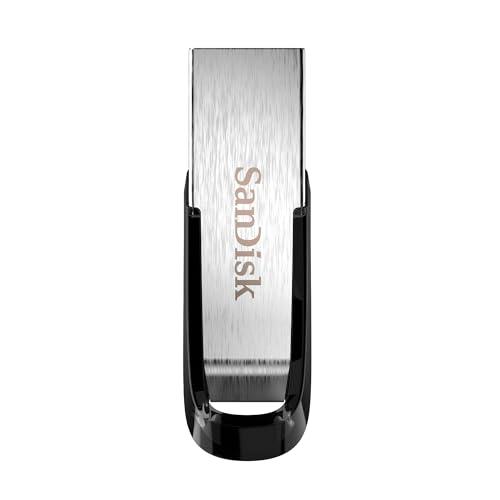
SanDisk Ultra Flair 128GB USB 3.0 Flash Drive up to 150MB/s ReadBest OverallSanDisk Ultra Flair 128GB USB 3.0 Flash Drive up to 150MB/s Read128 GBUSB 3.0 Type-AUp to 150 MB/sCap-less, textured bodyUpper-middle of the group
PNY Turbo Attache 3 64GB USB 3.0 Flash Drive 3-PackBest ValuePNY Turbo Attache 3 64GB USB 3.0 Flash Drive 3-Pack64 GB each, 3 drivesUSB 3.0 Type-AUp to 100 MB/sCap-less sliding collarMiddle of the group
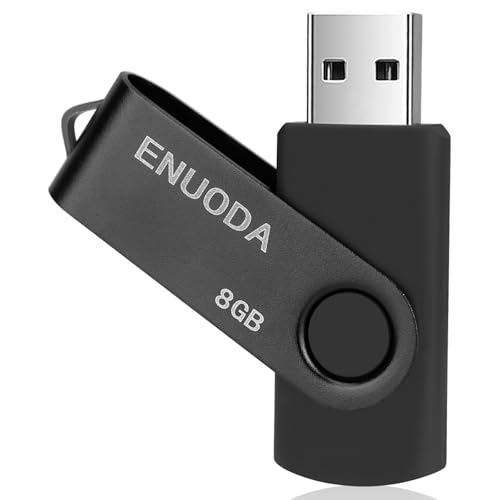
ENUODA 8GB USB 2.0 Flash Drive Thumb Drive Single PackCheapest Single DriveENUODA 8GB USB 2.0 Flash Drive Thumb Drive Single Pack8 GBUSB 2.0n/an/aLowest in the group
SanDisk Ultra 128GB USB 3.0 Flash Drive up to 100MB/s ReadBest Alternative to Ultra FlairSanDisk Ultra 128GB USB 3.0 Flash Drive up to 100MB/s Read128 GBUSB 3.0 Type-AUp to 100 MB/sn/aMiddle of the group
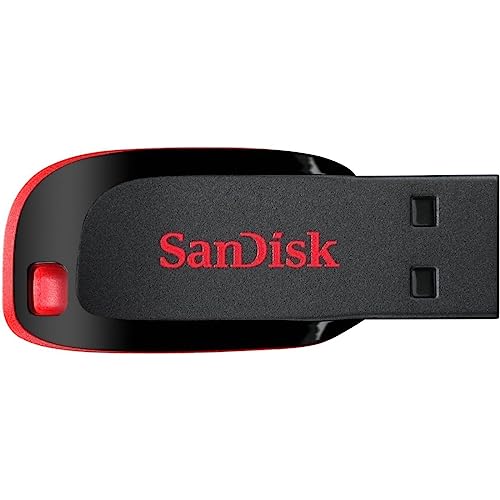
SanDisk Cruzer Blade 32GB USB 2.0 Flash DriveBest for Basic FilesSanDisk Cruzer Blade 32GB USB 2.0 Flash Drive32 GBUSB 2.0n/aCompact, contouredSecond lowest here
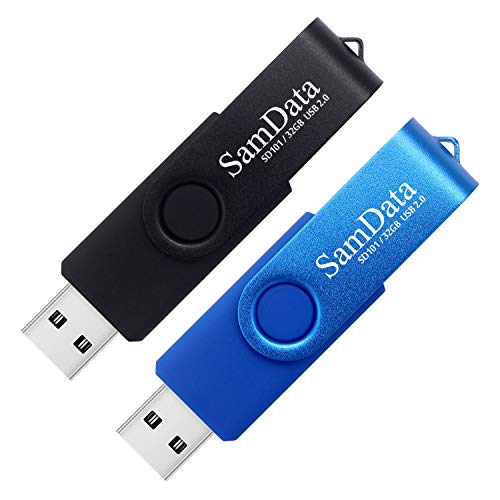
SamData 32GB USB 2.0 Flash Drives 2-Pack with LED LightBest Two-PackSamData 32GB USB 2.0 Flash Drives 2-Pack with LED Light32 GB each, 2 drivesUSB 2.0n/aRotating metal clip, ABS bodyLow end of the group

A USB flash drive is the simplest way to carry files between computers, hand documents to someone or boot an installer. At the budget end the drives look similar, but differences in USB generation, write speed and build quality show up as soon as you copy something large.

This guide compares affordable drives on capacity, advertised read speed, connector design and how they behave over a few years of pocket and desk use. We also explain why a headline speed number deserves caution and why a flash drive is never a backup.

Before you buy

6 Criteria to Look For Before Buying a Budget USB Flash Drive

  1. 01

    USB generation

    USB 3.0 drives like the SanDisk Ultra Flair read far faster than USB 2.0 drives such as the Cruzer Blade, but only in a USB 3.0 port. USB 2.0 is fine for documents and slow for video. Many people pay for USB 3.0 and then plug into a USB 2.0 hub.

  2. 02

    Real speed vs headline

    The 150 MB/s on the Ultra Flair and 100 MB/s on the PNY and SanDisk Ultra are read speeds. Write speed, which matters for copying to the drive, is lower and rarely published. Do not judge a drive on the headline number alone.

  3. 03

    Capacity needs

    A 32 GB drive handles documents, while 64 GB and 128 GB suit photos and some video. Formatted capacity is a little less than the label. Buying a larger drive is cheap, but fill it only to about 90 percent for steady speed.

  4. 04

    File system

    FAT32 limits any one file to 4 GB, and exFAT removes that limit on modern systems. Drives often ship formatted FAT32 or exFAT. Reformat if you need to move large video files between Windows and macOS.

  5. 05

    Connector protection

    Cap-less sliding collars, as on the PNY, and rotating clips, as on the SamData, protect the plug but add moving parts. A simple cap can be lost. Choose a design you will actually use.

  6. 06

    Brand and counterfeit risk

    Counterfeit drives report a false size and fail when full. Buy from the maker or an authorized seller, and test capacity with a checker before filing important data. A known brand reduces but does not remove the risk.

Detailed reviews

The 6 best budget usb flash drives, explained

01
SanDisk Ultra Flair 128GB USB 3.0 Flash Drive up to 150MB/s Read
128GBUSB 3.0150MB/s readMetal-look body
Check price on Amazon
Best for: Everyday users who want one fast, durable drive with enough capacity to last.

The Ultra Flair is a cap-less USB 3.0 drive with a textured, durable-feeling body and a stated read speed of up to 150 MB/s. It comes in several capacities, and the 128 GB version is the sweet spot for most people because it holds large photo libraries and a few big video files. The maker claims it transfers a full-length movie in under 30 seconds, which is a best-case read figure.

The tradeoff is price against the basic drives. It costs more than the USB 2.0 sticks here, and the 150 MB/s figure applies to reading, not writing, so copying to the drive is slower. Compared with the PNY Turbo Attache 3, which lists 100 MB/s read, the Ultra Flair promises about half again as much read speed, though you need a USB 3.0 port to see any difference. It suits people who want a single reliable drive for years.

Ownership is mostly about habit. Always eject before unplugging, keep important files in a second place and avoid leaving the drive in a port that gets knocked. Metal-style bodies shed heat better than thin plastic, which helps during long copies. Check capacity honestly: formatted space is a little under the label.

What works

  • USB 3.0 interface with stated read up to 150 MB/s
  • 128 GB capacity covers large photo and document libraries
  • Cap-less design means no lid to lose
  • Textured body feels more durable than thin plastic sticks

Watch out for

  • Costs more than the USB 2.0 sticks in this list
  • Write speed is lower than the headline read figure

Specs

Capacity
128 GB
Interface
USB 3.0 Type-A
Read speed
Up to 150 MB/s
Design
Cap-less, textured body
Price position
Upper-middle of the group
02
PNY Turbo Attache 3 64GB USB 3.0 Flash Drive 3-Pack
64GB x 3USB 3.0100MB/s readSliding collar
Check price on Amazon
Best for: Households and classrooms that want several drives at a low cost per unit.

PNY sells the Turbo Attache 3 in multi-packs, and this one has three 64 GB drives with USB 3.0 and a stated read speed of up to 100 MB/s. The sliding collar protects the connector and removes the need for a cap, and the drive is light enough for a key ring. A multi-pack lowers the effective cost per drive, which is the real advantage.

The compromise is speed. At up to 100 MB/s read it trails the SanDisk Ultra Flair 128GB, and the maker says it is only ten times faster than a USB 2.0 stick. The sliding collar is a mechanical part that can loosen after many cycles, so it is not the right pick for rough handling. It suits families, small teams and classrooms who want several drives for different jobs, such as one for photos, one for school files and one for backups of backups.

In practice, label each drive so you do not confuse them. Use eject, keep a note of what is on each, and avoid heavy writes on all three at once. Check that a drive has not worked loose in a front panel port. A pack of three means a failure on one is not a disaster, but you still should not store the only copy of anything on any of them.

What works

  • Three drives in one pack give the lowest cost per drive here
  • USB 3.0 with stated read up to 100 MB/s
  • Cap-less sliding collar protects the connector
  • Light enough for a key ring

Watch out for

  • Read speed trails the SanDisk Ultra Flair line
  • Sliding collar is a moving part that can loosen

Specs

Capacity
64 GB each, 3 drives
Interface
USB 3.0 Type-A
Read speed
Up to 100 MB/s
Design
Cap-less sliding collar
Price position
Middle of the group
03
ENUODA 8GB USB 2.0 Flash Drive Thumb Drive Single Pack
8GBUSB 2.0Plug and playSingle pack
Check price on Amazon
Best for: One-off document handoffs and devices such as printers and car stereos.

The ENUODA is the smallest and cheapest drive in the lineup, an 8 GB USB 2.0 stick sold as a single pack. The maker says it holds thousands of photos, hours of music and everyday documents, which is a fair description of what 8 GB is good for. It needs no software and works with Windows, Linux and macOS.

The tradeoff is capacity and speed. USB 2.0 is slow for large files, and 8 GB fills quickly with video or a modern photo library. A lesser-known maker also gives you fewer clues about flash quality than SanDisk or PNY. Compared with the SanDisk Cruzer Blade 32GB, it costs less but offers a quarter of the space and no encryption software. It suits someone who needs a throwaway stick for a printer, a car stereo or a one-off document handoff.

Treat it as disposable storage. Eject before unplugging, keep the original file elsewhere and replace it if it shows errors. Label it so it does not get mixed up with drives that hold important files.

What works

  • Lowest price position in this comparison
  • Plug and play with no software to install
  • Works on Windows, Linux and macOS
  • Small enough to leave plugged into a device

Watch out for

  • 8 GB fills quickly with photos or video
  • USB 2.0 is slow for anything large

Specs

Capacity
8 GB
Interface
USB 2.0
Setup
Plug and play, no software
Compatibility
Windows, Linux and macOS
Price position
Lowest in the group
04
SanDisk Ultra 128GB USB 3.0 Flash Drive up to 100MB/s Read
128GBUSB 3.0100MB/s readRecovery offer
Check price on Amazon
Best for: Buyers who want a single 128 GB branded drive with a recovery software offer.

This SanDisk Ultra is a plainer 128 GB USB 3.0 drive with a stated read speed of up to 100 MB/s. The listing includes an offer for one year of Rescue PRO Deluxe recovery software, which is a small value-add if you ever delete a file by mistake. It uses the same brand approach as the Ultra Flair but a simpler body.

The tradeoff is that it is slower on paper than the 150 MB/s Ultra Flair and costs a similar amount at the same capacity, so the choice comes down to look and the recovery offer. Compared with the PNY three-pack, you get a single 128 GB drive rather than three 64 GB drives. It suits someone who wants one reliable drive with brand backing and a recovery software option.

Treat the recovery software as a bonus, not a safety net. Eject before unplugging, keep a backup and avoid filling the drive to the last gigabyte, because nearly full flash drives slow down. Check the listing terms for how long the software offer lasts.

What works

  • 128 GB capacity in a single branded drive
  • USB 3.0 with stated read up to 100 MB/s
  • Includes a one-year recovery software offer
  • Compatible with older USB 2.0 ports

Watch out for

  • Slower stated read speed than the Ultra Flair models
  • Recovery offer is time limited and no replacement for backups

Specs

Capacity
128 GB
Interface
USB 3.0 Type-A
Read speed
Up to 100 MB/s
Extras
Rescue PRO Deluxe one-year offer
Price position
Middle of the group
05
SanDisk Cruzer Blade 32GB USB 2.0 Flash Drive
32GBUSB 2.0SecureAccessCompact
Check price on Amazon
Best for: People who carry documents and want a branded drive with a password vault.

The Cruzer Blade is a compact USB 2.0 drive that has been a staple for documents. It includes SanDisk SecureAccess software, which offers password protection using 128-bit AES encryption for a vault of private files. The contoured body is small enough for a pocket and works on older machines.

The tradeoff is speed. USB 2.0 is much slower than USB 3.0, so large files take a long time to copy, which makes this unsuitable for video. SecureAccess is software that runs from the drive and works on supported systems, so test it on your machine before relying on it. Compared with the SamData two-pack, you get a major brand and an encryption tool but only one drive. It suits office users who carry documents and want a basic password option.

Ownership is simple: eject, keep a backup and do not expect speed. The small size makes it easy to lose, so attach a lanyard. Treat the encryption as convenience and not as a replacement for strong disk encryption.

What works

  • Compact body slips into a pocket
  • SecureAccess software offers 128-bit AES password protection
  • Major brand with long market presence
  • Works with older USB 2.0 ports

Watch out for

  • USB 2.0 is slow for large files
  • 32 GB is small by current standards

Specs

Capacity
32 GB
Interface
USB 2.0
Security
SecureAccess software, 128-bit AES
Design
Compact, contoured
Price position
Second lowest here
06
SamData 32GB USB 2.0 Flash Drives 2-Pack with LED Light
32GB x 2USB 2.0LED light360 clip
Check price on Amazon
Best for: Buyers who need two basic drives for handing files to others.

SamData sells two 32 GB USB 2.0 drives in black and blue, which makes it easy to assign one drive per use. The metal clip rotates 360 degrees around an ABS plastic body, protecting the connector, and a small LED shows activity. It works with Windows, macOS and Linux without installing software.

The tradeoff is brand assurance and speed. USB 2.0 is slow, and a lesser-known maker gives you fewer signs of long-term quality or consistent flash chips. Compared with the SanDisk Cruzer Blade, you get two drives for a similar cost but no encryption software. It suits someone who needs two cheap drives for handoffs and does not care about speed.

Expect a short life if the clip is stressed. The clip is the weak point, so keep the drive out of bags where it can snap. Eject before unplugging, and avoid using one as the only copy of important files.

What works

  • Two drives in contrasting colors help organize files
  • Rotating clip protects the connector
  • LED shows when the drive is active
  • Works on Windows, macOS and Linux

Watch out for

  • USB 2.0 speed is slow for large transfers
  • Lesser-known brand with limited long-term track record

Specs

Capacity
32 GB each, 2 drives
Interface
USB 2.0
Colors
Black and blue
Design
Rotating metal clip, ABS body
Price position
Low end of the group

Spec decoder

What the listing measurements really mean

The numbers brands lead with, translated into what they tell you about fit, comfort and wear at home.

Read speed (MB/s)

How fast the drive sends data to the computer, as in up to 150 MB/s on the Ultra Flair.

Watch forWrite speed is slower and often not published.

USB 3.0

A faster interface standard that is backward compatible with USB 2.0 ports.

Watch forA USB 2.0 port limits a USB 3.0 drive.

Capacity (GB)

The labeled storage, from 8 GB on the ENUODA to 128 GB on the Ultra.

Watch forUsable space is somewhat less than the label.

AES encryption

A method that scrambles files behind a password, offered through SanDisk SecureAccess.

Watch forSoftware runs only on supported systems and is not full-disk encryption.

File system

The format that organizes files, such as FAT32 or exFAT.

Watch forFAT32 cannot hold a single file over 4 GB.

Methodology

How We Evaluated These Budget USB Flash Drives

Specification review

We compared published capacities, interfaces and stated read speeds. We read each listing for connector design and extras. We set the 150 MB/s Ultra Flair against the 100 MB/s PNY.

Owner feedback patterns

We looked at recurring themes in owner feedback such as slow writes, connector wear and counterfeit concerns. Single complaints were set aside. We did not use star ratings.

Design approach

We considered connector protection, from cap-less collars to rotating clips. We also noted software extras such as encryption and recovery offers.

Value and price position

We ordered the drives by relative price tier and weighed cost per drive and per gigabyte. We did not quote prices because they change.

What we did not do

We did not run speed benchmarks or file transfers. Scores are editorial judgments built on published information. Speed numbers remain the makers' claims.

Decision guide

How to Choose the Right Budget USB Flash Drives

By Speed Needs

SituationPickWhy
Fastest claimed readSanDisk Ultra Flair 128GBUp to 150 MB/s
Cheapest possibleENUODA 8GBUSB 2.0, lowest price
Fast and several drivesPNY Turbo Attache 3 3-pack100 MB/s each
Documents onlySanDisk Cruzer BladeUSB 2.0 is enough

By Budget

SituationPickWhy
Lowest cost per drivePNY 3-packThree drives
Two basic drivesSamData 2-packTwo colors
One drive, brandSanDisk Cruzer BladeWell-known maker
Higher spend for capacity and speedSanDisk Ultra Flair 128GB128 GB and USB 3.0

USB 3.0 vs USB 2.0

USB 3.0

The Ultra Flair, PNY and SanDisk Ultra read quickly and suit photos, video and big files.

USB 2.0

The Cruzer Blade and SamData are slower but cost less and work fine for documents.

Pick USB 3.0 if you copy files over a few hundred megabytes. Pick USB 2.0 for occasional documents.

By Capacity

SituationPickWhy
32 GB for documentsSanDisk Cruzer BladeCompact and simple
8 GB for a few documentsENUODA 8GBSmallest and cheapest
128 GB for videoSanDisk Ultra Flair 128GBLargest here
Several 64 GB drivesPNY 3-packSplit by use

For Sharing Files Specifically

Look for

Drives that are cheap enough to give away, with a connector that survives a bag, and no need to get the drive back.

In this comparison

The PNY three-pack and the SamData two-pack are the best fit for handing out drives.

When to Spend More

Spend more if

You move large files often or need 128 GB and a durable body, as with the Ultra Flair 128GB.

Save if

You carry documents, in which case the Cruzer Blade or SamData covers the need.

Ownership

Maintenance schedule

The upkeep that decides whether a piece still looks good in year five.

TaskIntervalWhy it matters
Eject before unpluggingEvery useCached writes can be lost if you pull the drive. Ejecting prevents file system corruption.
Copy files to a second placeEvery time you editFlash drives can fail without warning. A second copy is the only real protection.
Check capacity with a checkerWhen newCounterfeit drives report false sizes. A test before filing important data catches this.
Clean the connectorYearlyPocket lint can lodge in the plug. A dry brush clears it.
Replace old drivesEvery few yearsFlash cells wear with writes and age. Replace drives that show errors or slowdowns.

FAQ

Frequently Asked Questions

Is a USB 3.0 drive worth it over USB 2.0?

Yes if you move large files and have a USB 3.0 port. For small documents, USB 2.0 is adequate.

Are cheap flash drives safe?

Branded drives from authorized sellers are generally fine. Counterfeit and no-name drives risk false capacity and failure, so test before trusting them.

Can I use a flash drive as a backup?

Not as the only backup. Flash drives can fail suddenly, so keep another copy on a second device or cloud storage.

Why is my drive slower than advertised?

The advertised number is read speed in ideal conditions. Write speed, the port, the cable and the file size all slow real transfers.

What file system should I use?

exFAT works on modern Windows and macOS and handles files over 4 GB. FAT32 works everywhere but limits file size.

How long do flash drives last?

Lifespan depends on writes and quality, and can range from years to sudden failure. Replace one that shows errors.

Bottom line

The short version

Browse more budget usb flash driveson Amazon →
Brianna Cole, Lead Product Editor

About the author

Brianna Cole

Lead Product Editor, SenseiReview

Brianna Cole leads SenseiReview's buying guides, turning published specifications, documentation and owner feedback patterns into clear verdicts across home, tech, fitness, outdoor and DIY products.

More from Brianna →

Keep reading

Related guides