
Amazon affiliate links - we earn a commission.Affiliate disclosure

Buying guide · 13 min read · Updated 2026-11-21

Best Webcams (2026)

Six webcams compared on sensor size, 1080p versus 4K, autofocus, low-light handling, microphones, privacy covers and software, with picks for calls and streams.

Brianna Cole, Lead Product EditorBy Brianna ColeLead Product Editor6 picks comparedSpec-sheet verified
Best Webcams

At a glance

Our top picks

Side by side

Spec comparison

PieceResolutionAudioBest usePrivacy
Logitech MX Brio Ultra HD 4K webcam with 1080p 60 fps and Show ModeBest OverallLogitech MX Brio Ultra HD 4K webcam with 1080p 60 fps and Show Mode4K Ultra HD, 1080p at 60 fpsDual noise-reducing microphonesWork calls, presentations and light streamingn/a
Insta360 Link 2 Pro 4K PTZ webcam with 1/1.3 inch sensor and AI trackingBest for StreamingInsta360 Link 2 Pro 4K PTZ webcam with 1/1.3 inch sensor and AI tracking4Kn/aStreaming, teaching and moving presentersn/a
Logitech C920x HD Pro 1080p 30 fps webcam with stereo audioBest Proven ClassicLogitech C920x HD Pro 1080p 30 fps webcam with stereo audioFull HD 1080p at 30 fpsStereo microphonesEveryday calls and meetingsn/a
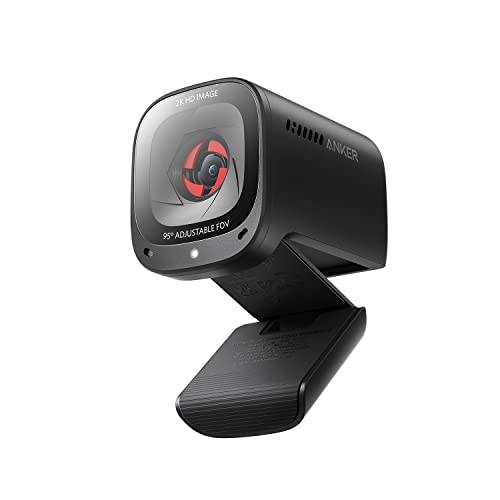
Anker PowerConf C200 2K webcam with low-light correction and conference micBest Audio PickupAnker PowerConf C200 2K webcam with low-light correction and conference mic2KConference microphone with 360 degree voice coverageHome office calls and small meetingsBuilt-in privacy cover
Logitech Brio 101 Full HD 1080p webcam with RightLight and built-in micBest Simple 1080pLogitech Brio 101 Full HD 1080p webcam with RightLight and built-in micFull HD 1080pBuilt-in microphoneBasic calls and online classesPrivacy shutter
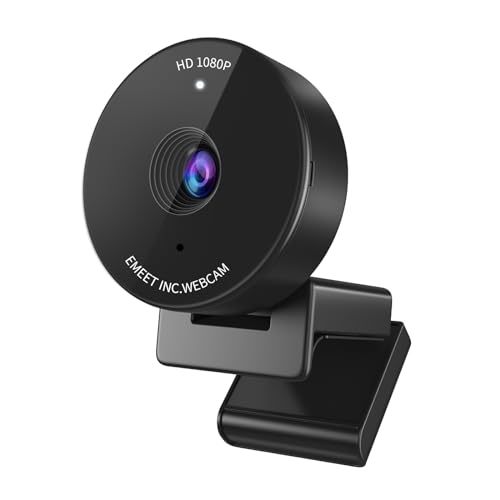
EMEET C950 1080P webcam with physical privacy cover and auto light correctionBest ValueEMEET C950 1080P webcam with physical privacy cover and auto light correction1080pn/aBudget calls and classesPhysical privacy cover

A webcam is a small camera that sits on your monitor and sends your face to a video call, a meeting or a stream. It matters because lighting, sensor quality and autofocus change how you look far more than the megapixel count printed on the box.

Specs mislead easily: 4K labels hide small sensors, and built-in microphones vary widely in clarity. We evaluated six webcams from the candidate pool using published specifications, listing details and patterns in owner feedback, then ranked them by fit for real calls and streams rather than by headline resolution.

Before you buy

6 Criteria to Look For Before Buying a Webcam

  1. 01

    Resolution that your apps use

    Many video call apps cap at 720p or 1080p, so a 4K webcam rarely sends 4K. 1080p at 30 fps is enough for calls, and 60 fps helps streaming and fast movement. Higher resolution matters for recording and cropping. The mistake is paying for 4K and then using a call app that downscales. Check the video settings in the apps you actually use, such as your meeting tool, before you pay for a resolution they cannot send.

  2. 02

    Sensor size and low light

    A larger sensor gathers more light, which cleans up dim rooms. The Insta360 Link 2 Pro's 1/1.3 inch sensor is larger than most webcams. Many cheap webcams have small sensors that get noisy and soft in low light. The best fix is better lighting, such as a lamp behind the monitor. Put a lamp or a window in front of you rather than behind, since facing the light is the biggest free upgrade to any webcam.

  3. 03

    Autofocus and field of view

    Autofocus keeps you sharp when you lean in or hold up an object. Fixed focus is fine if you sit at a set distance. Field of view sets how much of the room is visible, and a narrower view hides clutter. Adjustable fields of view are helpful in shared spaces. Test autofocus by holding a book up to the lens, because slow or hunting focus is more irritating than a slight softness.

  4. 04

    Microphones and audio

    Built-in webcam mics vary widely, and many pick up room echo. Dual or conference mics help, and noise cancelling reduces keyboard sounds. For serious audio, use a headset or a dedicated microphone. Webcam audio is a convenience, not a replacement. Sit at your usual distance and note how much of the room shows, then pick a field of view that hides the clutter.

  5. 05

    Privacy and security

    A physical shutter or cover blocks the lens when not in use, which is more reliable than a software toggle. Check that the activity light shows when the camera is on. Keep drivers updated, and disable the camera in settings if not needed. Plug in a headset for important calls even if the webcam mic is good, since close microphones always sound clearer.

  6. 06

    Software and mounting

    Software lets you adjust exposure, field of view and zoom. Some webcams work well plug and play, while others need an app for the best image. Check the mount, since a clip that does not fit a thin monitor or laptop is a nuisance. Slide the cover shut after each call, and make that a habit rather than a thing you do only when you remember.

Detailed reviews

The 6 best webcams, explained

01
Logitech MX Brio Ultra HD 4K webcam with 1080p 60 fps and Show Mode
4K video1080p at 60 fpsShow ModeDual mics
Check price on Amazon
Best for: Remote workers and presenters who want premium image quality and Show Mode.

The MX Brio is Logitech's premium work webcam. It records 4K video, with a 1080p mode at 60 frames per second for smoother motion on supported apps. A Show Mode feature lets you tilt the camera down to present your desk without extra gear. Dual microphones reduce background noise, and the software lets you adjust image settings.

The tradeoff is cost and bandwidth. 4K is rarely used in video calls, and the camera costs more than 1080p models. Compared with the Logitech Brio 4K, it adds Show Mode and 60 fps support at a higher cost. Compared with the Insta360 Link 2 Pro, it lacks gimbal tracking but is simpler and more affordable.

Ownership is simple. Mount it on the monitor, install the software and set the resolution that your app supports. Owner feedback patterns on the MX Brio say the image is clean and the software reliable, with the main caution being that many apps limit resolution, so the 4K gain is limited to recording and some streaming.

What works

  • 4K sensor with a smooth 1080p 60 fps mode
  • Show Mode lets you present your desk by tilting the camera
  • Dual mics reduce background noise
  • Reliable software with image controls

Watch out for

  • 4K is rarely used in video call apps
  • Costs more than 1080p webcams
  • Larger than basic models

Specs

Resolution
4K Ultra HD, 1080p at 60 fps
Feature
Show Mode tilts down to show the desk
Audio
Dual noise-reducing microphones
Software
Logi Tune for adjustments
Best use
Work calls, presentations and light streaming
02
Insta360 Link 2 Pro 4K PTZ webcam with 1/1.3 inch sensor and AI tracking
4K PTZ1/1.3 in sensorAI trackingHDR
Check price on Amazon
Best for: Streamers, teachers and presenters who move around while on camera.

The Link 2 Pro is a gimbal webcam with a 1/1.3 inch sensor, which is larger than most webcam sensors and helps in low light. It supports 4K video with HDR, and the gimbal pans, tilts and zooms, with AI tracking that follows you as you move. Directional noise-cancelling microphones round out the package.

The tradeoff is size, cost and complexity. It is the largest and most expensive webcam in the lineup, and the tracking can be distracting in some calls. Compared with the Logitech MX Brio, it adds motion and a larger sensor but is bulkier. Compared with the Anker C200, it costs far more and has more features.

Ownership requires some setup. Install the software, set tracking preferences and position the camera at eye level. Owner feedback patterns on gimbal webcams say that tracking is a real benefit for teachers and streamers, but can feel gimmicky for static desk calls.

What works

  • 1/1.3 inch sensor helps in low light
  • Gimbal PTZ with AI tracking follows you as you move
  • 4K and HDR for premium image quality
  • Directional microphones reduce noise

Watch out for

  • Highest cost in the lineup
  • Large body takes monitor space
  • Tracking can distract in static calls

Specs

Resolution
4K
Sensor
1/1.3 inch
Movement
Gimbal pan, tilt and zoom with AI tracking
Image
HDR and low-light performance
Best use
Streaming, teaching and moving presenters
03
Logitech C920x HD Pro 1080p 30 fps webcam with stereo audio
1080p at 30 fpsAutofocusStereo micsLight correction
Check price on Amazon
Best for: Everyday video calls and meetings with a reliable, proven webcam.

The C920x is a long-running Logitech 1080p webcam with autofocus, stereo microphones and HD light correction. It records Full HD at 30 frames per second, which is the standard for most video calls. The clip mount sits on a monitor or a tripod.

The tradeoff is age. The sensor and processing are older than the Brio line, so low-light performance is modest. Compared with the MX Brio, it costs far less but has a weaker image and no Show Mode. Compared with the EMEET C950, it has autofocus and a longer track record.

Ownership is easy. Plug it in, set your light and use the software for adjustments. Owner feedback patterns on the C920 line say it is dependable and widely supported, and it remains a reasonable choice for everyday calls.

What works

  • Proven 1080p webcam with wide software support
  • Autofocus keeps you sharp as you move
  • Stereo microphones for clear calls
  • Moderate cost for a name-brand camera

Watch out for

  • Older sensor limits low-light quality
  • No 60 fps or 4K
  • Basic design without a privacy cover

Specs

Resolution
Full HD 1080p at 30 fps
Focus
Autofocus
Audio
Stereo microphones
Image
HD light correction
Best use
Everyday calls and meetings
04
Anker PowerConf C200 2K webcam with low-light correction and conference mic
2K videoLow-light correctionAI noise cancelling360 degree voice
Check price on Amazon
Best for: Home office users who want sharper video and better audio pickup at a moderate cost.

The Anker PowerConf C200 is a 2K webcam with low-light correction and a conference-style microphone that picks up voices from around the camera. The 2K resolution gives a sharper image than 1080p on supported apps, and the privacy cover blocks the lens when not in use.

The tradeoff is software depth. The control app is simpler than Logitech's, and the sensor is not as large as the Insta360's. Compared with the Logitech C920x, it has a higher resolution and better microphones. Compared with the MX Brio, it costs less but lacks Show Mode and 60 fps.

Ownership is simple. Plug it in, set the field of view and keep the lens clean. Owner feedback patterns on the C200 say that the microphones are useful for small meetings and the value is good for the price.

What works

  • 2K resolution is sharper than 1080p
  • Conference microphone covers voices from several directions
  • Built-in privacy cover
  • Moderate cost for the feature set

Watch out for

  • Simpler software than Logitech
  • Smaller sensor than premium webcams
  • No 60 fps or 4K option

Specs

Resolution
2K
Low light
Low-light correction
Audio
Conference microphone with 360 degree voice coverage
Privacy
Built-in privacy cover
Best use
Home office calls and small meetings
05
Logitech Brio 101 Full HD 1080p webcam with RightLight and built-in mic
1080pRightLightBuilt-in micPrivacy shutter
Check price on Amazon
Best for: Students and casual users who want a simple, plug-and-play 1080p webcam.

The Brio 101 is a no-frills 1080p webcam with auto-light balance, a built-in microphone and a privacy shutter. RightLight boosts brightness in dim rooms, and the plug-and-play design requires no software. It is the entry point to the Logitech lineup.

The tradeoff is features. There is no autofocus on some versions and the microphone is basic. Compared with the C920x, it costs less but has fewer features. Compared with the EMEET C950, it has a name-brand support and a shutter.

Ownership is easy. Plug in, adjust the lighting and close the shutter when not in use. Owner feedback patterns on entry-level webcams say they work well for calls and classes, with limited low-light and audio performance.

What works

  • Full HD resolution at a low tier
  • RightLight improves brightness in dim rooms
  • Privacy shutter blocks the lens
  • Plug and play with no software required

Watch out for

  • Basic microphone
  • Limited features compared with premium models
  • Fixed focus on some versions

Specs

Resolution
Full HD 1080p
Light
RightLight auto balance
Audio
Built-in microphone
Privacy
Privacy shutter
Best use
Basic calls and online classes
06
EMEET C950 1080P webcam with physical privacy cover and auto light correction
1080pPrivacy coverAuto lightBuilt-in mic
Check price on Amazon
Best for: Budget buyers who want a 1080p webcam with a physical privacy cover.

The EMEET C950 is the lowest-tier webcam in the shortlist, a 1080p camera with a physical privacy cover, auto light correction and a built-in microphone. Fixed focus keeps the setup simple but limits how close you can sit. The cover slides over the lens when you are not on a call.

The tradeoff is refinement. Fixed focus can blur if you lean in, and the microphone and image quality are basic. Compared with the Logitech Brio 101, it costs less but has less brand support. Compared with the Anker C200, it has lower resolution and weaker audio.

Ownership is simple. Plug in, adjust the angle and use the cover for privacy. Owner feedback patterns on budget webcams say they offer good value for calls, with weaker results in low light.

What works

  • Low cost for a 1080p webcam
  • Physical privacy cover blocks the lens
  • Auto light correction helps in dim rooms
  • Plug and play with no software

Watch out for

  • Fixed focus can blur if you move
  • Basic microphone and image quality
  • Less brand support than Logitech

Specs

Resolution
1080p
Privacy
Physical privacy cover
Light
Auto light correction
Focus
Fixed focus
Best use
Budget calls and classes

Spec decoder

What the listing measurements really mean

The numbers brands lead with, translated into what they tell you about fit, comfort and wear at home.

Resolution (1080p, 2K, 4K)

The pixel dimensions of the video image. Higher resolution gives more detail if the app supports it. Resolution only helps if the capture, the app and the network can all carry it.

Watch forThe MX Brio and Insta360 are 4K, the Anker is 2K and the rest are 1080p.

Frame rate (fps)

The number of frames per second. 30 fps is standard for calls, and 60 fps looks smoother. A smooth frame rate matters most when you gesture or move a lot on camera.

Watch forThe MX Brio lists 1080p at 60 fps, the C920x is 30 fps.

Sensor size

The physical size of the image sensor. Larger sensors capture more light and handle dim rooms better. A larger sensor often means a slightly bigger body, which affects how it sits on a thin laptop.

Watch forThe Insta360 lists a 1/1.3 inch sensor.

PTZ

Pan, tilt and zoom. The camera can move to follow you or reframe the shot. Motorized tracking can be turned off if you prefer a fixed frame for calls.

Watch forThe Insta360 Link 2 Pro offers gimbal PTZ.

Field of view

How wide the camera sees, measured in degrees. A narrow view shows less of your room. A narrow view is flattering for a home office and keeps your background tidy.

Watch forCheck the setting and software for adjustment.

Methodology

How We Evaluated These Webcams

Spec sheet and listing review

We compared resolution, frame rate, sensor claims and microphones as published by each maker. We checked that claims were stated on the same basis. For example, 4K labels do not always mean 4K output in apps. We also checked which webcams work without extra software and which depend on an app for a good image.

Image and lighting

We looked at sensor size and low-light features. Light drives how you look more than resolution. This explains the Insta360 and Anker positions. We read how owners describe low-light results, since that varies far more than resolution.

Audio and privacy

We reviewed microphone design and privacy covers. Basic mics and covers matter for daily use. This shaped the Anker and EMEET picks. We compared the mounts with thin laptop lids and slim monitors.

Ownership and software

We read owner feedback patterns about drivers, autofocus and mounts. We weighed software quality. This shaped the order of the lineup. We looked for repeated reports of autofocus hunting before ranking a model.

Value for the user

We compared price tier against image and features for calls, classes and streaming. A basic webcam suits light use. This shaped the budget pick. We kept the order tied to who is on camera and how often.

Decision guide

How to Choose the Right Webcams

By Use

SituationPickWhy
Work calls and presentationsLogitech MX BrioShow Mode and clean image
Streaming and teachingInsta360 Link 2 ProGimbal tracking and large sensor
Everyday callsLogitech C920xProven and reliable
Home office with audio needsAnker PowerConf C200Conference microphone

By Budget

SituationPickWhy
Lowest costEMEET C950Lower tier with a cover
Low to mid tier, brandLogitech Brio 101Simple Logitech 1080p
Mid tier, 2KAnker PowerConf C2002K and better mics
Higher spend, premiumLogitech MX Brio4K and Show Mode

Fixed vs Gimbal Webcam

Fixed

The Logitech and EMEET models stay in place. They are simple, small and reliable.

Gimbal

The Insta360 follows you and reframes the shot. It suits teachers and streamers but costs more.

Choose fixed for desk calls, and gimbal if you move around on camera.

By Lighting

SituationPickWhy
Dim roomInsta360 Link 2 ProLarge sensor and HDR
Mixed lightLogitech MX BrioAuto light correction
Bright window behindLogitech C920xHD light correction
Dark home officeAnker PowerConf C200Low-light correction

For Privacy Specifically

Look for

A physical cover or shutter, an indicator light and drivers that let you disable the camera.

In this comparison

The EMEET and Anker have covers, and the Logitech Brio 101 has a shutter. Others require a separate cover.

When to Spend More

Spend more if

You are on camera daily, present or stream. The Logitech MX Brio or Insta360 Link 2 Pro are the clearest upgrades.

Save if

You take a few calls a week. The EMEET or Logitech Brio 101 covers it.

Ownership

Maintenance schedule

The upkeep that decides whether a piece still looks good in year five.

TaskIntervalWhy it matters
Wipe the lens with a microfiber clothWeeklyFingerprints blur the image. A clean lens improves sharpness. Use a lens cloth, not a paper towel, which can scratch the coating.
Check mounting and cableMonthlyLoose clips and bent cables cause drops. Replace damaged cables. Unplug the camera before cleaning the base and cable.
Update drivers and softwareWhen promptedUpdates fix detection and image bugs. Follow the maker's instructions. Check the clip for a firm grip, since a slipping webcam ruins the framing.
Adjust lighting and angleBefore important callsLight and angle affect how you look more than the camera. A lamp in front helps. Remove the camera from the monitor before moving the desk.
Close the privacy coverWhen not in useA closed cover blocks the lens. It is the most reliable privacy protection. Cover the lens when you travel to protect the glass and your privacy.

FAQ

Frequently Asked Questions

Is 4K worth it for a webcam?

Only if your apps support it or you record video. Many call apps cap at 1080p, so 4K gives little benefit in meetings. Many laptop cameras are fine for casual calls, but an external camera usually helps a lot in poor light.

Do I need a webcam if my laptop has one?

Laptop cameras are often basic. An external webcam gives better image quality and a better angle. Your app may show a lower resolution than the camera supports, so check its video settings.

What improves video quality most?

Lighting. A lamp in front of you does more than a more expensive camera. Set the camera slightly above eye level for the most flattering angle.

Are webcam microphones good?

They are fine for casual calls, but a headset or dedicated mic gives better audio. Dedicated microphones almost always beat a webcam mic for clarity.

Do I need a privacy cover?

It is a good habit. A physical cover blocks the lens when you are not on a call. Treat software toggles as convenience and use a cover for real privacy.

Will a webcam work on Mac and Windows?

Most are plug and play on both, though some features need the maker's software. Check compatibility on the listing. Most plug-and-play models work immediately, though some features may be Windows only.

Bottom line

The short version

Browse more webcamson Amazon →
Brianna Cole, Lead Product Editor

About the author

Brianna Cole

Lead Product Editor, SenseiReview

Brianna Cole leads SenseiReview's buying guides, turning published specifications, documentation and owner feedback patterns into clear verdicts across home, tech, fitness, outdoor and DIY products.

More from Brianna →

Keep reading

Related guides