Amazon affiliate links - we earn a commission.Affiliate disclosure
Guide·12 min read

How to Choose a Stud Finder: Types, Modes and Real Limits

Edge versus center finding, magnetic, electronic and radar types, deep scan, false positives from pipes and wires, plaster walls, and how to confirm a stud.

By Brianna Cole · Updated 2026-11-21

Quick answer

Magnetic stud finders locate the screws and nails that hold the wall surface to the studs. Electronic models sense a change in wall density through capacitance, and radar types image behind the surface. Edge finding models mark each side of a stud, center finding models mark the middle. Deep scan helps with thick walls. No stud finder is certain: pipes, wires and metal can mislead them, and wire detection is not a safety guarantee, so confirm a stud with a test hole before you hang anything heavy.

Hanging a heavy mirror, a television bracket or a bookcase on a plain plasterboard wall without finding a stud is how screws pull out and things fall. A stud finder promises to remove the guesswork, with a beep and a light that says there is wood behind the surface. Anyone who has used a cheap one knows the reality: a device that lights up everywhere, or nowhere, and leaves you drilling test holes anyway.

This guide explains how the different types detect studs, what edge finding and center finding mean, what deep scan modes do, why pipes, wires and certain walls cause false readings, how to confirm a stud before drilling, and what wire detection can and cannot do. Understanding the principle behind each type is the best way to choose one and to use it well.

Why finding studs matters

In a typical timber framed wall, the surface of plasterboard or drywall is fixed to vertical timber studs, with a hollow cavity between them. Plasterboard alone holds little weight. A screw with a wall plug can hold light items, but a heavy load pulls out of the board, which is weak and crumbly. A screw driven into the stud has solid wood to bite into and can carry far more.

Stud spacing follows conventions, commonly 16 inches, or about 400 millimetres, between centres, though 24 inch or 600 millimetre spacing is also common, and older or unusual buildings vary. Studs are usually 1 and a half inches, or about 38 millimetres, wide in the face of the wall. Knowing the spacing helps you check a reading, since a true stud should be about one spacing from the next.

Not every wall has timber studs. Some use metal studs, which are thin and need different fixings, and others are solid masonry, brick or concrete, where a stud finder is useless. Know your wall type before you start, since the right fixing and the right tool depend on it. The tool you use to drive the fixing matters too, as covered in drill versus impact driver.

The main types and how they work

A magnetic stud finder uses a strong magnet that is attracted to metal. It does not detect wood. It finds the nails or screws that fasten the plasterboard to the stud, and since those are usually in a vertical line, you can infer where the stud lies. Magnetic finders need no battery, never go flat and give a physical pull that is hard to misread, but they find fasteners only, and cannot tell you where a stud is if you miss the fasteners.

An electronic stud finder uses capacitive sensing. Its plates create a small electric field and measure how the wall responds. A stud behind the board is denser than the hollow cavity, so the reading changes. You calibrate the device on a spot of empty wall, slide it sideways, and it signals a change when it meets a stud. These are the most common type, and are inexpensive, but they respond to anything that changes density.

Radar based devices, a more expensive and less common type, send radio waves into the wall and analyse the reflections to build a picture of what lies behind, including studs, pipes and sometimes cables. They can scan through thicker layers and some surfaces that defeat capacitive devices, but the displays can be hard to interpret and prices are higher. They are more of a professional or advanced hobby tool than a household necessity.

TypeWhat it sensesStrengthWeakness
MagneticMetal fasteners in the studNo battery, simple, hard to foolFinds fasteners, not wood, can miss
Electronic (capacitive)Change in wall densityCommon, inexpensive, easy to useFalse positives, needs calibration
RadarRadio wave reflectionsSees deeper, can show pipes and wiresExpensive, harder to read
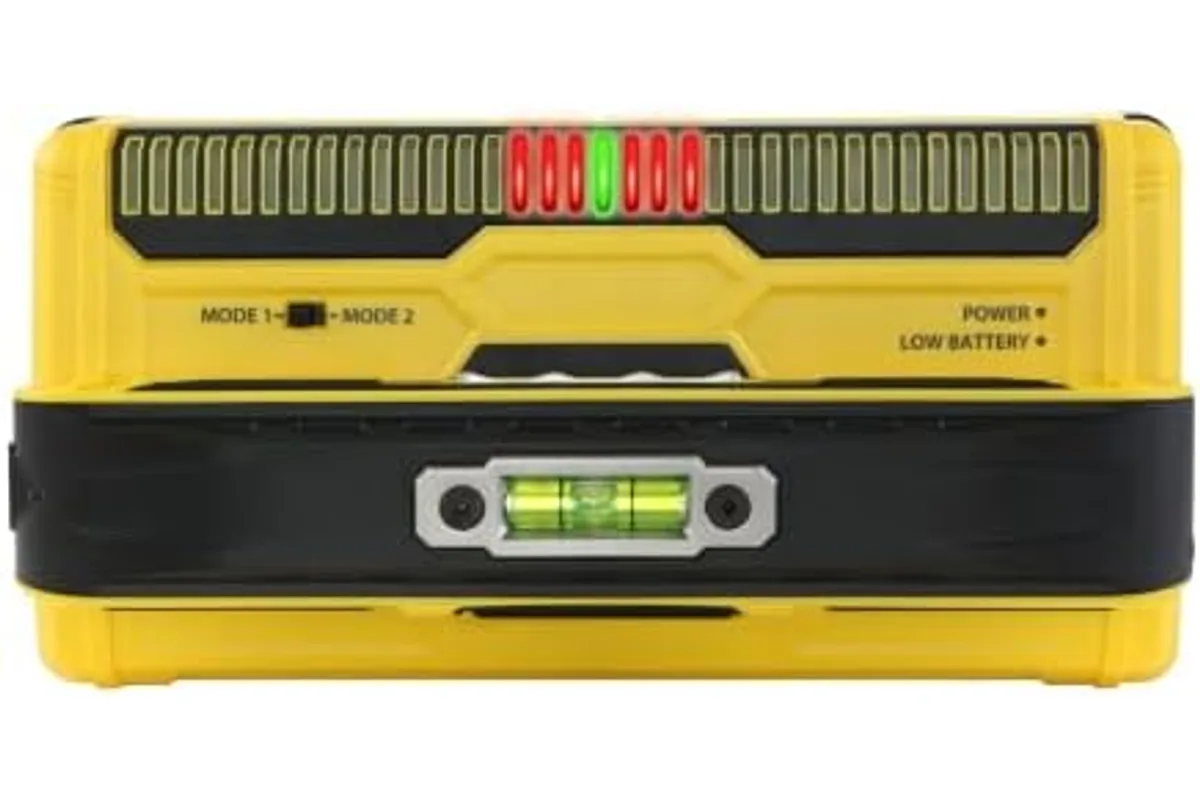
A handheld stud finder used to locate framing behind drywall
An electronic stud finder of the kind that scans for edges or centers.

Edge finding versus center finding

Basic electronic finders are edge finders. They signal when they reach one edge of a stud, and you mark that point, then slide from the other side and mark the second edge. The centre of the stud lies halfway between the two marks. It takes a little more work but is reliable, because you have two readings that should be about one and a half inches apart.

Centre finding models use multiple sensors or smarter processing to locate the middle of the stud directly, often with a display that shows a stud icon or a bar graph. They are quicker, but a single reading is easier to get wrong. The best habit with any finder is to scan from both sides and confirm that the edges are the width of a stud, and to check for the next stud at the expected spacing.

Where precision matters, such as hanging a heavy television bracket, mark the edges and the centre and check again. A stud finder is best used as a locator that gives a strong hint and not an authority. Treat any single beep as a candidate, and confirm it before committing to a drill hole through a wall.

Deep scan and thick walls

Standard modes are designed for typical plasterboard about 12 to 15 millimetres, or half an inch, thick. Thicker walls, such as two layers of board, plaster over lath or a decorative covering, may hide studs beyond the normal range. A deep scan mode increases the sensing depth, usually to about 1 and a half inches or more, and lets the tool detect studs through thicker material.

Deep scan has costs. It is more sensitive, so it picks up more of what lies behind the wall, including pipes, ducts and metal, and false positives rise. The stated depth is a maximum under ideal conditions, and no source documents that it works equally in every wall. Use deep scan when the standard mode finds nothing, and treat its readings with extra caution.

Wall coverings matter too. Thick wallpaper, textured paint, tiles and panelling all affect capacitive devices, because they change the density near the surface. Moving the tool slowly and keeping it flat on the wall helps. On tiled walls, the device may be useless, since the tile and adhesive dominate the reading. In those cases, a magnet on the grout line, or a measurement from a known point, is more reliable.

False positives: pipes, wires and metal

The capacitive sensor reacts to any change in density, not only wood. A water pipe, a metal conduit, a duct or a bundle of cables can trigger a stud reading, and so can a wall that is damp or has insulation of varied density. Metal behind plaster, such as metal lath, corner bead and the foil backing of some insulation boards, often makes the tool signal across a wide area.

Because pipes and cables usually run vertically near studs, they cause the most dangerous mistakes: you find a stud, drill, and hit a pipe. Many modern finders have a metal detection mode or an indicator for live AC wiring, which helps, but these are aids, not guarantees. A device cannot reliably detect all wires, particularly those not carrying current and those deep in the wall.

Practical rules reduce the risk. Avoid drilling directly above or below electrical sockets and switches, since cables usually run vertically from them. Be careful near bathrooms, kitchens and walls that back onto them, where pipes run. Look for signs such as screw lines or nail heads. When in doubt, keep the drill hole shallow, and consider turning off the power at the consumer unit before drilling in a risky area.
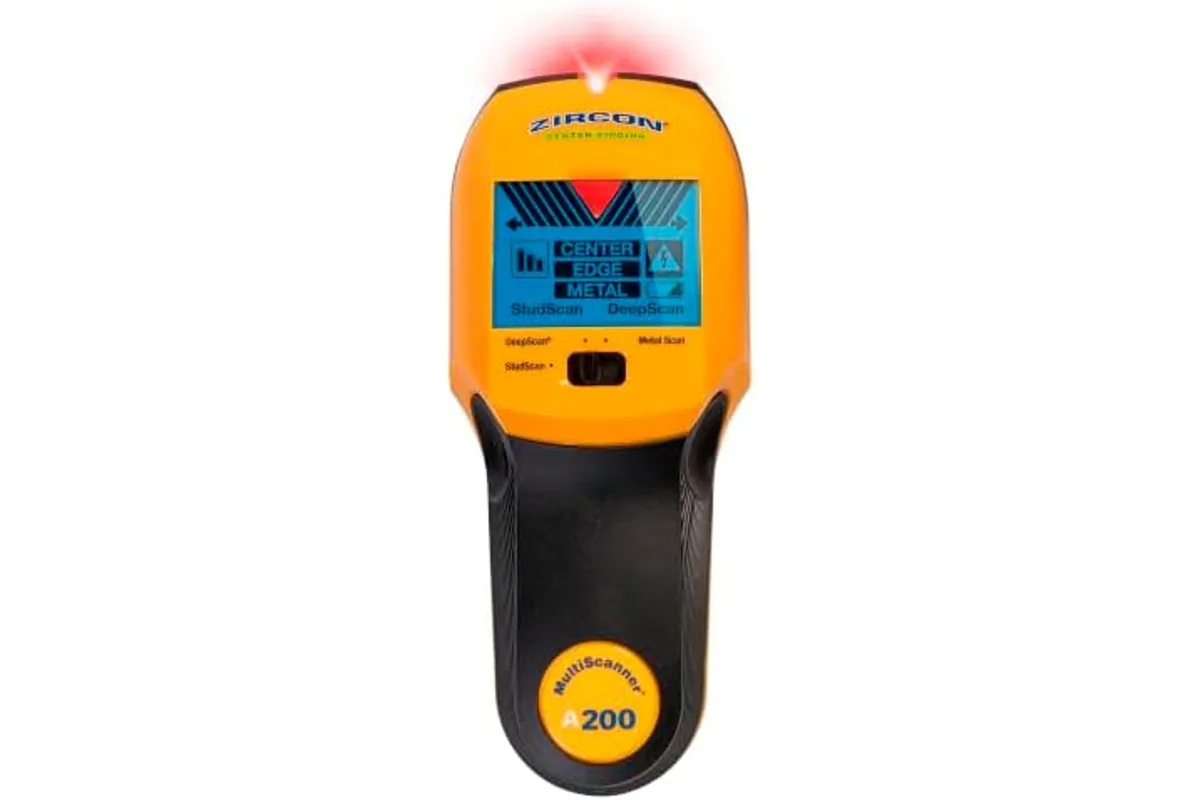
A handheld stud finder used to locate framing behind drywall
An electronic stud finder of the kind that scans for edges or centers.

Plaster and lath, and difficult walls

Older houses often have plaster applied over thin wooden strips called lath, or over metal mesh. The surface is thick, uneven and full of metal, and most finders struggle. Plaster is denser than plasterboard, and its thickness varies, so a capacitive finder may give constant readings or none at all. Metal lath triggers metal detection and masks studs.

In plaster and lath walls, a magnetic finder is surprisingly useful, because the lath is nailed to the studs, and the nails are in a vertical line. A radar device may also help. Another trick is to find the stud from the nearest known edge, such as a window or door frame, and measure at the standard spacing. Check the line by tapping the wall, which sounds solid over a stud and hollow between.

Drilling plaster calls for care: use a sharp masonry or multi purpose bit, start slowly without hammer action, and use a lower speed to avoid cracking the plaster. Fixings in old plaster need allowance for crumbly material, and for heavy loads, locating the stud or using a fixing designed for plaster is essential. Treat a wall that crumbles or shows cracks as a sign that it needs repair before any load is hung.

How to confirm a stud before drilling

Always confirm a reading before using it for a heavy fixing. The simplest method is a small test hole with a thin bit or a pin in a spot that will be hidden by the object you are hanging. If the bit meets solid wood, it resists and produces pale wood dust, and if it meets the hollow cavity, it passes through with little resistance. A hole of 2 millimetres or so is hardly visible and easy to fill.

Check the dimensions. A true stud reading will show edges about 1 and a half inches or 38 millimetres apart, and the next stud should lie about 16 inches or 400 millimetres, or sometimes 24 inches or 600 millimetres, away. If you find readings that do not fit the pattern, suspect a false positive. Knocking along the wall and listening for the change from hollow to solid is a quick cross check.

For heavy items, use screws long enough to penetrate the stud by at least an inch, 25 millimetres, beyond the wall surface, and drill a pilot hole of the correct size first. A good fixing technique and tool control matter, and the guide to drill versus impact driver covers the tools. For cutting openings, a suitable saw blade, discussed in circular saw blade teeth explained, helps. Finishing repairs to filled holes uses abrasives, covered in our sandpaper grit guide.

Wire detection limits and safety

Many finders advertise live wire detection, which senses the electric field around a cable carrying mains current. It can warn you of a live wire close to the surface, and that is useful. But it has limits. It cannot detect a cable that is switched off or not carrying current, it may miss wires deep in the wall or shielded in metal conduit, and it may give false warnings from other sources.

No stud finder should be treated as a guarantee that a wall is safe to drill. Plumbing, gas pipes and low voltage cables are generally not detected at all, and the detection of AC wires is incomplete. If you need to drill in a position where hidden services are possible, use a dedicated cable and pipe detector, check the building plans, or ask an electrician or plumber.

If you strike a cable, a pipe or smell gas, stop at once. Do not touch exposed wires, turn off the power at the consumer unit, shut off the water at the stopcock if a pipe is hit, and call a qualified tradesperson. For gas, leave the building and call the gas emergency number. An electric shock, even a mild one, is a reason to seek medical advice. Browse the tools and DIY category for more.

What to look for when buying

For a household, a mid range electronic finder with edge finding, a deep scan mode, a metal and live wire indicator and a clear display covers most needs. A magnetic finder is a cheap, useful backup that costs little and never fails because of batteries. If you work on older homes or renovate often, a radar capable model may justify its price.

Check how the device calibrates, and whether it can be used one handed. A model that requires calibration on a stud, or fails to calibrate, causes inverted readings. Look for a bright, clear indicator and a way to mark the position without moving the tool. Battery life and the type of battery matter, since a weak battery makes a capacitive finder unreliable.

Read owner feedback about how consistent a model is on real walls, not only the maximum depth on the box. Be wary of very cheap models whose behaviour is erratic. Whatever you buy, learn how it behaves on a wall where you know where the studs are, and practise before relying on it. A little experience makes any finder more useful.

Frequently asked questions

Are stud finders accurate?

They are useful but not perfectly reliable. Accuracy depends on the wall, the type of finder and the technique. Pipes, wires, metal and thick surfaces can mislead them, so always confirm a stud with a test hole or by checking the spacing.

Can a stud finder detect metal studs?

Many can, using a metal scan mode, and magnetic finders also react to metal. Metal studs need different fixings from wood, such as toggle bolts or special screws, so identify the stud type first.

Do I need a stud finder for light items?

Not for pictures and light shelves, where plasterboard anchors are enough. For heavy items such as televisions, cabinets and large mirrors, finding a stud or using rated heavy duty fixings is important.

Why does my stud finder beep everywhere?

It may be calibrated on a stud, held at an angle, or reacting to metal, a thick covering or varied density. Recalibrate on an empty spot, hold it flat and move it slowly. If it still beeps everywhere, the wall may not suit the tool.

Can I find studs without a tool?

Yes. Knock along the wall and listen for a solid sound, look for nail or screw lines, check the position of sockets, which are often attached to a stud, and measure from a corner at standard spacing. A small magnet can find fasteners.

Does a stud finder replace a cable detector?

No. Wire detection in a stud finder is limited and does not find pipes or unpowered wires reliably. For work near hidden services, use a dedicated detector and take proper precautions.

The bottom line

Choose a mid range electronic stud finder with edge finding and deep scan for general household use, and add a magnetic finder as a cheap backup. Choose radar only if you often work in older or complex walls and need the extra depth.

Use the tool as a guide, not an authority. Calibrate on empty wall, scan from both sides, check that the edges are the width of a stud and the spacing fits, and confirm with a small test hole before drilling for a heavy fixing.

Respect the limits of wire detection and never assume a wall is safe. Stay clear of sockets, switches and wet areas, switch off power where needed, and stop at once if you hit a pipe or cable.

Image credits

  • adjdb-fixed-rack.webp: stevepb, Pixabay Content License, source via Pixabay
  • adjdb-spinlock-pair.webp: Arcaion, Pixabay Content License, source via Pixabay
  • adjdb-pair-floor.webp: stevepb, Pixabay Content License, source via Pixabay
  • airfryer-2020-unit.webp: vaxey44972, Pixabay Content License, source via Pixabay
  • airfryer-interior-basket.webp: planet_fox, Pixabay Content License, source via Pixabay
  • airfryer-tabletop-convection.webp: Bagoto, CC BY-SA 4.0, source via Openverse
  • bat-drill-pack.webp: bluebudgie, Pixabay Content License, source via Pixabay
  • bat-ryobi-5ah.webp: Alexei_other, Pixabay Content License, source via Pixabay
  • btcodec-wireless-headphones.webp: vinny1987, Pixabay Content License, source via Pixabay
  • brushless-cordless-drill.webp: dreimarkfuffzig, Pixabay Content License, source via Pixabay
  • brushless-drill-driving-screw.webp: Bru-nO, Pixabay Content License, source via Pixabay
  • sawblade-carbide-teeth-closeup.webp: annawaldl, Pixabay Content License, source via Pixabay
  • sawblade-circular-saw-blade-teeth.webp: jeanvdmeulen, Pixabay Content License, source via Pixabay
  • sawblade-cordless-circular-saw.webp: PfenningMassivholzmoebel, Pixabay Content License, source via Pixabay
  • impact-driver-hex-collet.webp: Mark Hunter, CC BY 2.0, source via Wikimedia Commons
  • foamroller-row-densities.webp: Pexels, Pixabay Content License, source via Pixabay
  • foamroller-thigh-use.webp: Pexels, Pixabay Content License, source via Pixabay
  • foamroller-back-use.webp: Pexels, Pixabay Content License, source via Pixabay
  • hose-coiled-green.webp: Ralphs_Fotos, Pixabay Content License, source via Pixabay
  • hose-nozzle-spray.webp: manfredrichter, Pixabay Content License, source via Pixabay
  • hose-reel-storage.webp: RyanMcGuire, Pixabay Content License, source via Pixabay
  • grillchoice-gas-charcoal-side.webp: pixel2013, Pixabay Content License, source via Pixabay
  • grillchoice-charcoal-kettle.webp: adonyig, Pixabay Content License, source via Pixabay
  • grillchoice-gas-burners.webp: RAMillu, Pixabay Content License, source via Pixabay
  • anc-over-ear-headphones.webp: rupixen, Pixabay Content License, source via Pixabay
  • anc-headphones-over-ear.webp: terydanphiri, Pixabay Content License, source via Pixabay
  • anc-earbuds-case.webp: MUSIC_AND_WALLPAPER, Pixabay Content License, source via Pixabay
  • yogamat-rolled-studio.webp: pixelcreatures, Pixabay Content License, source via Pixabay
  • yogamat-cork-surface.webp: lograstudio, Pixabay Content License, source via Pixabay
  • yogamat-practice-pose.webp: StockSnap, Pixabay Content License, source via Pixabay
  • bits-sds-set.webp: blickpixel, Pixabay Content License, source via Pixabay
  • bits-gold-twist.webp: Life-Of-Pix, Pixabay Content License, source via Pixabay
  • bits-aluminium-oil.webp: blickpixel, Pixabay Content License, source via Pixabay
  • dumbbell-rack-rows.webp: anncapictures, Pixabay Content License, source via Pixabay
  • dumbbell-curl-rack.webp: markusspiske, Pixabay Content License, source via Pixabay
  • dumbbell-hand-grip.webp: Engin_Akyurt, Pixabay Content License, source via Pixabay
  • descale-hamilton-maker.webp: andrew welch, CC0, source via Openverse
  • descale-limescale-pot.webp: MuhamadIksan, Pixabay Content License, source via Pixabay
  • descale-espresso-jimmyweee.webp: 2857440, Pixabay Content License, source via Pixabay
  • castiron-skillet-seasoned-surface.webp: ponce_photography, Pixabay Content License, source via Pixabay
  • castiron-skillet-on-hob.webp: ponce_photography, Pixabay Content License, source via Pixabay
  • shears-bypass-pair.webp: Ray_Shrewsberry, Pixabay Content License, source via Pixabay
  • shears-blade-sharpening.webp: CarlottaSilvestrini, Pixabay Content License, source via Pixabay
  • shears-pruning-cut.webp: schraubgut, Pixabay Content License, source via Pixabay
  • humidifier-cool-mist-unit.webp: asundermeier, Pixabay Content License, source via Pixabay
  • humidifier-ultrasonic-mist.webp: Tiluria, Pixabay Content License, source via Pixabay
  • cooktop-induction-pan.webp: MrWashingt0n, Pixabay Content License, source via Pixabay
  • cooktop-gas-burners-flame.webp: ferarcosn, Pixabay Content License, source via Pixabay
  • mower-rotary-lawn-cut.webp: congerdesign, Pixabay Content License, source via Pixabay
  • mower-cordless-battery.webp: ClickerHappy, Pixabay Content License, source via Pixabay
  • mower-robotic-lawn.webp: MonikaP, Pixabay Content License, source via Pixabay
  • blower-backpack-yard.webp: ClickerHappy, Pixabay Content License, source via Pixabay
  • monitor-gaming-desk.webp: StartupStockPhotos, Pixabay Content License, source via Pixabay
  • monitor-curved-display.webp: PublicDomainPictures, Pixabay Content License, source via Pixabay
  • monitor-dual-screen-setup.webp: StartupStockPhotos, Pixabay Content License, source via Pixabay
  • powerbank-capacity-pair.webp: StockSnap, Pixabay Content License, source via Pixabay
  • powerbank-two-units-cable.webp: aiiapromogifts, Pixabay Content License, source via Pixabay
  • powerbank-phone-charging.webp: aiiapromogifts, Pixabay Content License, source via Pixabay
  • raisedbed-cedar-vegetables.webp: planet_fox, Pixabay Content License, source via Pixabay
  • raisedbed-steel-garden.webp: AndreasGoellner, Pixabay Content License, source via Pixabay
  • raisedbed-brick-stone.webp: Farbsynthese, Pixabay Content License, source via Pixabay
  • bands-loop-set-colours.webp: SpencerWing, Pixabay Content License, source via Pixabay
  • robotvac-suction-floor.webp: HOCKULUS, Pixabay Content License, source via Pixabay
  • robotvac-brush-underside.webp: NickyPe, Pixabay Content License, source via Pixabay
  • robotvac-hard-floor-clean.webp: ed_rsnhr, Pixabay Content License, source via Pixabay
  • smarthome-hub-and-sensors.webp: finnhart, Pixabay Content License, source via Pixabay
  • ssd-and-hdd-side-by-side.webp: bohed, Pixabay Content License, source via Pixabay
  • ssd-sata-2-5-inch.webp: blickpixel, Pixabay Content License, source via Pixabay
  • ssd-hard-disk-interior.webp: wir_sind_klein, Pixabay Content License, source via Pixabay
  • pans-three-materials.webp: Unknown, CC0, source via Openverse
  • treadmill-running-belt.webp: lewisgoodphotos, Pixabay Content License, source via Pixabay
  • treadmill-console-belt.webp: Rattakarn_, Pixabay Content License, source via Pixabay
  • grillgrate-drip-tray.webp: pixel2013, Pixabay Content License, source via Pixabay
  • umbrella-market-patio-table.webp: schaerfsystem, Pixabay Content License, source via Pixabay
  • umbrella-cantilever-offset.webp: ClickerHappy, Pixabay Content License, source via Pixabay
  • umbrella-closed-base.webp: Unknown, CC0, source via Openverse
  • level-cross-line-laser-wall.webp: Billbeee at English Wikipedia, CC BY 2.5, source via Openverse
  • level-bubble-vial.webp: Didgeman, Pixabay Content License, source via Pixabay
  • bench-fid-flat-incline.webp: 12019, Pixabay Content License, source via Pixabay
  • bat-contacts.webp: bluebudgie, Pixabay Content License, source via Pixabay
  • btcodec-phone-and-earbuds.webp: Firmbee, Pixabay Content License, source via Pixabay
  • btcodec-over-ear-wireless.webp: HOerwin56, Pixabay Content License, source via Pixabay
  • brushless-drill-motor-parts.webp: Alexei_other, Pixabay Content License, source via Pixabay
  • impact-driver-and-drill-pair.webp: Bru-nO, Pixabay Content License, source via Pixabay
  • impact-driver-decking-screw.webp: PublicDomainPictures, Pixabay Content License, source via Pixabay
  • bike-spin-saddle.webp: musculacaoMM2020, Pixabay Content License, source via Pixabay
  • grillgrate-cast-iron-clean.webp: pixel2013, Pixabay Content License, source via Pixabay
  • grillgrate-brush-hot.webp: 4666192, Pixabay Content License, source via Pixabay
  • humidifier-evaporative-wick.webp: asundermeier, Pixabay Content License, source via Pixabay
  • iprating-water-droplets-device.webp: AS_Photography, Pixabay Content License, source via Pixabay
  • level-rotary-tripod.webp: jarmoluk, Pixabay Content License, source via Pixabay
  • blower-leaf-pile.webp: ClickerHappy, Pixabay Content License, source via Pixabay
  • massagegun-thigh-use.webp: Surprising_Media, Pixabay Content License, source via Pixabay
  • mesh-wifi-node-on-shelf.webp: jeanvdmeulen, Pixabay Content License, source via Pixabay
  • mesh-wifi-node-pair.webp: dmitrochenkooleg, Pixabay Content License, source via Pixabay
  • mesh-wifi-ceiling-access-point.webp: wishedcn0, Pixabay Content License, source via Pixabay
  • multitool-plunge-cut-wood.webp: neelam279, Pixabay Content License, source via Pixabay
  • multitool-flush-cut.webp: powertools, Pixabay Content License, source via Pixabay
  • multitool-blades-set.webp: jeanvdmeulen, Pixabay Content License, source via Pixabay
  • outdoormat-patio-table-set.webp: KarenJubinville, Pixabay Content License, source via Pixabay
  • outdoormat-teak-bench.webp: rhyslud, Pixabay Content License, source via Pixabay
  • outdoormat-wicker-chairs.webp: 1139623, Pixabay Content License, source via Pixabay
  • bands-tube-handles.webp: SpencerWing, Pixabay Content License, source via Pixabay
  • smarthome-smart-plug-wall.webp: finnhart, Pixabay Content License, source via Pixabay
  • pans-stainless-clad-skillet.webp: ujrzanow194, Pixabay Content License, source via Pixabay
  • pans-cast-iron-skillet.webp: fotoblend, Pixabay Content License, source via Pixabay
  • torquewrench-click-socket.webp: stevepb, Pixabay Content License, source via Pixabay
  • treadmill-motor-hood.webp: FitnessStore112, Pixabay Content License, source via Pixabay
  • usbc-charger-cable.webp: C10Maj, Pixabay Content License, source via Pixabay
  • usbc-wall-charger.webp: viarami, Pixabay Content License, source via Pixabay
  • usbc-cables-connectors.webp: ReadyElements, Pixabay Content License, source via Pixabay
  • bench-flat-pad.webp: 12019, Pixabay Content License, source via Pixabay
  • bench-dumbbell-press.webp: Unknown, CC0, source via Openverse
  • bike-indoor-cycling-row.webp: musculacaoMM2020, Pixabay Content License, source via Pixabay
  • castiron-seasoned-skillet.webp: u_uiv44oi92w, Pixabay Content License, source via Pixabay
  • cooktop-induction-surface.webp: Fxq19910504, Pixabay Content License, source via Pixabay
  • iprating-phone-in-water.webp: AS_Photography, Pixabay Content License, source via Pixabay
  • washer-patio-cleaning.webp: Mosatsu, CC BY-SA 4.0, source via Openverse
  • dehumidifier-portable-unit.webp: Amazon product image, Product image, source via Amazon
  • hepa-kowa-filter.webp: Amazon product image, Product image, source via Amazon
  • cadr-purifier-core300.webp: Amazon product image, Product image, source via Amazon
  • studfinder-handheld-scanner.webp: Amazon product image, Product image, source via Amazon
  • rower-air-flywheel-gym.webp: Amazon product image, Product image, source via Amazon
  • wifi-router-antennas.webp: Amazon product image, Product image, source via Amazon
  • sandpaper-grit-sheets.webp: BRRT, Pixabay Content License, source via Pixabay
  • dehumidifier-product-1.webp: Amazon product image, Product image, source via Amazon
  • dehumidifier-product-2.webp: Amazon product image, Product image, source via Amazon
  • hepa-product-1.webp: Amazon product image, Product image, source via Amazon
  • hepa-product-2.webp: Amazon product image, Product image, source via Amazon
  • cadr-product-1.webp: Amazon product image, Product image, source via Amazon
  • cadr-product-2.webp: Amazon product image, Product image, source via Amazon
  • studfinder-product-1.webp: Amazon product image, Product image, source via Amazon
  • studfinder-product-2.webp: Amazon product image, Product image, source via Amazon
  • massagegun-product-1.webp: Amazon product image, Product image, source via Amazon
  • washer-product-1.webp: Amazon product image, Product image, source via Amazon
  • washer-product-2.webp: Amazon product image, Product image, source via Amazon
  • rower-product-1.webp: Amazon product image, Product image, source via Amazon
  • rower-product-2.webp: Amazon product image, Product image, source via Amazon
  • smarthome-product-1.webp: Amazon product image, Product image, source via Amazon
  • torquewrench-product-1.webp: Amazon product image, Product image, source via Amazon
  • torquewrench-product-2.webp: Amazon product image, Product image, source via Amazon
  • wifi-product-1.webp: Amazon product image, Product image, source via Amazon
  • wifi-product-2.webp: Amazon product image, Product image, source via Amazon
  • iprating-wet-smartwatch.webp: indraprojects, Pixabay Content License, source via Pixabay
  • bike-alt-rower-1.webp: Amazon product image, Product image, source via Amazon
  • bands-alt-dumbbell-1.webp: Amazon product image, Product image, source via Amazon
  • sandpaper-drill-1.webp: Amazon product image, Product image, source via Amazon
  • sandpaper-drill-2.webp: Amazon product image, Product image, source via Amazon

Related Guides